EasyManua.ls Logo

Fujitsu M10-4 - Removing a PCI Express Card Filler; Installing a PCI Express Card Cassette

Fujitsu M10-4
342 pages
Print Icon
To Next Page IconTo Next Page
To Previous Page IconTo Previous Page
Loading...
Caution
-
When
installing
a
PCIe
card
cassette,
confirm
that
the
connectors
on
both
the
chassis
and
PCIe
card
cassette
do
not
have
any
bent
pins,
and
that
the
pins
are
aligned
correctly.
If
you
attempt
to
install
a
PCIe
card
cassette
while
any
of
the
connector
pins
are
bent,
the
chassis
or
the
PCIe
card
cassette
may
be
damaged.
When
performing
installation,
perform
the
work
carefully
so
as
not
to
bend
any
pins.
3.
Mount
the
cover
on
the
PCIe
card
cassette.
8.4.2 Removing
a
PCI
Express
card
filler
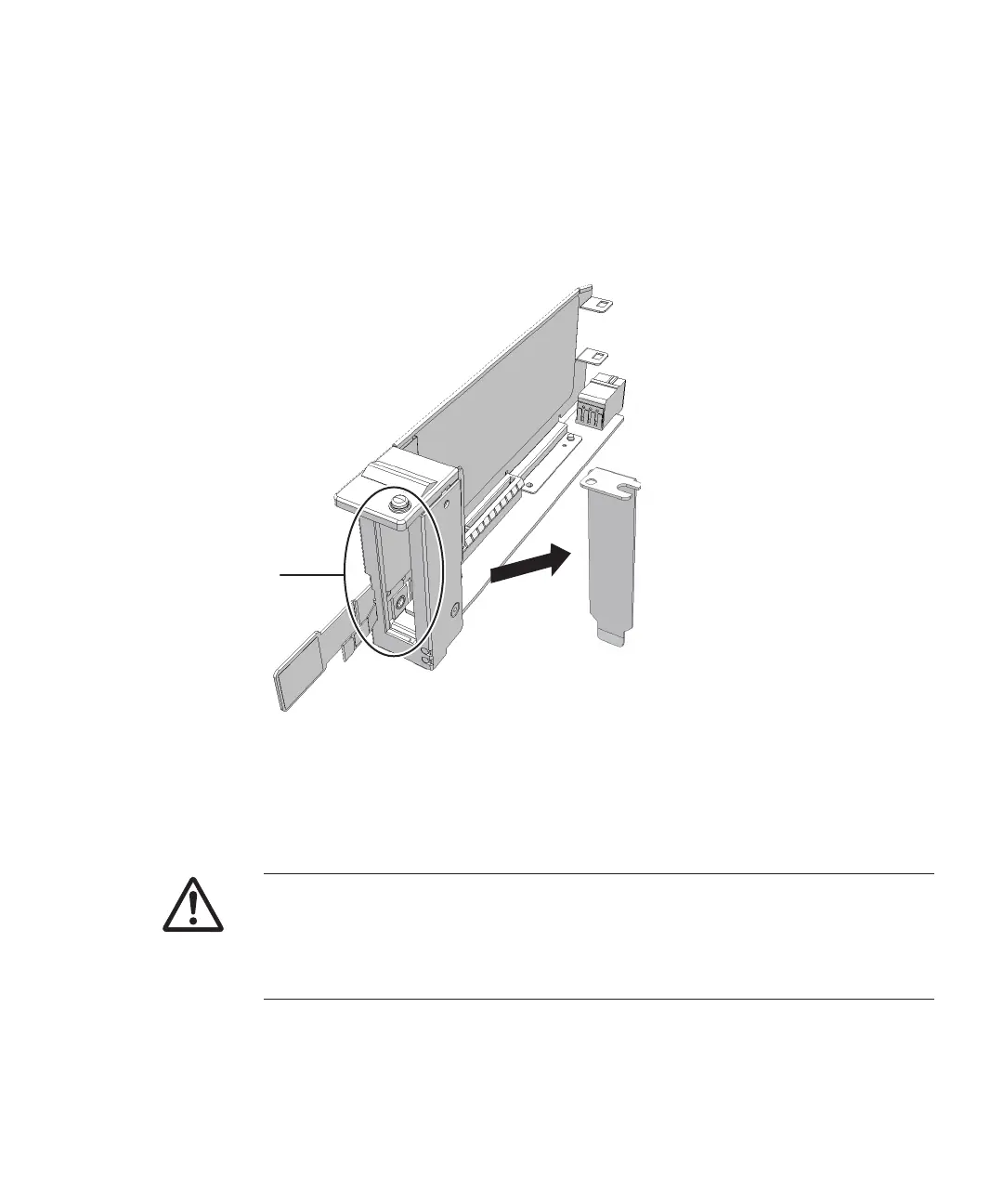
1.
Remove
the
PCIe
card
filler
(A
in
the
figure)
from
the
PCIe
card
cassette.
Figure
8-14
  
Removing
the
PCIe
filler
8.4.3 Installing
a
PCI
Express
card
cassette
1.
Hold
the
lever
of
the
PCIe
card
cassette
and
carefully
insert
the
cassette
into
the
PC
slot.
Chapter
8
 
Maintaining
the
PCI
Express
Cards 181

Table of Contents

Related product manuals