EasyManua.ls Logo

Fujitsu M10-4 - SAS Port; RESET Switch; D.3 SAS Port

Fujitsu M10-4
342 pages
Print Icon
To Next Page IconTo Next Page
To Previous Page IconTo Previous Page
Loading...
A
D.3 SAS
Port
The
SAS
port
of
the
SPARC
M10-4/M10-4S
is
used
to
connect
external
devices
with
an
SAS
interface,
such
as
a
tape
drive.
The
chassis
has
one
SAS
port
on
the
rear.
Consult
a
service
engineer
for
more
information
about
compatible
devices.
D.4 RESET
Switch
The
RESET
switch
of
the
SPARC
M10-4/M10-4S
is
an
emergency
switch
to
restart
the
XSCF.
For
how
to
use
the
RESET
switch,
see
"17.2
Notes
on
Using
RESET
Switch"
in
the
Fujitsu
M10/SPARC
M10
Systems
System
Operation
and
Administration
Guide.
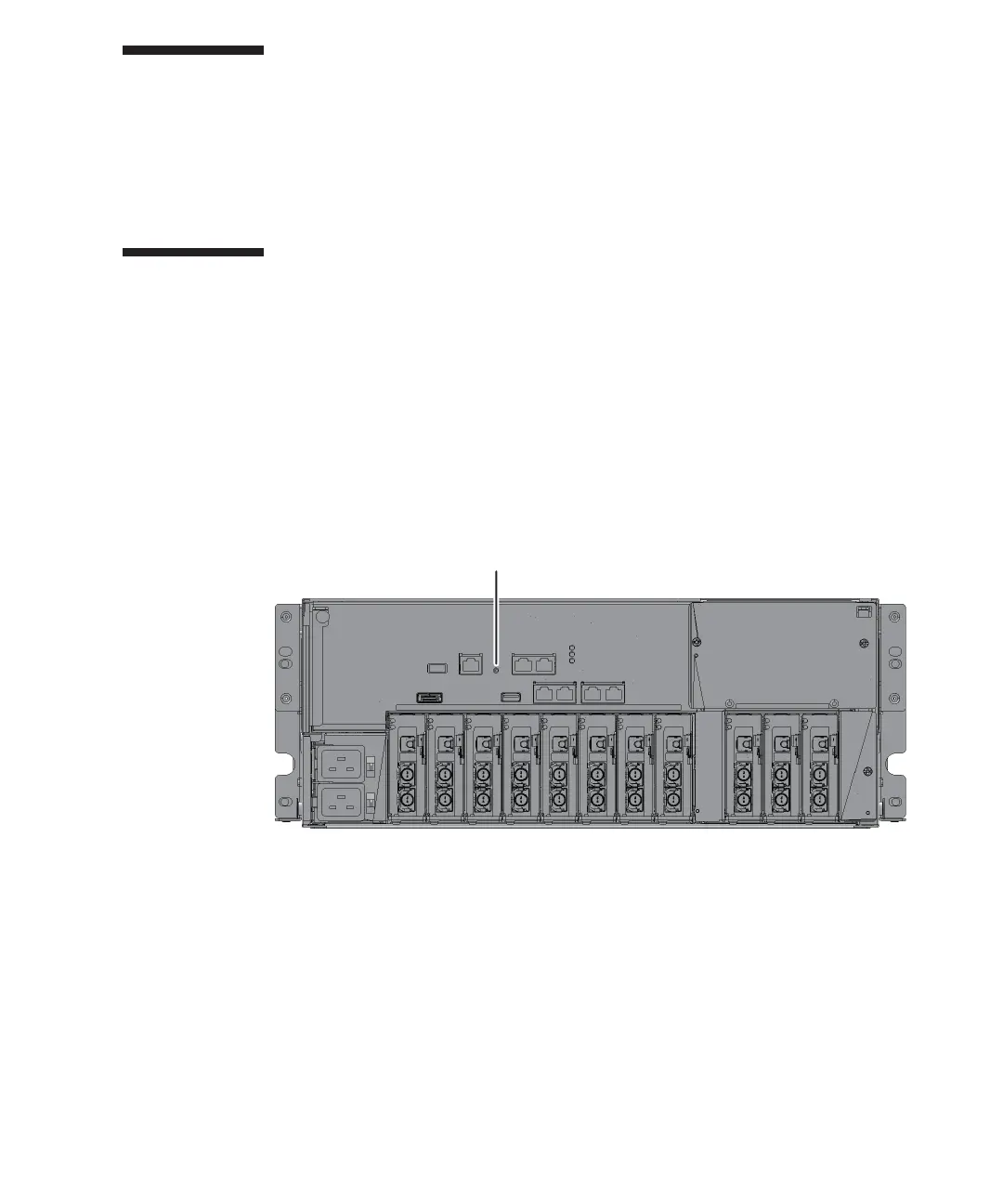
Figure
D-2
indicates
the
RESET
switch
location
of
the
SPARC
M10-4
while
Figure
D-3
indicates
the
RESET
switch
location
of
the
SPARC
M10-4S.
The
RESET
switch
(A
in
the
figure)
is
located
on
the
rear
of
the
chassis.
Figure
D-2
  
RESET
switch
location
(SPARC
M10-4)
Appendix
D
 
External
Interface
Specifications 325

Table of Contents

Related product manuals