EasyManua.ls Logo

Fujitsu M10-4 - Installing an XSCF DUAL Control Cable

Fujitsu M10-4
342 pages
Print Icon
To Next Page IconTo Next Page
To Previous Page IconTo Previous Page
Loading...
Note
-
Check
that
XSCF
DUAL
control
cable
is
correctly
connected
and
secure.
Note
-
After
connecting
the
XSCF
DUAL
control
cable,
use
the
hook-and-loop
fastener
to
bundle
the
cables
together
and
fasten
them
to
rear
cable
support.
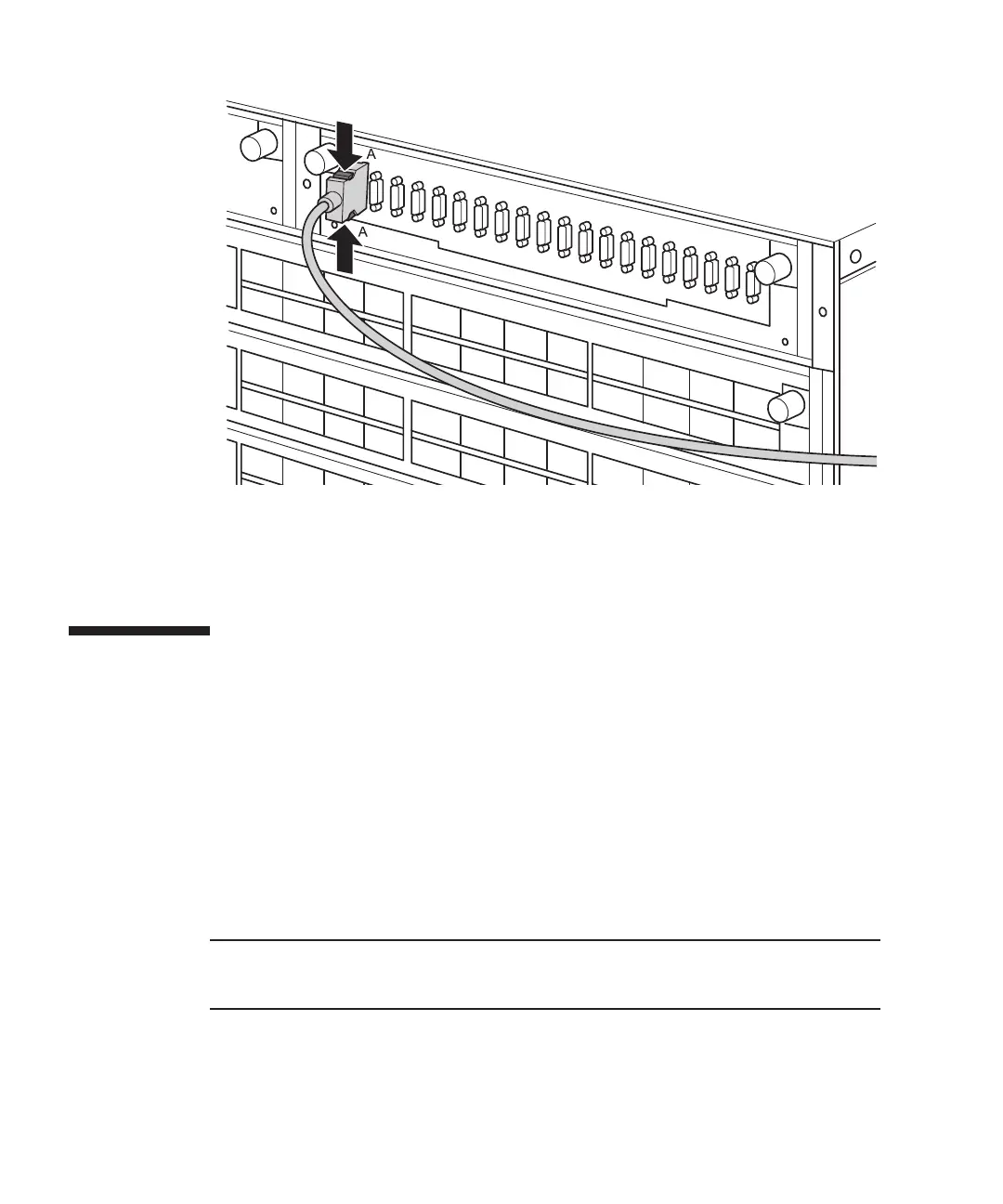
Figure
17-4
  
Removing
the
XSCF
DUAL
control
cables
(crossbar
box)
2.
Remove
the
XSCF
DUAL
control
cables
from
the
other
chassis.
Pull
out
the
XSCF
DUAL
control
cable
while
pushing
the
lock
release
buttons
on
the
both
sides
of
the
cable.
17.3 Installing
an
XSCF
DUAL
Control
Cable
This
section
describes
the
procedure
for
installing
an
XSCF
DUAL
control
cable.
1.
Attach
the
supplied
connection
destination
label
to
the
replacement
XSCF
DUAL
control
cable.
For
the
new
XSCF
DUAL
control
cable,
use
the
same
type
of
label
as
the
one
on
the
cable
requiring
maintenance
and
write
the
same
port
number
on
it.
2.
Connect
the
XSCF
DUAL
control
cable
to
SPARC
M10-4S
or
the
crossbar
box.
Fujitsu
M10-4/Fujitsu
M10-4S/SPARC
M10-4/SPARC
M10-4S
Service
Manual
November
2014300

Table of Contents

Related product manuals