EasyManua.ls Logo

Fujitsu M10-4 - Leds on each Component

Fujitsu M10-4
342 pages
Print Icon
To Next Page IconTo Next Page
To Previous Page IconTo Previous Page
Loading...
A
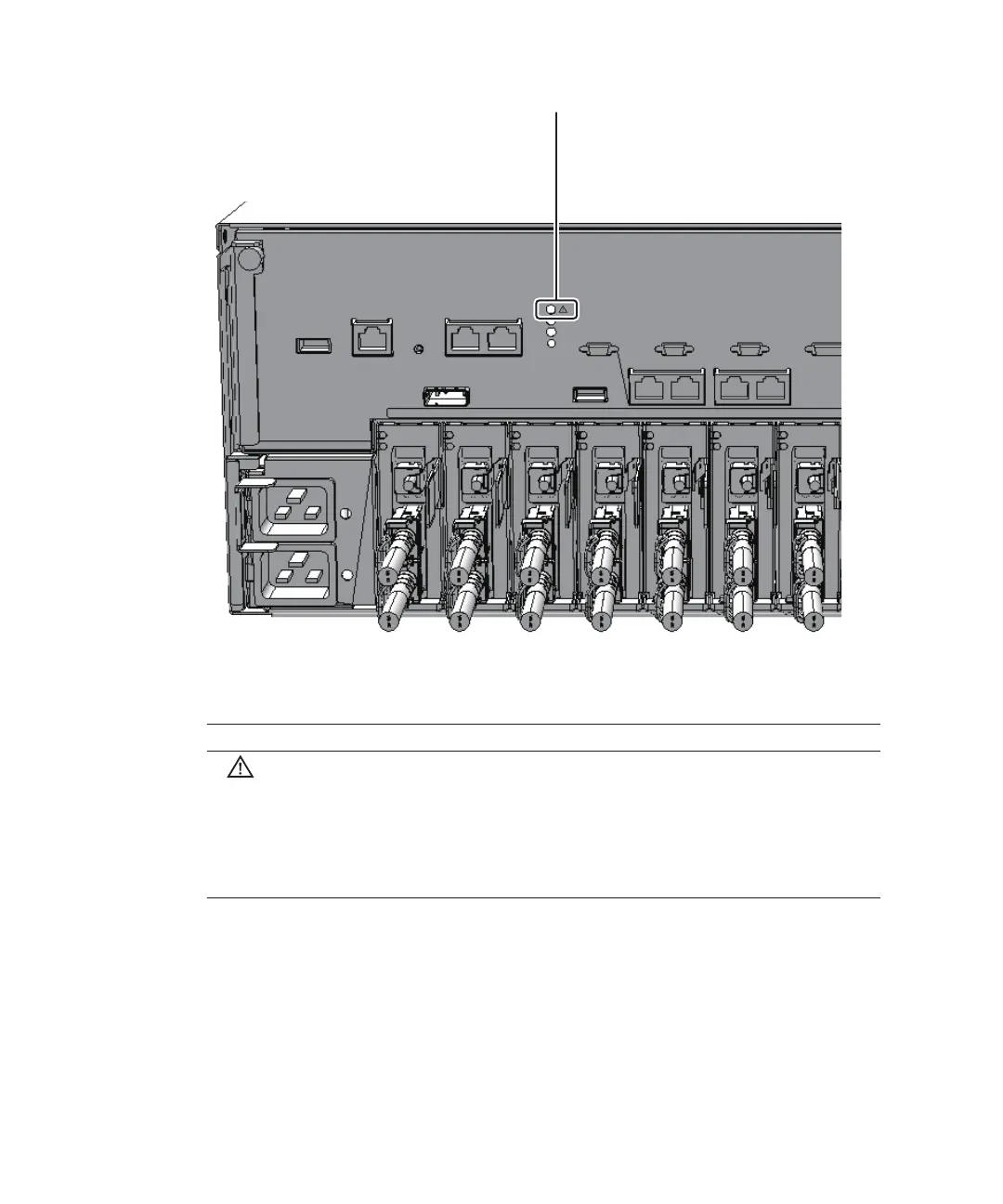
Table
2-11
  
Status
of
the
system
locator
Icon Name Color Description
CHECK Amber Indicates
the
system
operation
status
for
each
chassis.
On:
An
error
that
prevents
startup
was
detected.
Off:
Normal,
or
the
power
is
disconnected
or
not
being
supplied.
Blinking
(*1):
Indicates
that
the
chassis
requires
maintenance
(this
function
is
also
referred
to
as
the
"locator").
*1
The
blink
interval
is
1
second
(1
Hz).
Figure
2-11
  
Location
of
the
system
locator
2.4.3 LEDs
on
each
component
Each
component
of
the
SPARC
M10-4/M10-4S
has
a
mounted
LED.
These
LEDs
light
to
indicate
that
a
component
requires
maintenance
if
that
component
experiences
a
fault.
Start
maintenance
work
after
checking
the
LED
status.
 
Fujitsu
M10-4/Fujitsu
M10-4S/SPARC
M10-4/SPARC
M10-4S
Service
Manual
November
201426

Table of Contents

Related product manuals