EasyManua.ls Logo

Fujitsu M10-4 - Removing the CPU Memory Unit Upper

Fujitsu M10-4
342 pages
Print Icon
To Next Page IconTo Next Page
To Previous Page IconTo Previous Page
Loading...
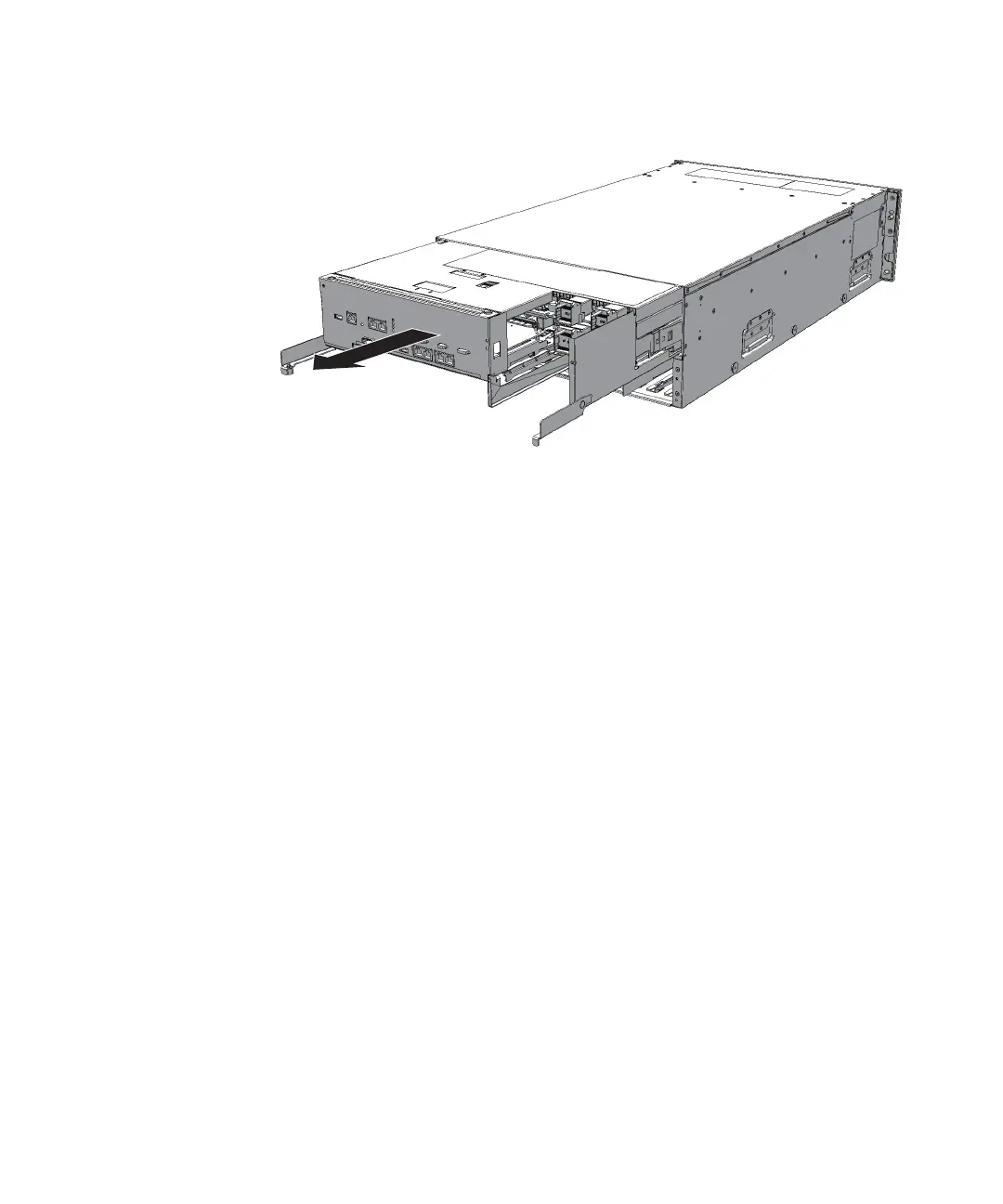
2.
Hold
the
right
and
left
levers
of
the
CPU
memory
unit
and
pull
out
the
CPU
memory
unit
about
10
cm
(3.9
in.)
Figure
9-7
  
Pulling
out
the
CPU
memory
unit
3.
With
a
hold
on
the
Handling
Position
on
both
sides
of
the
CPU
memory
unit,
remove
the
CPU
memory
unit.
9.3.3 Removing
the
CPU
memory
unit
upper
Remove
the
CPU
memory
unit
upper
after
removing
the
CPU
memory
unit
from
the
chassis.
Perform
reduction
using
the
same
procedure.
For
installation
or
for
a
system
where
the
CPU
memory
unit
upper
is
not
mounted,
remove
the
filler
unit
of
the
CPU
memory
unit
upper.
1.
Unlock
(push)
the
top
cover
of
the
CPU
memory
unit
and
remove
the
cover
by
sliding
it
in
the
direction
of
the
arrow.
Chapter
9
 
Maintaining
the
CPU
Memory
Unit/Memory 193

Table of Contents

Related product manuals