EasyManua.ls Logo

Fujitsu M10-4 - Installing a Crossbar Unit

Fujitsu M10-4
342 pages
Print Icon
To Next Page IconTo Next Page
To Previous Page IconTo Previous Page
Loading...
A
Note
-
Place
the
removed
crossbar
unit
on
a
grounded
antistatic
ESD
mat.
Note
-
When
mounting
a
crossbar
unit,
check
the
connectors
on
both
of
the
chassis
and
crossbar
unit
beforehand
to
confirm
that
no
pin
is
bent
and
all
the
pins
are
neatly
arranged
in
lines.
If
a
crossbar
unit
is
mounted
with
a
bent
pin
in
a
connector,
the
chassis
or
crossbar
unit
may
be
damaged.
Also,
carefully
proceed
with
the
work
to
prevent
any
pin
from
being
bent.
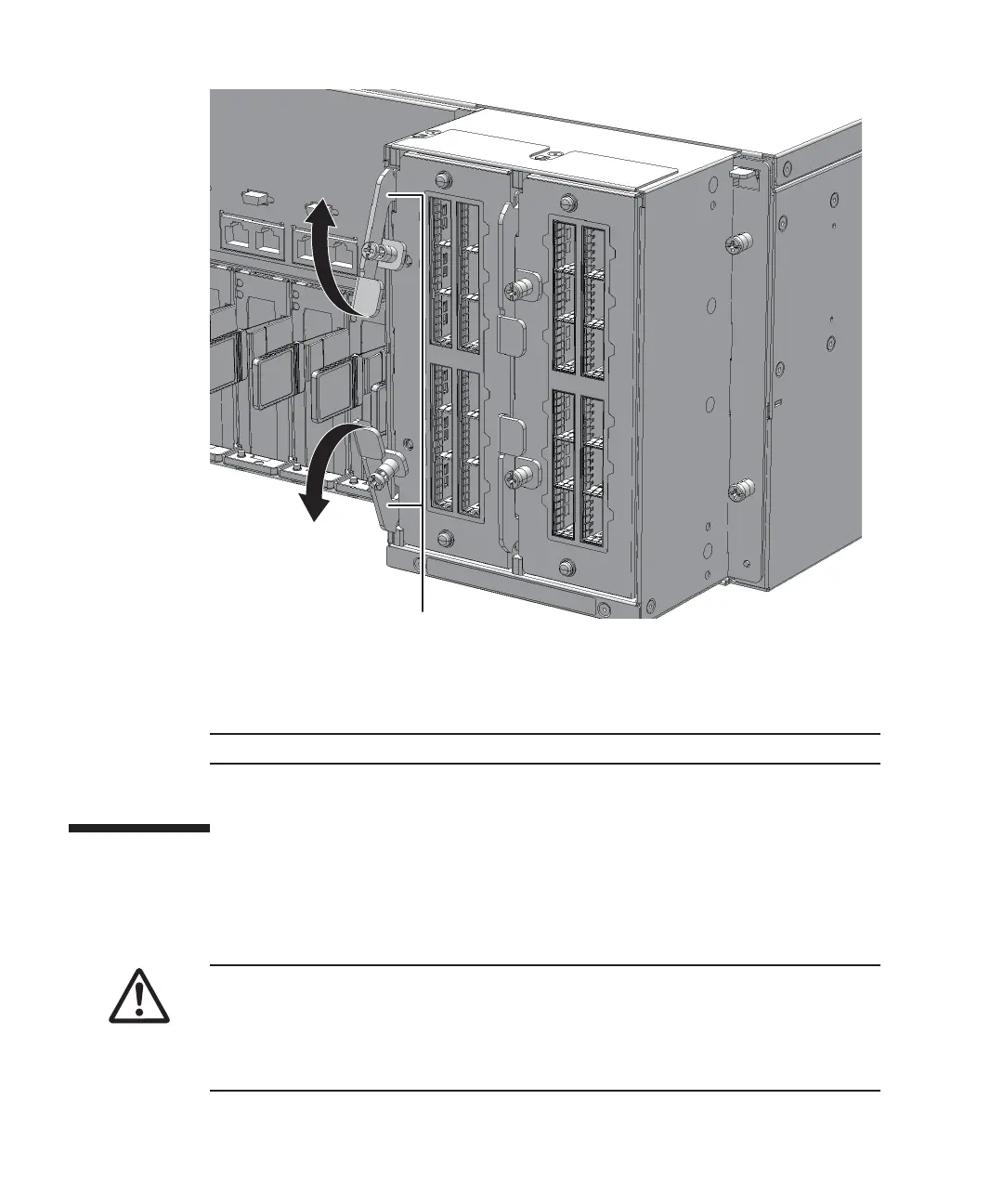
Figure
15-3
  
Opening
the
eject
levers
5.
Support
the
crossbar
unit
from
below
with
one
hand
and
carefully
remove
it
from
the
mounting
frame.
15.3 Installing
a
Crossbar
Unit
This
section
describes
the
procedure
for
installing
a
crossbar
unit.
Fujitsu
M10-4/Fujitsu
M10-4S/SPARC
M10-4/SPARC
M10-4S
Service
Manual
November
2014288

Table of Contents

Related product manuals