EasyManua.ls Logo

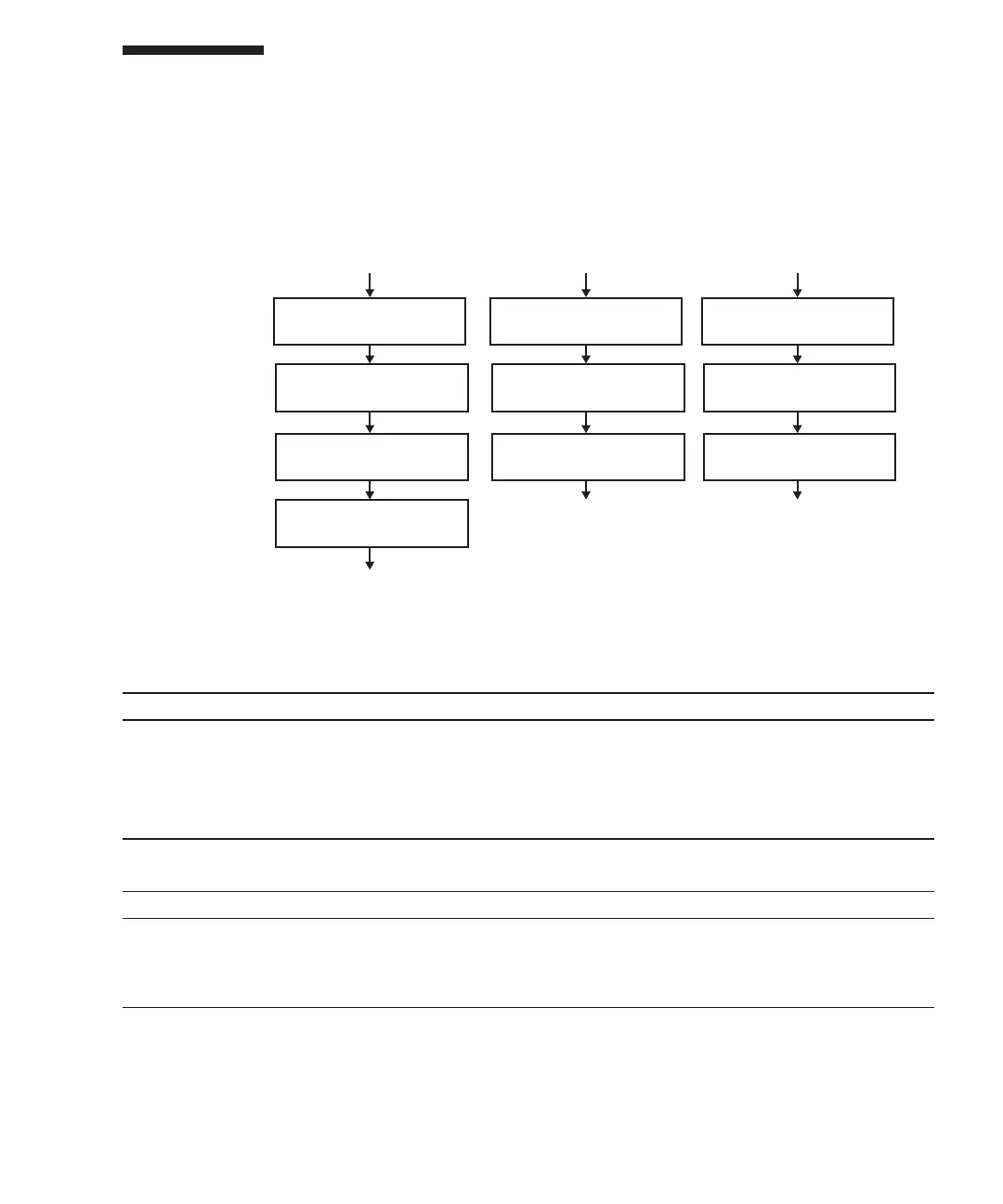
Fujitsu M10-4 - Maintenance Flow

Fujitsu M10-4
342 pages
Print Icon
To Next Page IconTo Next Page
To Previous Page IconTo Previous Page
Loading...
1. Remove PCI Express
card cassette
2. Remove PCI Express
card
3. Install PCI Express
card
1. Remove PCI Express
card cassette
2. Remove PCIe card
filler
3. Install PCI Express
card
1. Remove PCI Express
card cassette
2. Install PCIe card filler
3. Install PCI Express
card cassette
4. Install PCI Express
card cassette
(Go to "7.2 FRU Replacement
Workflow")
(Go to "7.3 FRU Installation
Workflow")
(Go to "7.4 FRU Removal
Workflow")
Replacement Installation Removal
Table
8-1
  
Replacement
workflow
and
procedures
Item
Replacement
work
procedure Re fe re nc e
1 Removing
a
PCI
Express
card
cassette 8.3.1
Removing
a
PCI
Express
card
cassette
2 Removing
a
PCI
express
card 8.3.2
Removing
a
PCI
Express
card
3 Installing
a
PCI
express
card 8.4.1
Installing
a
PCI
Express
card
4 Installing
a
PCI
Express
card
cassette 8.4.3
Installing
a
PCI
Express
card
cassette
Table
8-2
  
Installation
workflow
and
procedures
Item
Installation
work
procedure Reference
1 Removing
a
PCI
Express
card
cassette 8.3.1
Removing
a
PCI
Express
card
cassette
2 Removing
a
PCI
Express
card
filler 8.4.2
Removing
a
PCI
Express
card
filler
3 Installing
a
PCI
Express
card
cassette 8.4.3
Installing
a
PCI
Express
card
cassette
8.2 Maintenance
Flow
Perform
maintenance
work
on
PCI
Express
cards
by
following
the
procedures
shown
in
Figure
8-2,
Table
8-1,
Table
8-2,
and
Table
8-3.
Figure
8-2
  
Maintenance
workflow
Chapter
8
 
Maintaining
the
PCI
Express
Cards 171

Table of Contents

Related product manuals