EasyManua.ls Logo

Fujitsu M10-4 - Removing an Internal Disk

Fujitsu M10-4
342 pages
Print Icon
To Next Page IconTo Next Page
To Previous Page IconTo Previous Page
Loading...
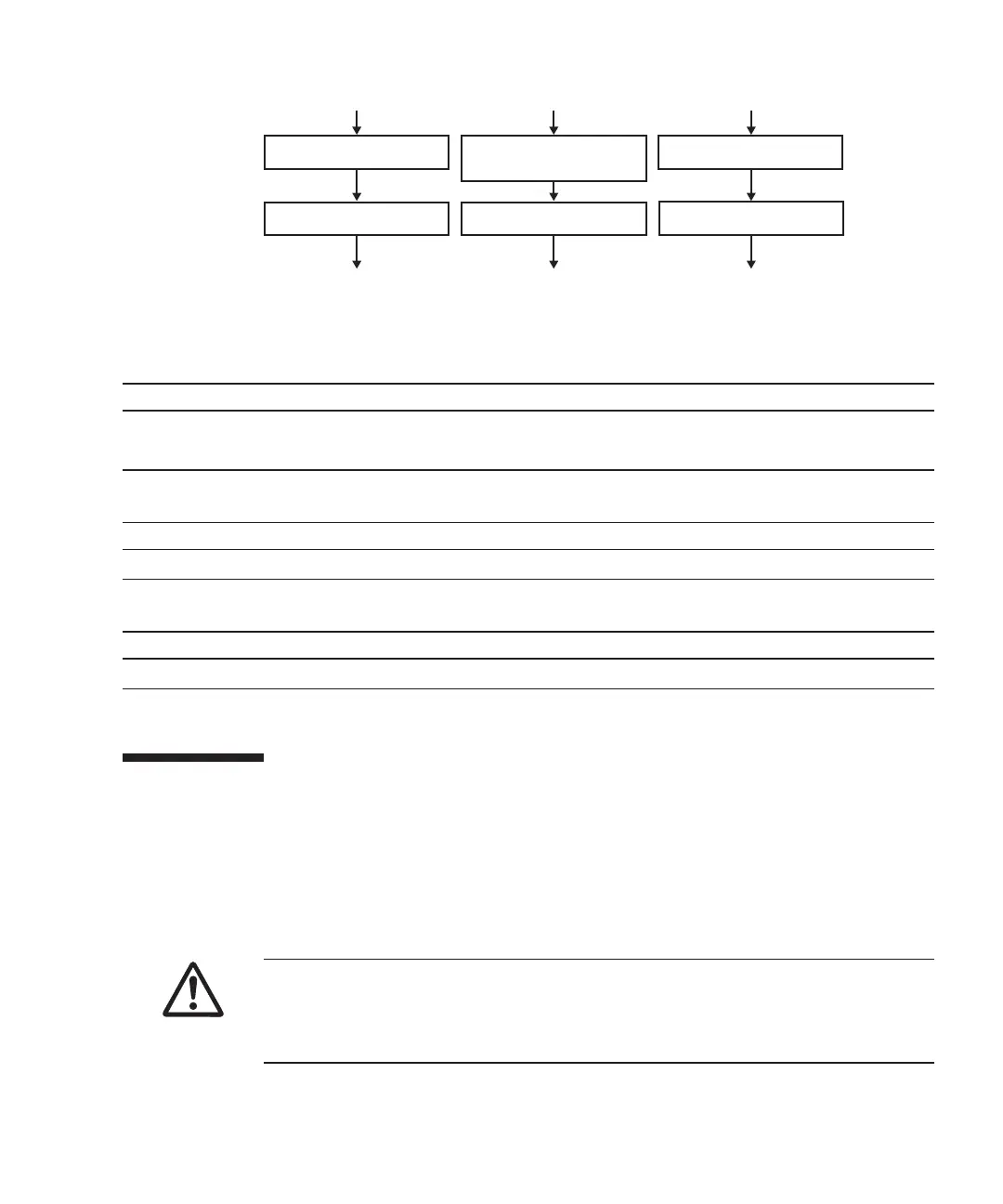
(Go to "Chapter 7
Maintenance Flow")
Removal
Installation
Replacement
1. Remove internal disk
2. Install internal disk
(Go to "Chapter 7
Maintenance Flow")
1. Remove internal
disk filler
2. Install internal disk
(Go to "Chapter 7
Maintenance Flow")
1. Remove internal disk
2. Install internal disk filler
Table
10-1
  
Internal
disk
replacement
workflow
and
procedures
Item
Replacement
work
procedure Re fe re nc e
1 Removing
an
internal
disk 10.3
Removing
an
Internal
Disk
2 Installing
an
internal
disk 10.4
Installing
an
Internal
Disk
Table
10-2
  
Internal
disk
installation
workflow
and
procedures
Item
Replacement
work
procedure Re fe re nc e
1 Installing
an
internal
disk 10.4
Installing
an
Internal
Disk
Table
10-3
  
Internal
disk
removal
workflow
and
procedures
Item
Replacement
work
procedure Re fe re nc e
1 Removing
an
internal
disk 10.3
Removing
an
Internal
Disk
Caution
-
Before
you
handle
any
components,
wear
a
wrist
strap
to
ground
any
static
electricity.
If
you
perform
this
procedure
without
a
wrist
strap,
individual
components
or
the
overall
system
may
be
damaged.
For
details,
see
"1.5
Notes
Regarding
Static
Electricity."
Figure
10-2
  
Maintenance
workflow
10.3 Removing
an
Internal
Disk
This
section
describes
the
procedure
for
removing
an
internal
disk.
Perform
reduction
using
the
same
procedure.
Make
the
internal
disk
ready
for
removal
before
attempting
to
remove
it.
For
details,
follow
the
procedure
in
"Chapter
7
Maintenance
Flow."
1.
Push
the
knob
on
the
internal
disk
to
unlock
it
and
then
raise
the
lever
to
a
45-degree
angle.
Chapter
10
 
Maintaining
the
Internal
Disks 255

Table of Contents

Related product manuals