EasyManua.ls Logo

Fujitsu M10-4 - Switching the Microsd Card

Fujitsu M10-4
342 pages
Print Icon
To Next Page IconTo Next Page
To Previous Page IconTo Previous Page
Loading...
Note
-
Be
careful
not
to
drop
the
removed
screw
onto
the
board
of
the
CPU
memory
unit
lower.
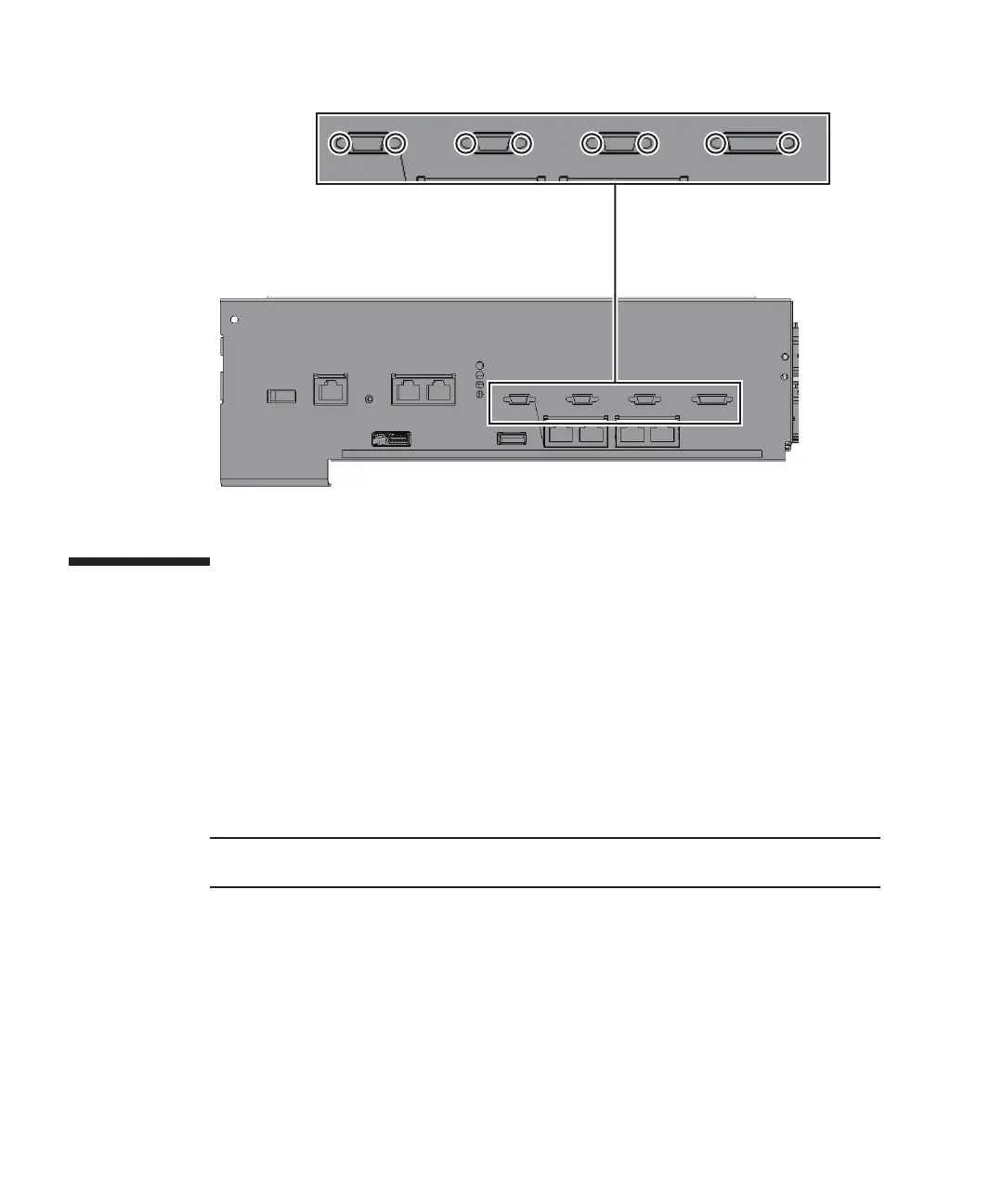
Figure
9-55
  
Screws
for
both
ends
of
the
XSCF
cable
connection
ports
(for
the
SPARC
M10-4S
with
a
FRAME-A
CPU
memory
unit)
9.5 Switching
the
microSD
Card
After
replacement
of
the
CPU
memory
unit
lower,
the
firmware
version
may
be
different
from
the
one
before
the
replacement.
To
use
the
same
firmware
version
as
that
used
before
the
replacement,
remove
the
microSD
card
from
the
CPU
memory
unit
lower
being
replaced,
and
then
install
it
in
the
replacement
CPU
memory
unit
lower.
1.
Remove
the
screw
of
the
microSD
card
protective
tape
(A
in
the
figure)
that
is
fixed
on
the
removed
CPU
memory
unit
lower.
Fujitsu
M10-4/Fujitsu
M10-4S/SPARC
M10-4/SPARC
M10-4S
Service
Manual
November
2014234

Table of Contents

Related product manuals