EasyManua.ls Logo

Fujitsu M10-4 - Removing a CPU Memory Unit from the Chassis

Fujitsu M10-4
342 pages
Print Icon
To Next Page IconTo Next Page
To Previous Page IconTo Previous Page
Loading...
Note
-
To
install
or
remove
a
CPU
memory
unit
upper,
it
is
necessary
to
remove
the
CPU
memory
unit
from
the
chassis.
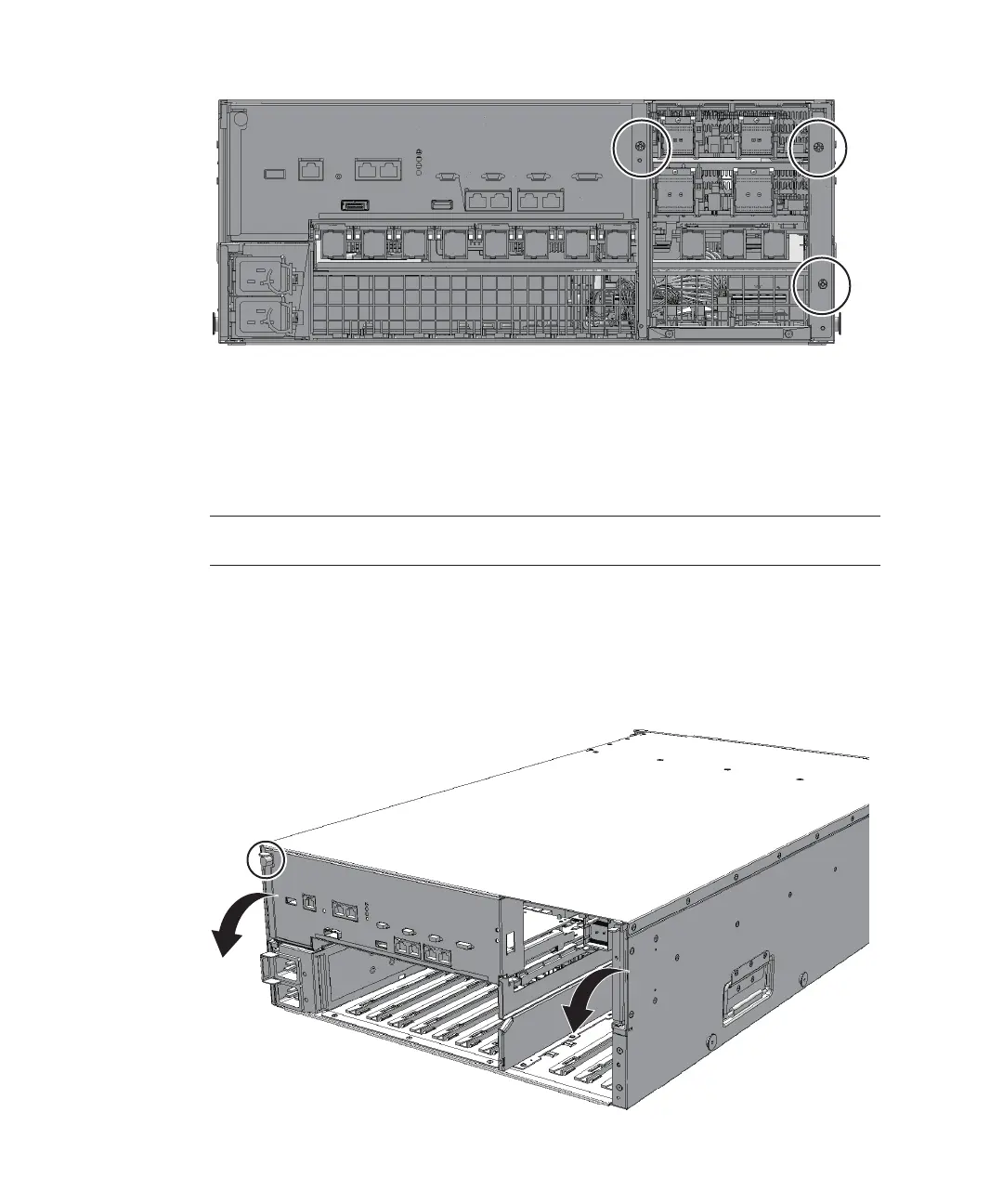
Figure
9-5
  
Screws
securing
the
mounting
frame
9.3.2 Removing
a
CPU
memory
unit
from
the
chassis
This
section
describes
the
procedure
for
removing
a
CPU
memory
unit.
1.
Loosen
the
one
screw
securing
the
lever
of
the
CPU
memory
unit
(rear
left
side)
and
then
lower
the
right
and
left
levers
of
the
CPU
memory
unit
to
the
horizontal
position.
Figure
9-6
  
Locations
of
the
screw
and
the
levers
of
the
CPU
memory
unit
Fujitsu
M10-4/Fujitsu
M10-4S/SPARC
M10-4/SPARC
M10-4S
Service
Manual
November
2014192

Table of Contents

Related product manuals