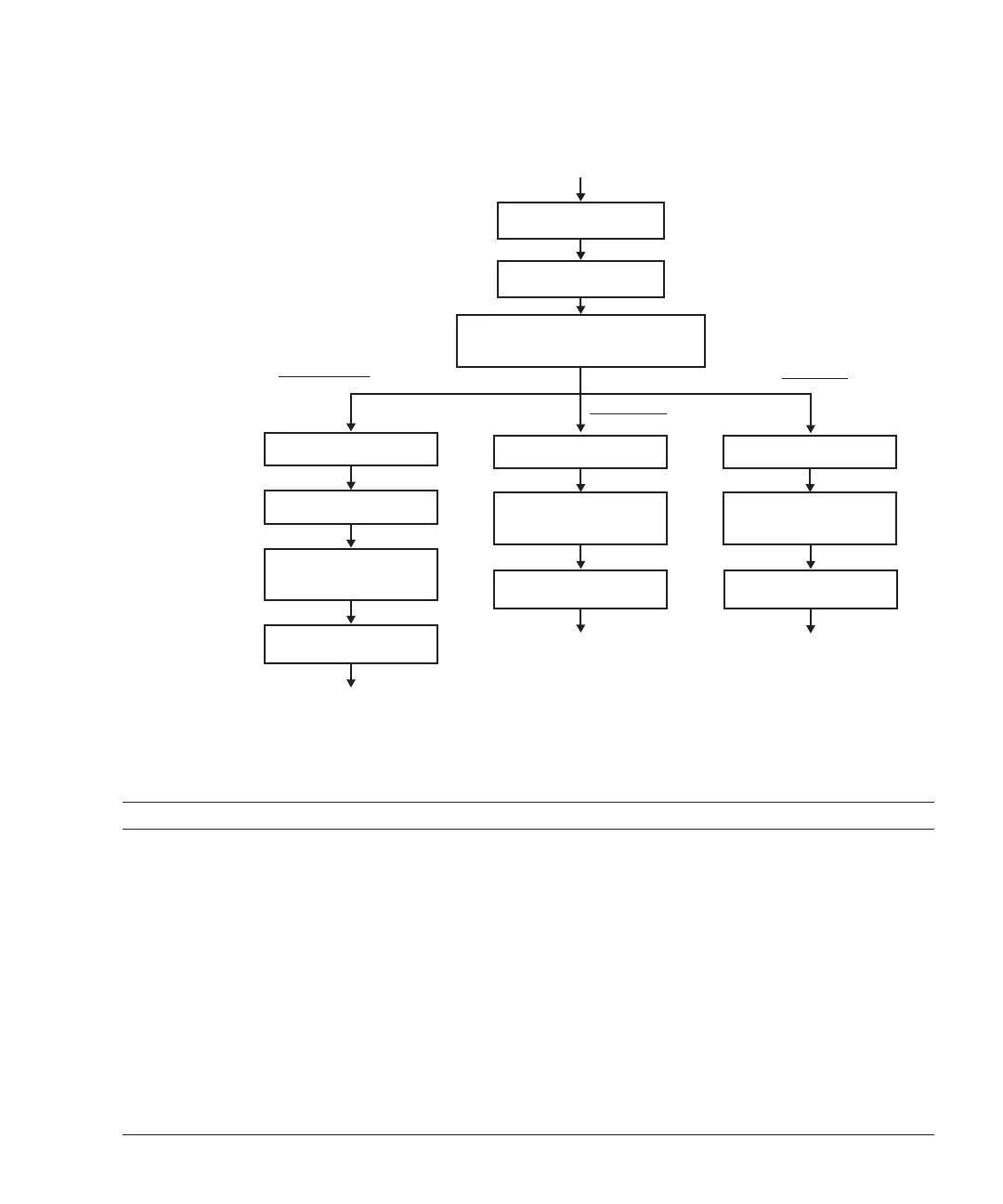
1. Access CPU memory
unit
2. Remove CPU memory
unit from chassis
3. Removing CPU memory unit upper or
filler unit when target memory is in
CPU memory unit lower
(Go to "7.2 FRU Replacement
Workflow")
(Enable removal of chassis requiring maintenance)
4. Removal
4. Installation
4. Replacement
4. Remove memory
5. Install memory
6. Install removed CPU
memory unit upper or
filler unit
7. Install CPU memory unit
in chassis
(Go to "7.3 FRU Installation
Workflow")
(Go to "7.4 FRU Removal
Workflow")
4. Install memory
6. Install CPU memory
unit in chassis
6. Install CPU memory
unit in chassis
5. Install removed CPU
memory unit upper or
filler unit
4. Install memory
5. Install removed CPU
memory unit upper or
filler unit
Table
9-4
Memory
replacement
workflow
and
procedures
Item Maintenance
work
procedure Reference
1 Accessing
the
CPU
memory
unit 9.3.1
Accessing
a
CPU
memory
unit
2Removing
a
CPU
memory
unit
from
the
chassis
9.3.2
Removing
a
CPU
memory
unit
from
the
chassis
3Removing
the
CPU
memory
unit
upper
when
the
target
memory
is
in
the
CPU
memory
unit
lower.
9.3.3
Removing
the
CPU
memory
unit
upper
4Removing
memory
9.6
Removing
Memory
5 Installing
memory 9.7
Installing
Memory
6 Installing
the
removed
CPU
memory
unit
upper
9.8.1
Installing
the
CPU
memory
unit
upper
7 Installing
the
CPU
memory
unit
in
the
chassis
9.8.2
Installing
the
CPU
memory
unit
in
the
chassis
Maintenance
workflow
of
memory
Figure
9-4
Maintenance
workflow
of
memory
Chapter
9
Maintaining
the
CPU
Memory
Unit/Memory 189














 To Next Page