EasyManua.ls Logo

Fujitsu M10-4 - Page 255

Fujitsu M10-4
342 pages
Print Icon
To Next Page IconTo Next Page
To Previous Page IconTo Previous Page
Loading...
Note
-
Be
careful
when
removing
the
filler
unit
so
that
it
does
not
catch
on
any
PCIe
cable.
Note
-
Use
PCIe
cables
without
removing
the
packaging
material
covering
the
connector
part
of
the
cable.
Note
-
The
shortest
PCIe
cable
is
no
longer
necessary
during
maintenance.
Connect
it
to
the
removed
CPU
memory
unit,
and
return
them
together.
B
A
Note
-
Confirm
that
the
levers
on
the
left
and
right
sides
of
the
CPU
memory
unit
upper
are
closed.
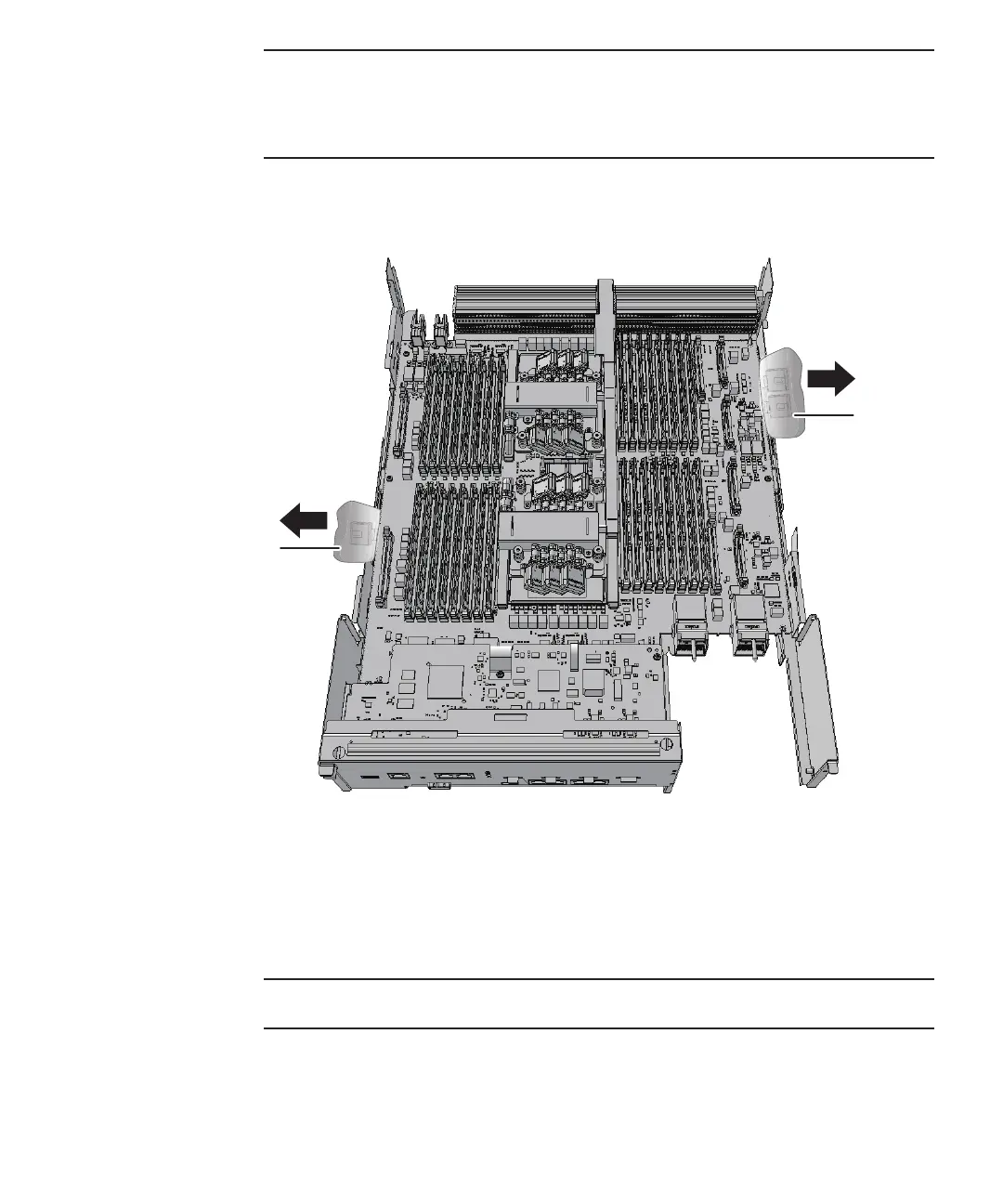
Figure
9-61
  
How
to
push
PCIe
cables
toward
the
outside
2.
Insta ll
the
CPU
memory
unit
upper
or
filler
unit
on
the
CPU
memory
unit
lower.
-
When
installing
the
CPU
memory
unit
upper
Carefully
install
the
CPU
memory
unit
upper
by
setting
the
four
guides
(A
in
the
figure)
of
the
CPU
memory
unit
upper
into
the
grooves
(B
in
the
figure)
of
the
CPU
memory
unit
lower.
Chapter
9
 
Maintaining
the
CPU
Memory
Unit/Memory 241

Table of Contents

Related product manuals