EasyManua.ls Logo

Fujitsu M10-4 - Page 259

Fujitsu M10-4
342 pages
Print Icon
To Next Page IconTo Next Page
To Previous Page IconTo Previous Page
Loading...
Note
-
Of
the
two
PCIe
cables
on
the
right
side,
also
install
the
one
(short)
cable
on
the
rear
of
the
CPU
memory
unit
lower.
A
C
B
D
Note
-
When
replacing
the
CPU
memory
unit
lower,
use
the
left-
and
right-side
guides
supplied
with
the
new
CPU
memory
unit
lower.
Note
-
Be
careful
not
to
damage
any
PCIe
cable
when
installing
the
left-
and
right-side
guides.
Also
be
careful
not
to
pinch
the
packaging
material
of
the
PCIe
cable
connector
part
with
any
clip
on
the
left-
and
right-side
guides.
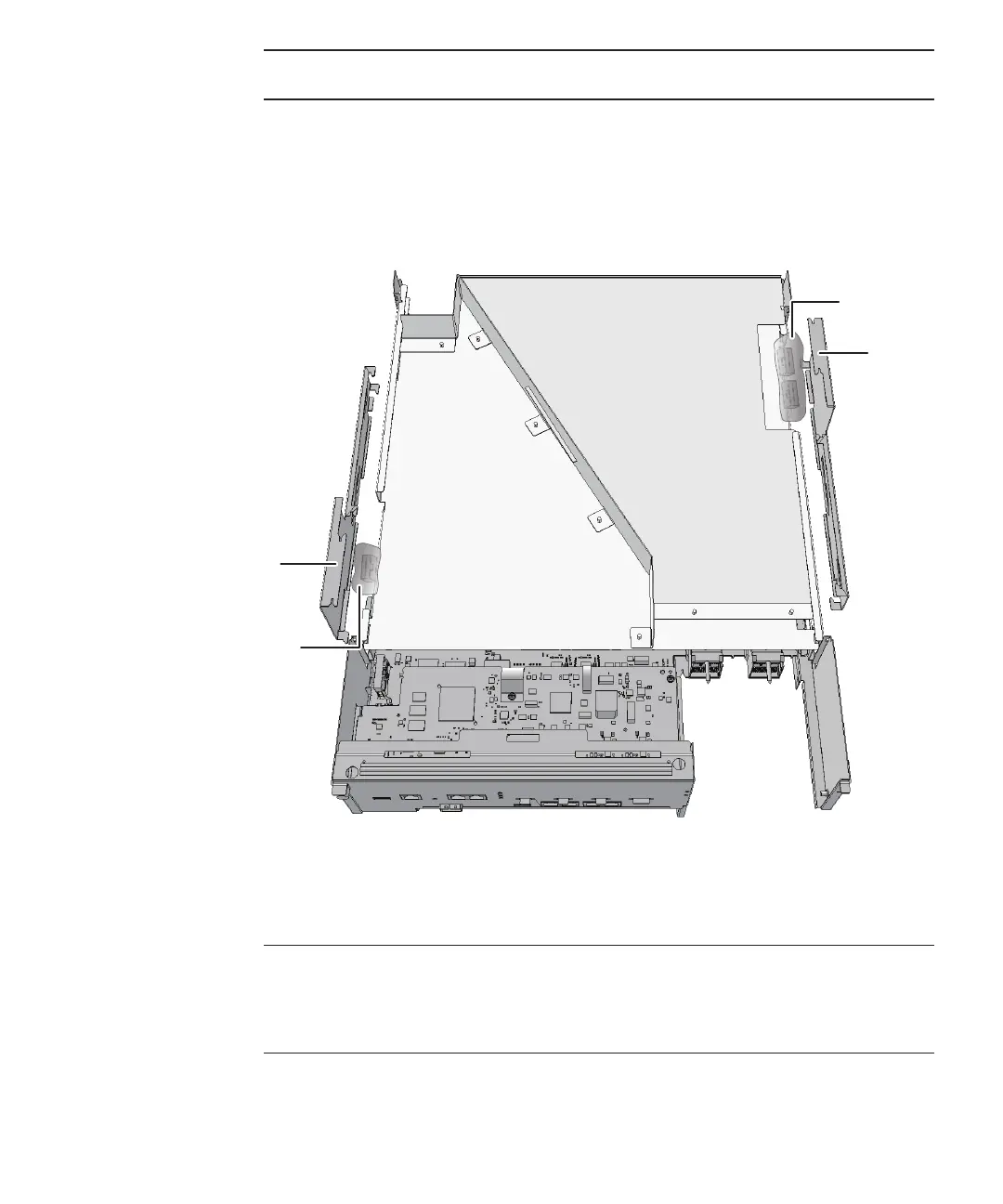
5.
If
a
filler
unit
for
the
CPU
memory
unit
upper
has
been
instal led,
hold
the
packaging
material
(A
and
B
in
the
figure)
of
the
PCIe
cable
connector
part
over
the
top
of
the
left-
and
right-side
guides
(C
and
D
in
the
figure).
Figure
9-65
  
Packaging
material
of
the
PCIe
cable
connector
part
6.
Align
the
four
clips
on
each
of
the
left-
and
right-side
guides
to
the
grooves
in
the
frame
of
the
CPU
memory
unit
lower
to
install
them.
Slide
in
the
guides
to
lock
them.
Chapter
9
 
Maintaining
the
CPU
Memory
Unit/Memory 245

Table of Contents

Related product manuals