EasyManua.ls Logo

Fujitsu M10-4 - Page 296

Fujitsu M10-4
342 pages
Print Icon
To Next Page IconTo Next Page
To Previous Page IconTo Previous Page
Loading...
Note
-
There
is
no
problem
if
you
remove
the
crossbar
cables
from
the
crossbar
box
while
electricity
is
supplied.
Note
-
The
cables
at
the
rear
of
the
crossbar
box
are
bundled
together
and
fastened
to
the
right-hand
cable
support
with
a
hook-and-loop
fastener.
Therefore,
to
remove
the
crossbar
cables,
remove
the
hook-and-loop
fastener
from
the
cable
support.
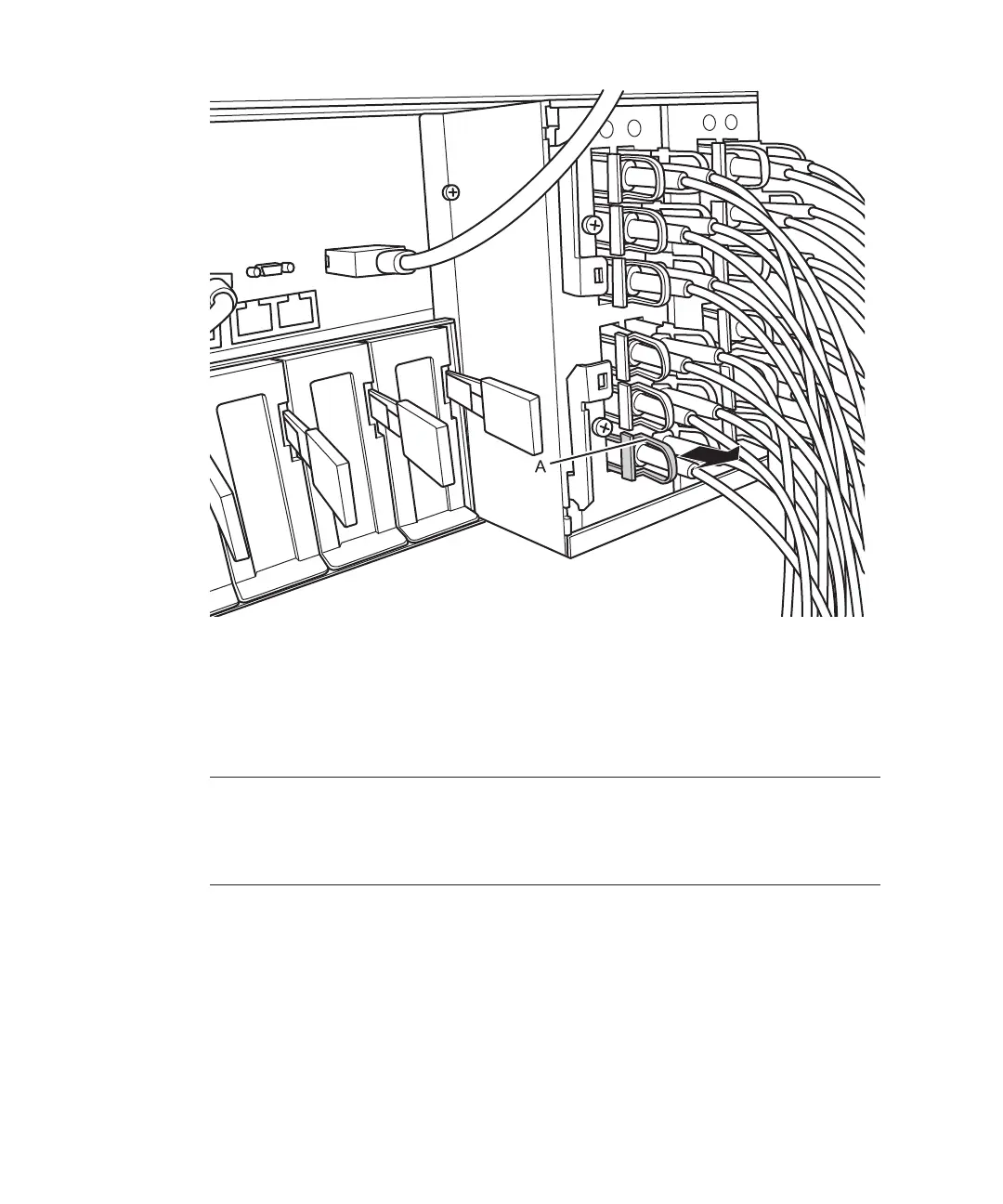
Figure
14-7
  
Removing
the
crossbar
cables
(optical)
2.
Remove
the
two
cros sbar
cables
from
the
other
chassis.
Remove
each
crossbar
cable
by
holding
the
tab
of
the
cable
and
pulling
it
straight
out
in
the
direction
of
the
arrow.
At
this
time,
do
not
hold
the
cable
part
when
pulling
out
the
crossbar
cable.
Pulling
the
cable
part
without
the
connector
lock
completely
released
may
cause
damage.
Fujitsu
M10-4/Fujitsu
M10-4S/SPARC
M10-4/SPARC
M10-4S
Service
Manual
November
2014282

Table of Contents

Related product manuals