124
4/29/10 Rev G
Chapter 7:
Gerber Solara ion Web Pages
The Gerber Solara ion has an onboard interface program that can be accessed directly from any
computer on the network via an internet browser (such as Microsoft Internet Explorer 6.0 or
higher or Mozilla Firefox 2.0 or higher). This program can be used to check on the printer's
current status, enter network settings, view message logs, and to install new firmware. To
access the web pages you will need the following:
A computer with an internet browser either directly connected to the machine or
connected to a network which is connected to the machine. (See section “Networking
the Gerber Solara ion” for more information). The computer does not have to be
connected to the internet to access the printer web pages.
The printer’s IP address. See “Viewing the current network settings” on page 37.
Accessing the Gerber Solara ion web pages
You can access the Gerber Solara ion web pages using a computer with an internet browser (no
internet connection required) and that is connected to the printer either directly or via a
network.
To access the Gerber Solara ion web pages
1 Open a web browser menu on the connected computer. (The internet connection does
not have to be active.)
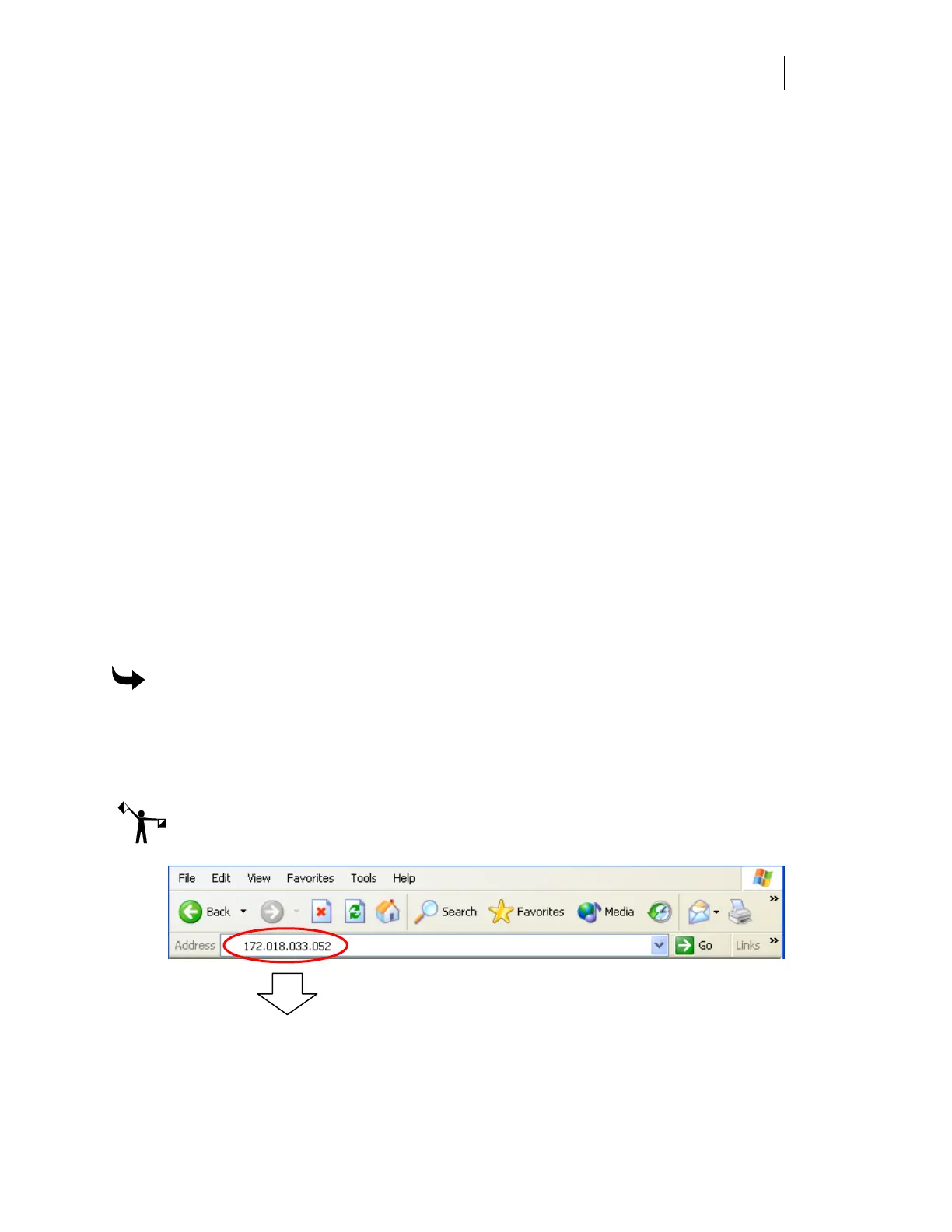
2 Enter the IP Address for the specific Gerber Solara ion you wish to access as the web
address in the web browser. (Do not use any slashes or colons.)
Note: The following illustration is an example of a typical IP address for the printer. Your IP
address will vary.



 To Next Page