CHAPTER 2
20
Product Overview
4/29/10 Rev G
Material storage
See material-specific documentation for recommended handling and storage requirements.
General material storage and handling suggestions follow:
Do not discard the original packaging. Use the box or plastic bag for material storage.
Store material in a dry environment avoiding high temperature, high humidity, and
direct sunlight.
The size of the material can change according to the temperature and/or humidity of
the working environment. Before using the material, “normalize” it in the working
environment for at least 24 hours.
Printing before the material is normalized may cause jams due to material distortion
and may affect output quality.
Do not use creased, damaged, torn, curled, bowed, or warped material.
Material may have a printable side and a non-printable side. If you print on the wrong
side, blurring may occur.
Do not touch the printable side of material before printing. Moisture or oil from hands
can affect the printing quality. Wear cotton gloves when handling materials.
Do not leave material loaded in the roll-to-roll unit of the printer for an extended
period of time. The pinch wheels may damage it, or the material may curl resulting in
misalignment, jams, or decreased printing quality.
Tip: Gerber recommends cleaning rigid material with IP Surface Cleaner or 99% Isopropyl
Alcohol and wiping it away evenly with a lint-free cloth. This cleans the surface and improves
the output quality of the print.
Gerber Solara ion control panel
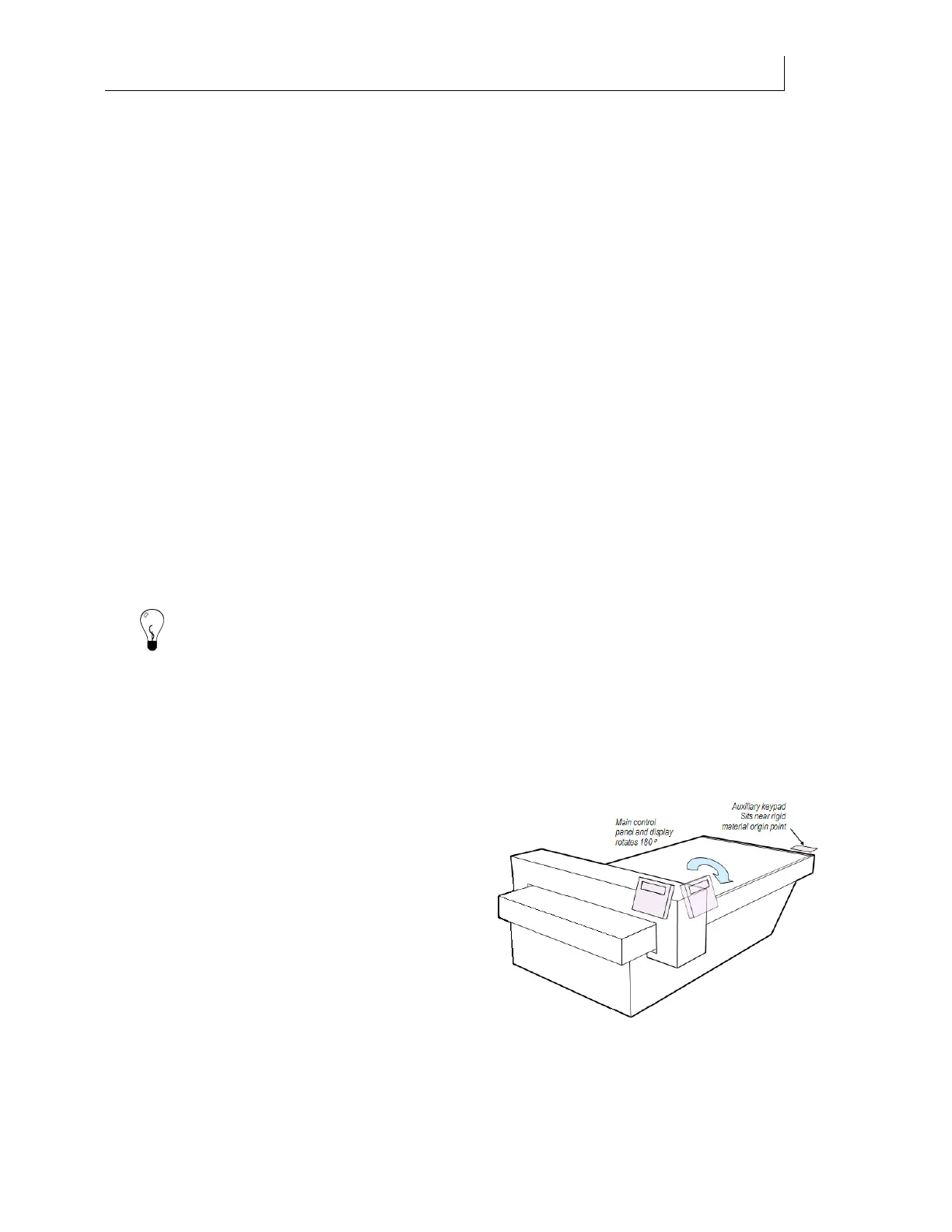
The Gerber Solara ion has two control panels for ease of use: the main control panel and the
auxiliary keypad. The main control panel is located on the printhead gantry, rotates 180 and
has an adjustable viewing angle for ease of use.
Most controls needed to load material, print
jobs, and clean the printheads are located on
keys on the main control panel. The printer's
menu system which contains printer status,
calibration, and maintenance tasks is also
accessed from the main control panel by
pressing the MENU key. The printer's Menu
system is not necessary for day-to-day
operation of the Gerber Solara ion.



 To Next Page