CHAPTER 4
42
Loading Inks and Materials
4/29/10 Rev G
6 Use the keys to select the appropriate amount and press ENTER to accept. The
printer resets the counter that tracks ink usage (unless No Change was selected). The
Printer Ready screen displays.
Replacing an ink pouch when the reservoir is empty
If the low pouch is not replaced when the Ink Level LED is solidly lit, the reservoir level will
eventually fall below the low ink level. When this happens, the Ink Level LED will begin to
blink indicating that an ink pouch is near empty. If the pouch is allowed to run completely dry
the following screen displays during a job or when an operator attempts to start a new job.
You must replace the empty pouch to continue. The system will begin filling the reservoir as
soon as the ink drawer is closed. Printing can commence when the reservoir level exceeds the
low sensor.
Tip: In the event of an ink reservoir failing to fill, the amount of ink remaining in the pouch is no
longer set to zero. The ink pouch status will remain as it was prior to the fill failure.
Loading the material
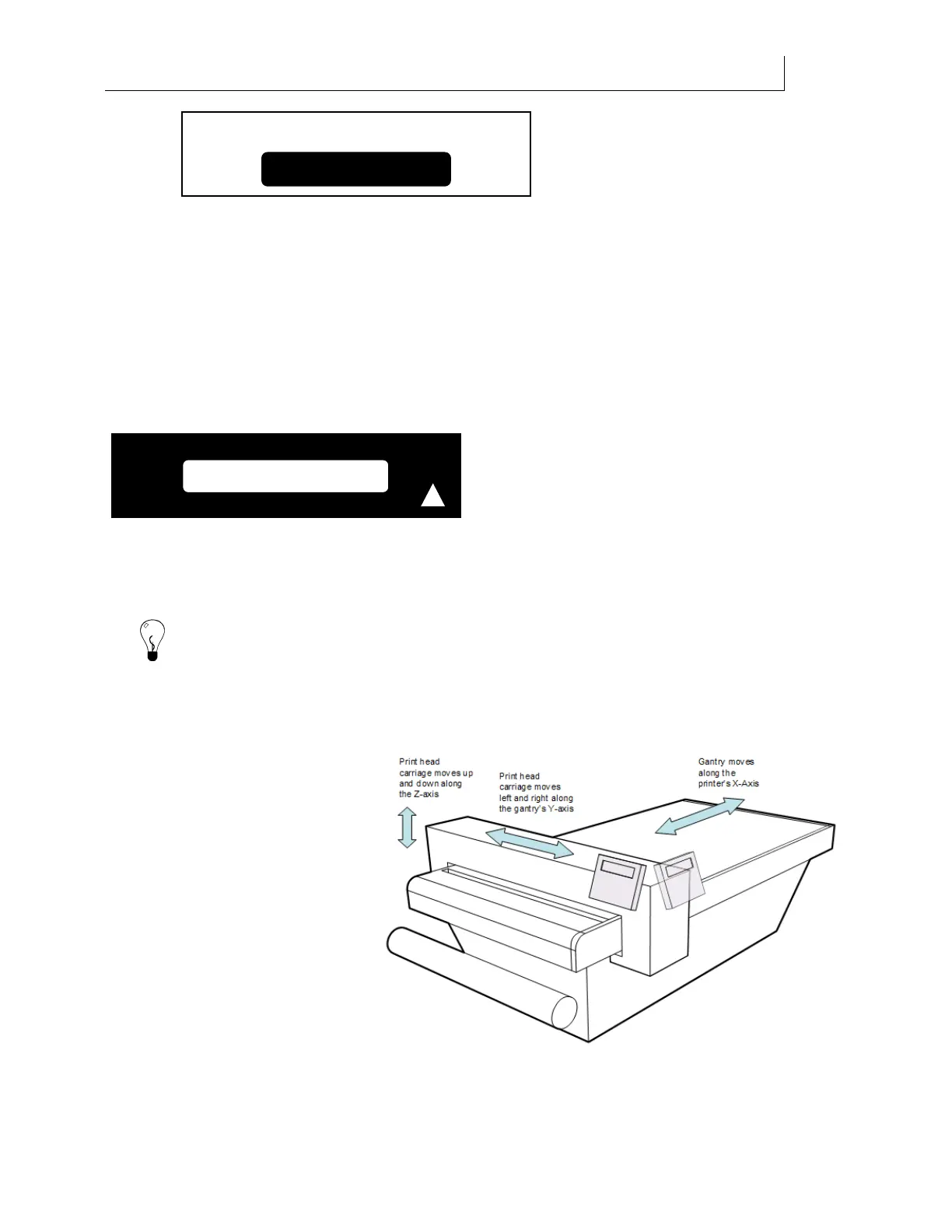
The Gerber Solara ion is a flat
bed printer with an optional
roll-to-roll configuration.
When printing on rigid or flat
material you will use the
printer's flat bed and vacuum
system. The gantry containing
the printheads travels along the
length (X-axis) of the printer.
The printheads move left and
right within the gantry along the
width (Y-axis).
When printing on roll material
such as vinyl you can use the
roll-to-roll configuration (if so
BLACK empty
!
C
an Ink Pouch Contents:
No Change



 To Next Page