CHAPTER 4
59
Loading Inks and Materials
4/29/10 Rev G
Understanding printing margins
Note: The Gerber Solara ion does not detect material size (length or width). Material size must
be set in the RIP and the user must be careful to load the correct size material to accommodate
the job. The smallest acceptable roll material width is 24"(61cm).
CAUTION: Incorrect arrangement of boards on the table, or setting the print gap to
be greater than 0.110” can result in UV light being reflected into the print heads
causing nozzle blockages. These failures are not
covered under warranty. In order to
ensure print and printer-favorable conditions are met for each print, adhere to the
related requirements starting on page 56.
The Gerber Solara ion is able to print on a wide
variety of materials at widths ranging from 12"
(30.5cm) to 64" (162.6cm).
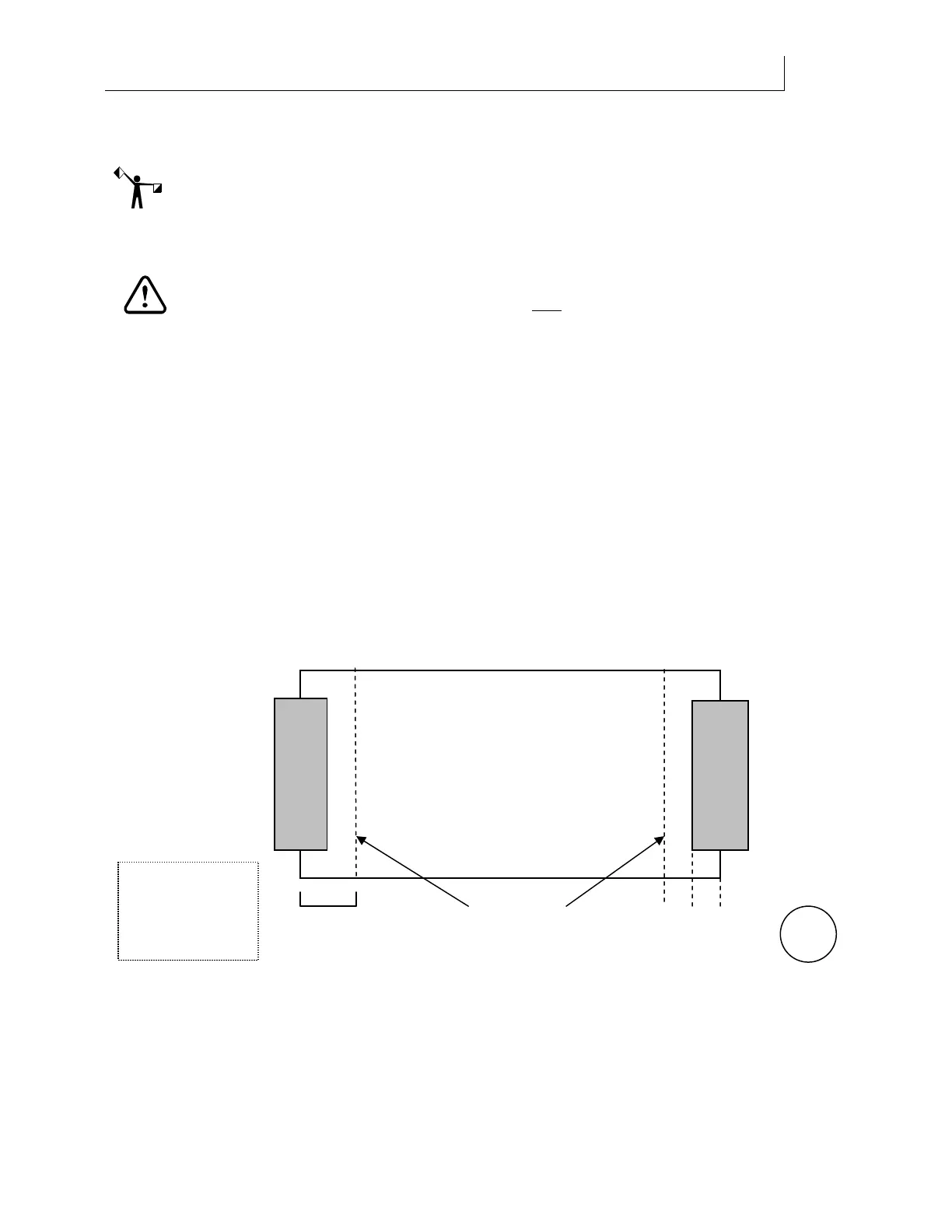
The printing margins vary depending on the type of material used. When using a printer
equipped with a roll-to-roll option, the material hold-down devices are installed ¼" (6mm) over
the roll (vinyl) material edges to keep the edges from curling during printing. A printing
margin of ¼" (6mm) is added from the edge of the shield, making the total margin ½" (12mm)
on each side of the material, resulting in a maximum printing width of 63" (160cm) for rolled
material. See the detailed illustration that follows.
For rigid material, the material hold-down devices are not used and it is possible to print to the
edges of rigid material for a maximum print width of 64" (162.6cm).
Rolled material
¼” + ¼” = ½”
6mm + 6mm = 12mm
½” (12mm)
Total Margin
Left
Material
Hold-down
Device
ROLLED
MATERIAL
AUTOMATIC
PRINTING
MARGIN
Total material used
in printing margins:
1 inch (25mm)
Right
Material
Hold-down
Device



 To Next Page