CHAPTER 5
69
Printing Jobs on the GERBER SOLARA ION
4/29/10 Rev G
2 Press the key to scroll the job information above the progress bar. When the job
information ends the printer returns to the previous screen.
Printing a single Roll-to-Roll or Flat Bed job
When printing on rigid or roll-to-roll substrates job setup is quick and easy. The Gerber Solara
ion
automatically sets the proper lamp height and print gap for the loaded material without
user intervention. The distance between the substrate and the printhead is very small and
slight variations in material thickness or even wrinkles in masking tape can cause head
strikes or damage to the job.
When printing on material that has severely curled edges, the vacuum table may not completely
pull down the material. Tape the material using a light adhesive tape to the table to prevent
head strikes or other damage to the gantry from contact with the material. Ensure that the tape
is wrinkle-free.
When using the flat bed feature of a printer equipped with the roll-to-roll option, you can print
jobs up to 10' (304.8cm) long. However, when printing materials in excess of 9' (274.3cm), in
which a portion of the media comes to rest on the roll-to-roll platen, we highly recommend that
you reinforce the platen vacuum by taping down the last foot of rigid material. This will keep
materials from bowing at the roll-to-roll end and prevent the possibility of head strikes that
could ruin the job or the printheads.
For jobs shorter than 9' (274.3cm) when using a printer equipped with a roll-to-roll unit, or
shorter than 100" (254cm) when using a flatbed-only printer, the material will rest fully on the
table, and therefore no tape is necessary unless the material has curled edges. If so, use a light
adhesive tape to secure the edges to the table. There are no extra precautions necessary when
printing long jobs using the roll-to-roll configuration of the printer.
CAUTION: Incorrect arrangement of boards on the table, or setting the print gap to
be greater than 0.110” can result in UV light being reflected into the print heads
causing nozzle blockages. These failures are not
covered under warranty. In order to
ensure print and printer-favorable conditions are met for each print, adhere to the
related requirements starting on page 56.
Note: Rigid sign blank material must be
flat within 0.03" (0.76mm). Warped material may
jam in the printer. Material that is bowed downward will scrape the platen. Material that is
bowed upward will contact the print carriage.
To run a single Roll-to-Roll or Flat Bed job
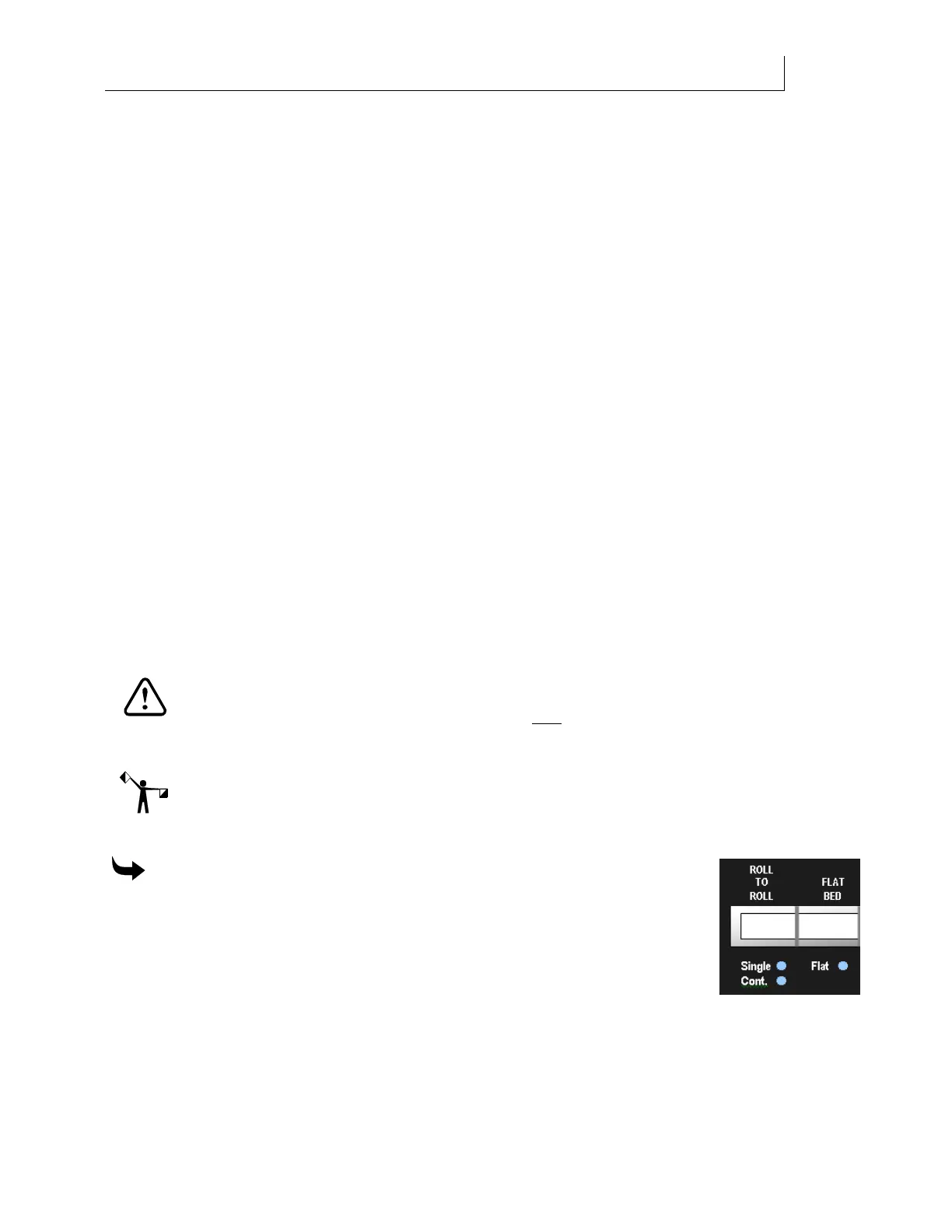
1 Press the ROLL-TO-ROLL key on the control panel until the Single
LED lights, (the ROLL-TO-ROLL key toggles between Single and
Cont. mode), or press the FLAT BED key. The ROLL-TO-ROLL key
is not active for flatbed-only printers.
2 Load the material in the printer. See the appropriate “Loading the
material” sections in Chapter 4.
3 Send the job from your RIP software to the printer. When the job is received at the
printer, the screen displays the
Ready: job name message and the estimated duration of
printing. Press the key to display additional information about the job including


 To Next Page