CHAPTER 7
145
Gerber Solara ion Web Pages
4/29/10 Rev G
To calibrate the Y Encoder
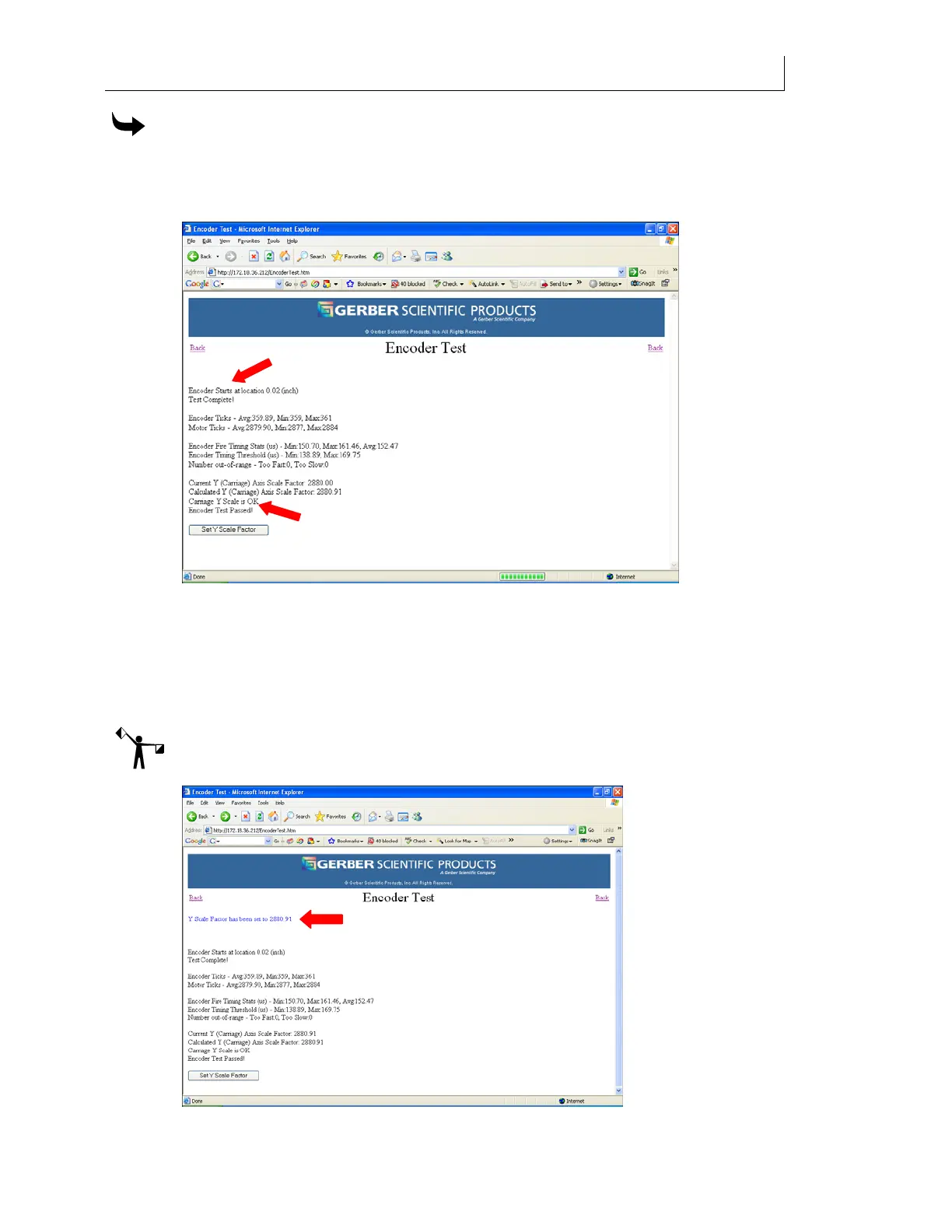
1 When the printer is turned on and idle, click the Y Encoder Test button on the
Calibration web page. The carriage movement is measured in the Y axis (left to right)
direction. The web page displays the Encoder Test window and the results of the test.
2 If the results say
OK you do not have to calibrate the Y Encoder although you can
update the scale factor by clicking the Set Y Scale Factor button if you wish. If
Carriage
Y Scale is UNCALIBRATED displays, you must click the Set Y Scale Factor button to
calibrate the encoder. The web page updates and displays the blue message at the top
of the window:
Y Scale Factor has been set to 2880.91. (Your actual Y Scale Factor may
vary from this example.)
Note: If the Encoder Test encounters errors the Set Y Scale Factor button does not display. The
encoder strip may need to be cleaned. Contact Gerber Service.



 To Next Page