CHAPTER 6
96
Routine Printer Maintenance
4/29/10 Rev G
CAUTION: This procedure is for Cyan (C), Magenta (M), and Black (K) heads only.
To determine print heads with angled nozzles
1 Go to Calibration > Test jobs > Angled Nozzle job.
2 Print the Angled Nozzle job and evaluate the nozzles. Only treat the print heads that
show angled nozzles.
Note: The purpose of this procedure is to inhale the solutions into the print head nozzles to
dissolve contaminants inside the print head. The solutions will be inhaled only while the
saturated swab is touching the nozzle plate. Be sure to reapply solution on the swab before each
touch to ensure it remains saturated.
3 Go to Maintenance > End of Day Clean and lower the shelf when directed.
To apply Daily Maintenance Solution (DMS)
Use isopropyl alcohol in the event you spill DMS or ink on the shelf while cleaning.
1 Apply a minimum of 10 drops of DMS to a new foam-tipped swab.
Note: Use one swab for each print head, provided it does not have particles on the swab.
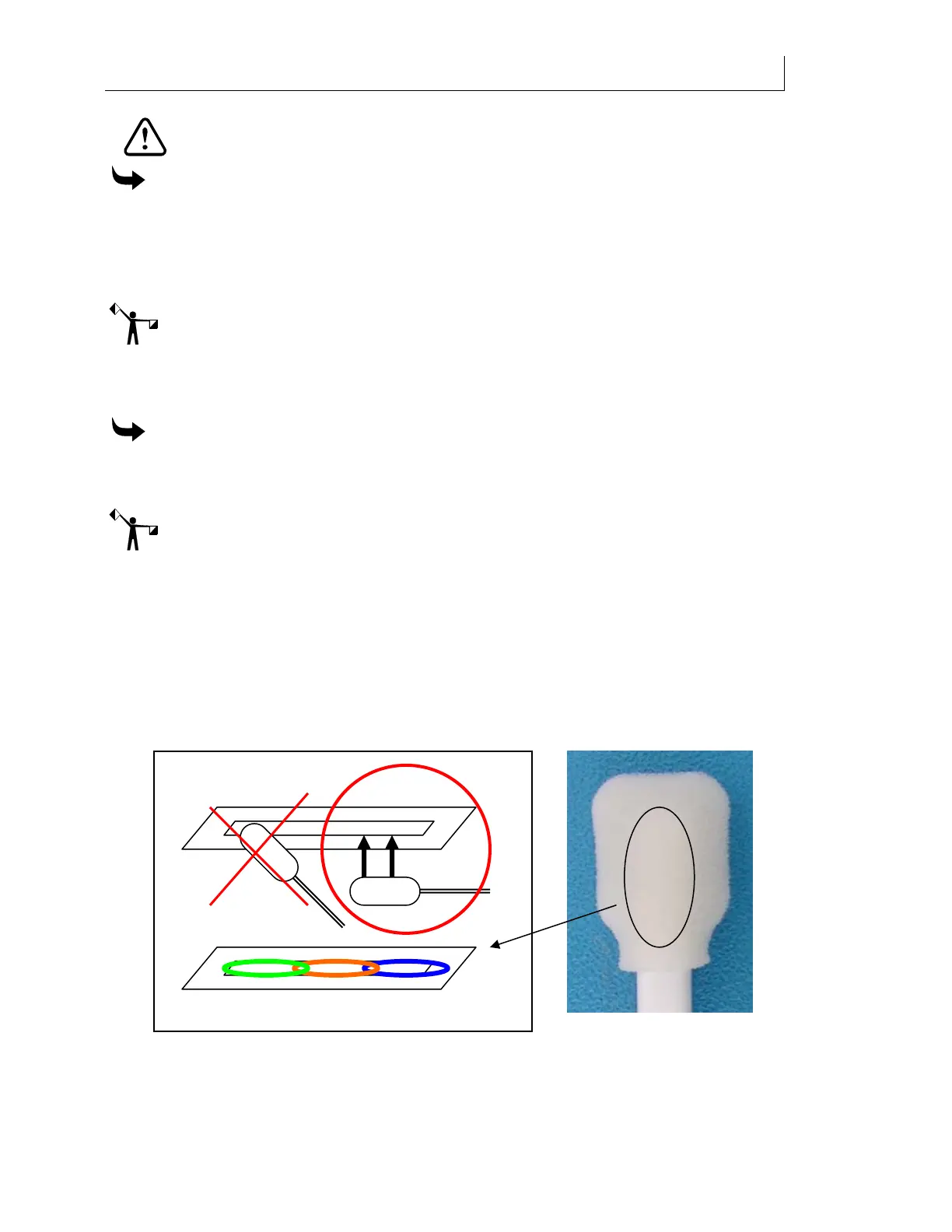
2 Touch one side of the foam-tipped swab to the front section of the nozzle area (see
photo below). Apply light pressure and hold for 2 to 3 seconds.
3 Add an additional 3-5 drops of DMS to re-saturate the foam-tipped swab. Touch the
foam-tipped swab to the middle section of the print head. Apply light pressure and
hold for 2-3 seconds.
4 Add an additional 3-5 drops of DMS to re-saturate the foam-tipped swab. Touch the
foam-tipped swab to the remaining section of the print head. Apply light pressure and
hold for 2-3 seconds.
5 Repeat steps 1-4 for a total of three cycles for each print head requiring treatment.



 To Next Page