● If an indicator blinks at long intervals, it is blinking on for 1s and then o for 1s.
● If an indicator blinks at super short intervals, it is blinking at 10 Hz, that is, on for 0.05s
and then o for 0.05s.
● If an indicator blinks at short intervals, it is blinking at 4 Hz, that is, on for 0.125s and
then
o for 0.125s.
Networking Switch
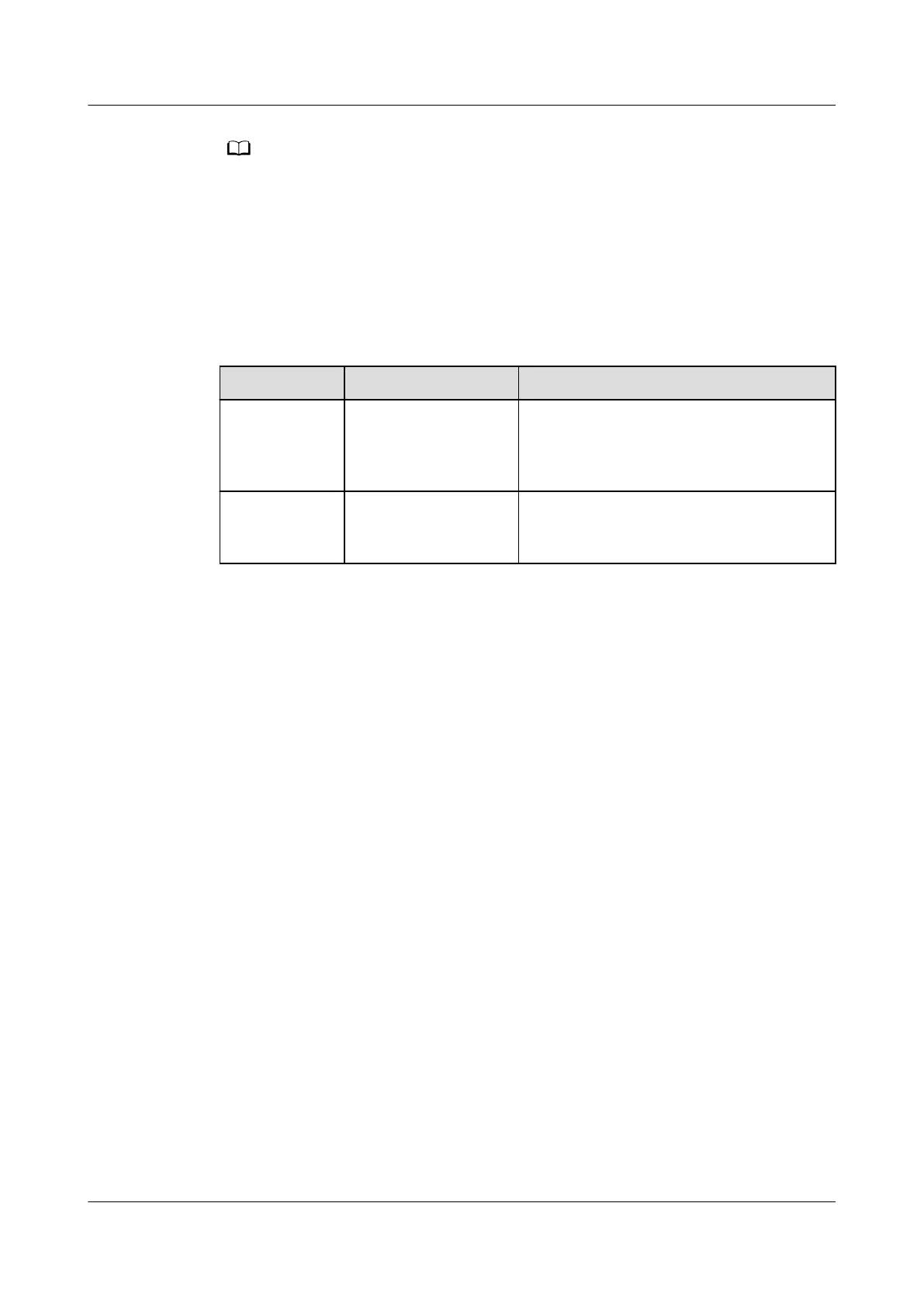
Table 3-86 Networking switch description
Name Denition Function
Button
pressing
Press the button for
less than 5 seconds.
Searches for and joins a network if
there is no network. Initializes the
network parameters if there is a
network.
Button
holding down
Hold down the
button for more
than 5s.
Clears the current network and resets
the wireless module; disconnects the
network.
ECC800 Data Center Controller
User Manual (for ECC800-Pro) 3 Device Description
Issue 02 (2020-09-07) Copyright © Huawei Technologies Co., Ltd. 90



 To Next Page