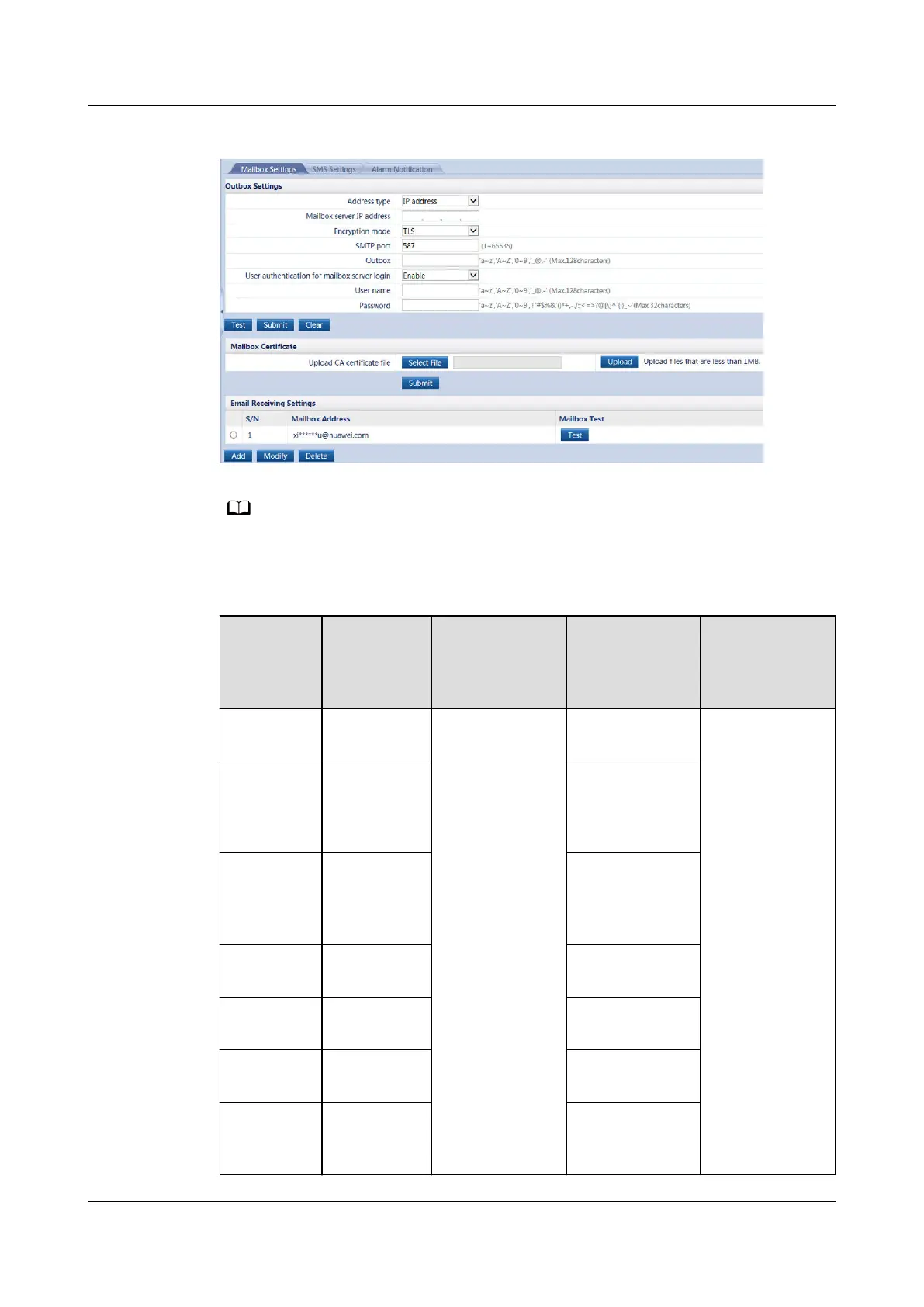
Figure 5-4 Email setting page
The following email addresses are for reference only (the actual parameters apply) and are used
only for
conguring the email function.
Table 5-2 Main parameters on the sender's email conguration page
Email
Type
Email
Server
Domain
Name
Mailbox Server
IP Address
Encryption
Mode and
SMTP port
Remarks
Sina Mail smtp.sina.co
m
How to obtain:
1. Click Start
on the PC,
enter cmd in
Running
area, and
press Enter
to access the
administrato
r page.
2. Enter ping
email server
domain
name at the
position of
the blinking
cursor and
press Enter
to obtain
email server
IP addresses.
Non-
encryption: 25
● The email
server must
comply with
the standard
SMTP
protocol to
ensure that
the email
sending and
receiving
functions
are normal.
● Enter the
email client
authorizatio
n password
at Password
for 163 Mail,
126 Mail,
and QQ
Mail.
163 Mail smtp.
163.com
Non-
encryption: 25;
SSL encryption:
465
126 Mail smtp.
126.com
Non-
encryption: 25;
SSL encryption:
465
QQ Mail smtp.QQ.co
m
SSL encryption:
465
Sohu Mail smtp.sohu.c
om
Non-
encryption: 25
139 Mail smtp.
139.com
Non-
encryption: 25
Hotmail smtp-
mail.outloo
k.com
TLS encryption:
587
ECC800 Data Center Controller
User Manual (for ECC800-Pro) 5 Power-On Commissioning
Issue 02 (2020-09-07) Copyright © Huawei Technologies Co., Ltd. 109



 To Next Page