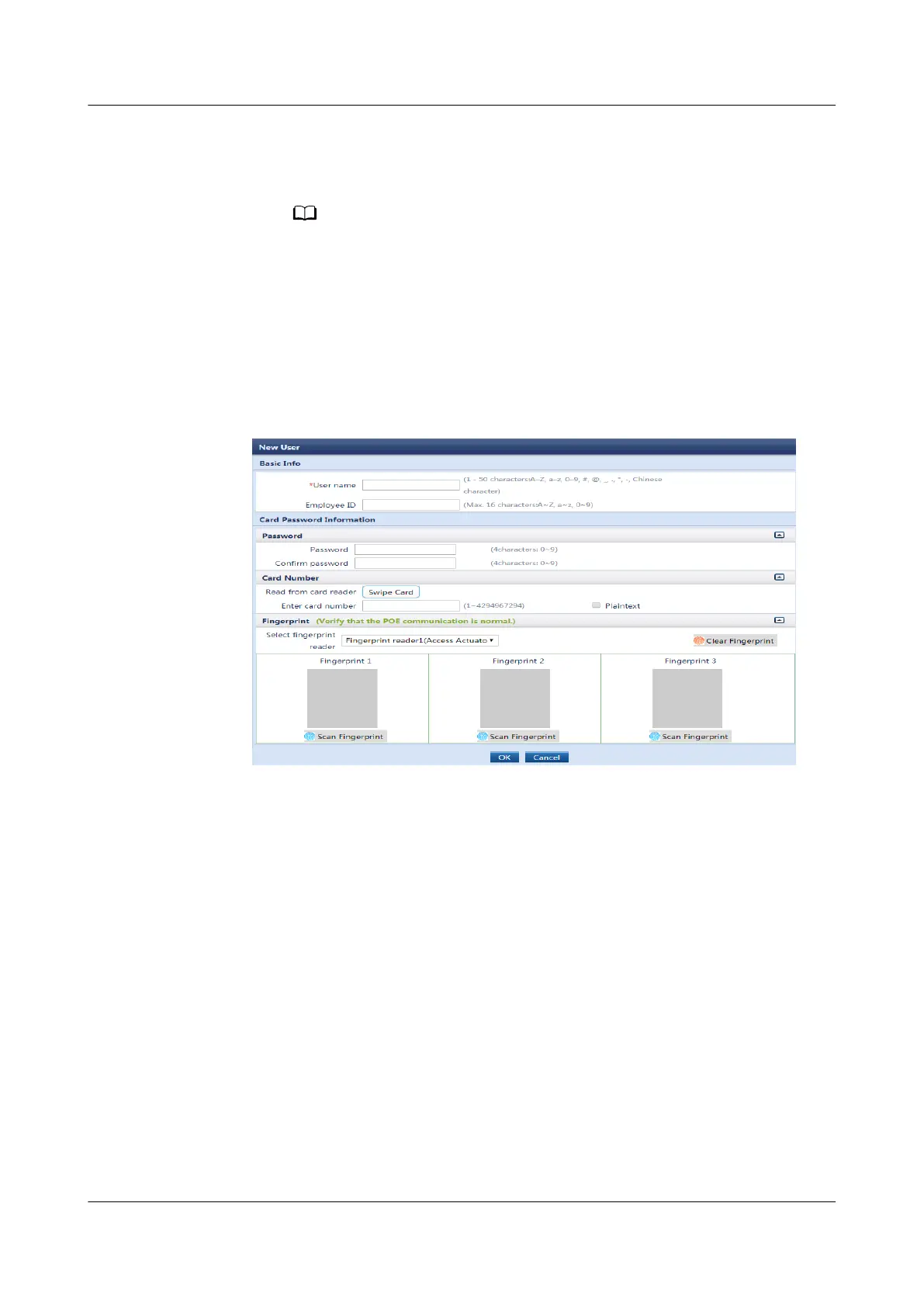
ngerprint page, click OK. Then put your nger on the ngerprint reader
to collect the ngerprint after hearing the voice prompt. After you hear a
beep sound, move your nger away and collect the ngerprint again.
▪ Each ngerprint should be recorded three times.
▪ A maximum of three ngerprints from dierent ngers can be recorded.
▪ The ngerprint information is used only for conguring the access control
function and is not used for other purposes. The ngerprint information is
encrypted during transmission in the ECC800-Pro to ensure that the personal
data of users is fully protected.
Figure 6-5 Adding access users
On the Authorization Information and Term of Authorization tab pages,
select access users whose access permissions are to be set, and set
Authorized Device, Authorization Mode, Cabinet Lock, Start time, and End
time.
– Access Actuator: Select the authorized access actuator for the user based
on the actual requirements. For example, select Access Actuator1 on the
Access Actuator tab.
– Cabinet lock: Select the cabinet lock authorized by the user.
– Permission validity period: Set Start time, End time.
ECC800 Data Center Controller
User Manual (for ECC800-Pro) 6 Feature Description
Issue 02 (2020-09-07) Copyright © Huawei Technologies Co., Ltd. 138



 To Next Page