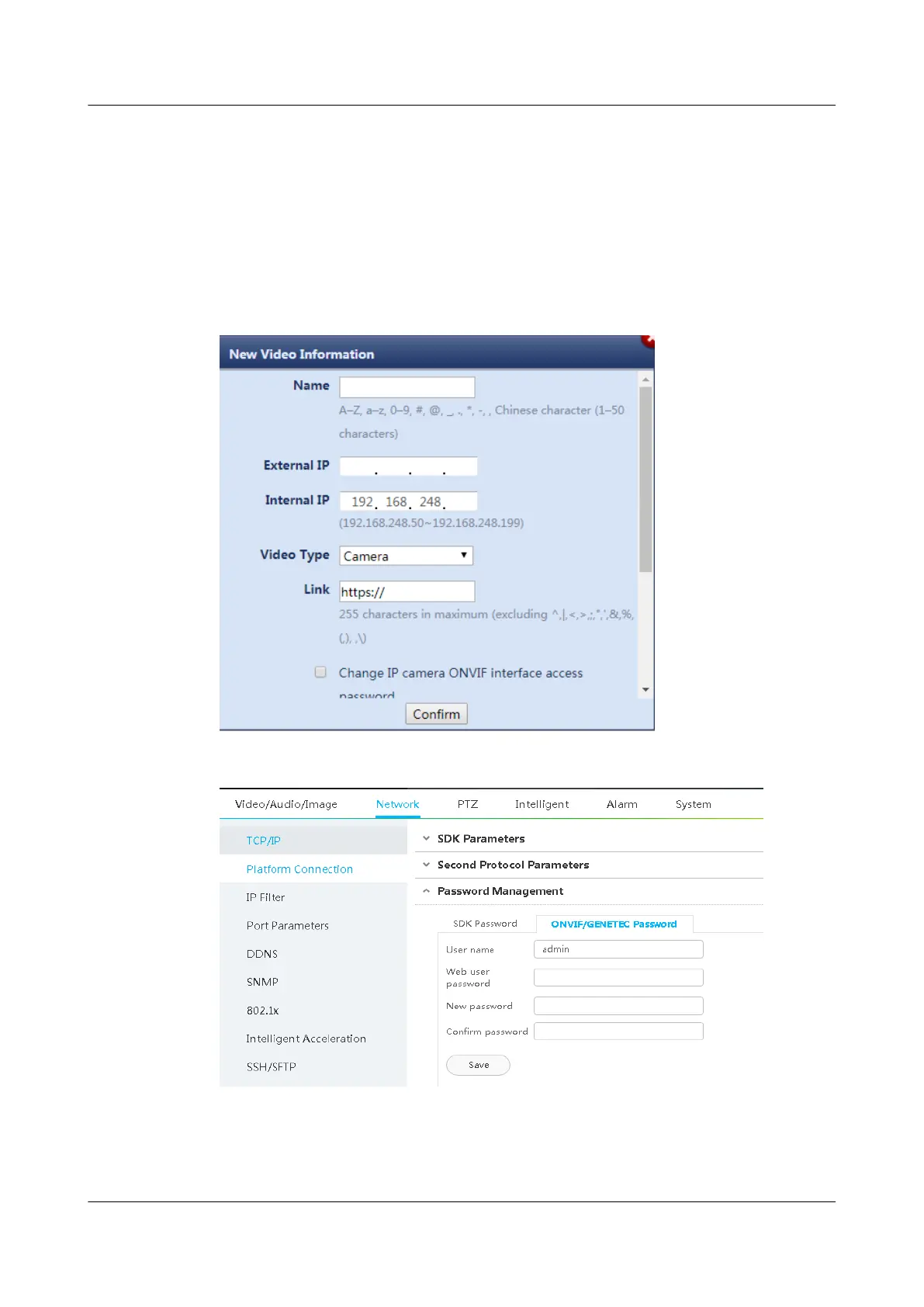
● Video Type: Select the video type based on the customer's device.
● Link: Enter the external IP address of the camera (for example, https://
external IP address of the camera).
● Change IP camera ONVIF interface access password: If you have changed
the default password for accessing the ONVIF interface of the IP camera,
enter the new password in Password. Otherwise, the ECC800-Pro cannot
collect motion detection alarms from the IP camera.
Figure 6-14 Adding video information
Figure 6-15 IP camera ONVIF interface access password
Step 4 Click Conrm after video information is entered.
Step 5 In the Video Information list, click the link under the Link column and go to the
camera WebUI as prompted.
ECC800 Data Center Controller
User Manual (for ECC800-Pro) 6 Feature Description
Issue 02 (2020-09-07) Copyright © Huawei Technologies Co., Ltd. 149



 To Next Page