KRONE ISOBUS-Terminal CCI 100
104
Pos: 22.106 /BA/Inf o-Center/CCI-I SOBUS-Terminal/CCI- BiG Pack/Hauptmenüs/Hau ptmenü 2 Zähler/Symbolbe deutung Seite 2 mit Ballen waage Kundenzähler @ 109\mod_1335427139817 _78.docx @ 976823 @ @ 1
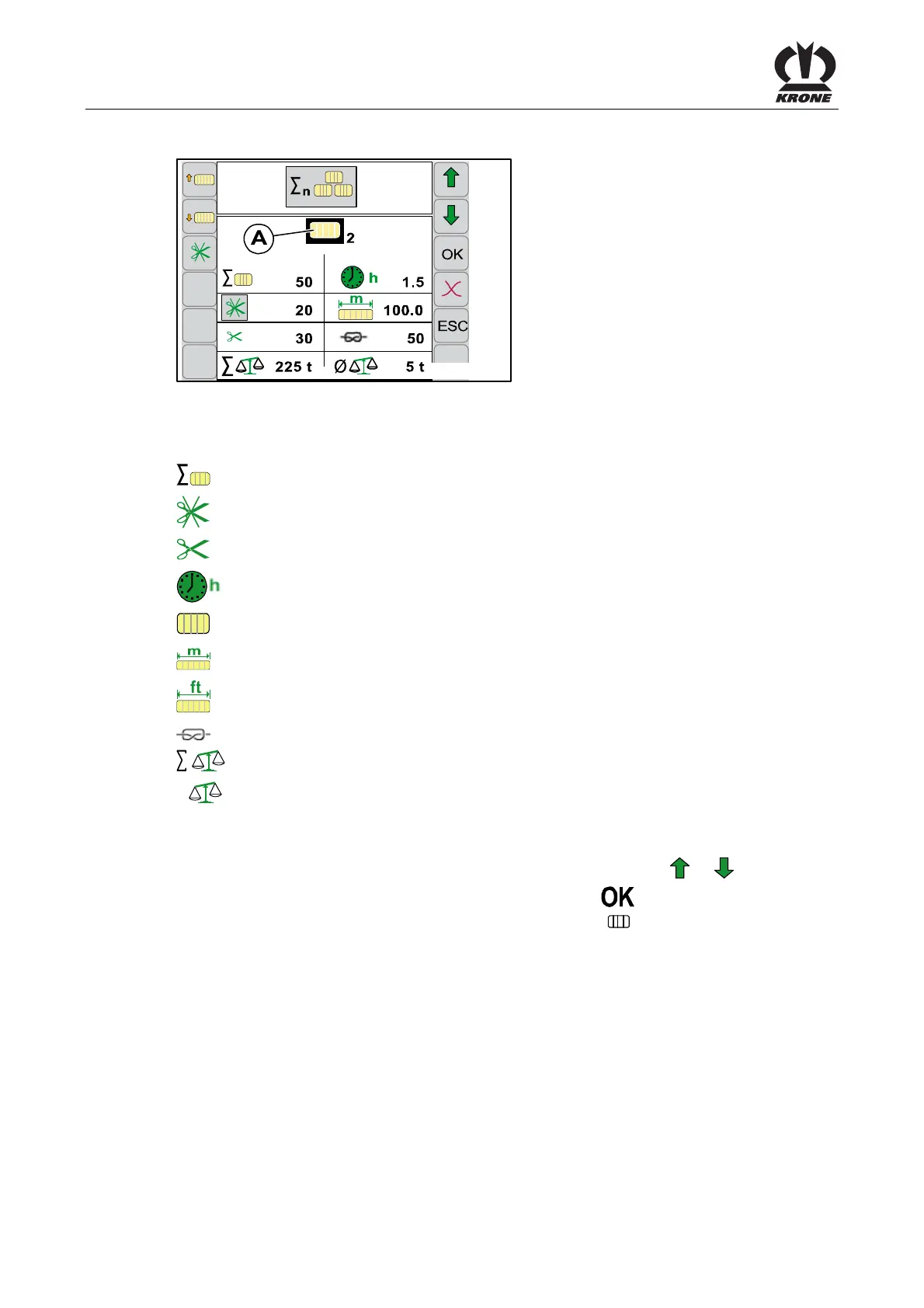
6.11.1.1 Menu 2-1-1
CC000037_1
2-1-1
Fig. 64
Meaning of the Symbols Page 1:
= Total number of bales
= Number of uncut bales
= Number of cut bales (only for machines with X-Cut)
= Operating hours counter (counts only when P.T.O. shaft is running)
2
= Customer counter (1 - 20 comfort)
= Bale length counter (metric in metres)
= Bale length counter (unit of measure US in feet)
= Knot counter (incl. Multibale knot)
= Total weight of all bales (for bale balance design)
Ø
= Average weight of the weighed bales (for bale balance design)
Activating Customer Counters
• Select the desired customer counter (A) by pressing function key or
• Activate the customer counter by pressing function key
The desired customer counter (in this case customer counter 2
2
) is highlighted in colour.
Pos: 22.107 /BA/-- ------------- Seitenumbruch---------------- @ 0\mod_1196175311226_0.docx @ 4165 @ 3 @ 1









 To Next Page