KRONE ISOBUS-Terminal CCI 100
91
Pos: 22.75 /BA/Inf o-Center/CCI-I SOBUS-Terminal/CCI-Lade wagen/Hauptmenüs/ Hauptmenü 1 Einstellung en/Menü 1-2 Silagemit tel @ 50\mod_1287564144906_ 78.docx @ 473259 @ @ 1
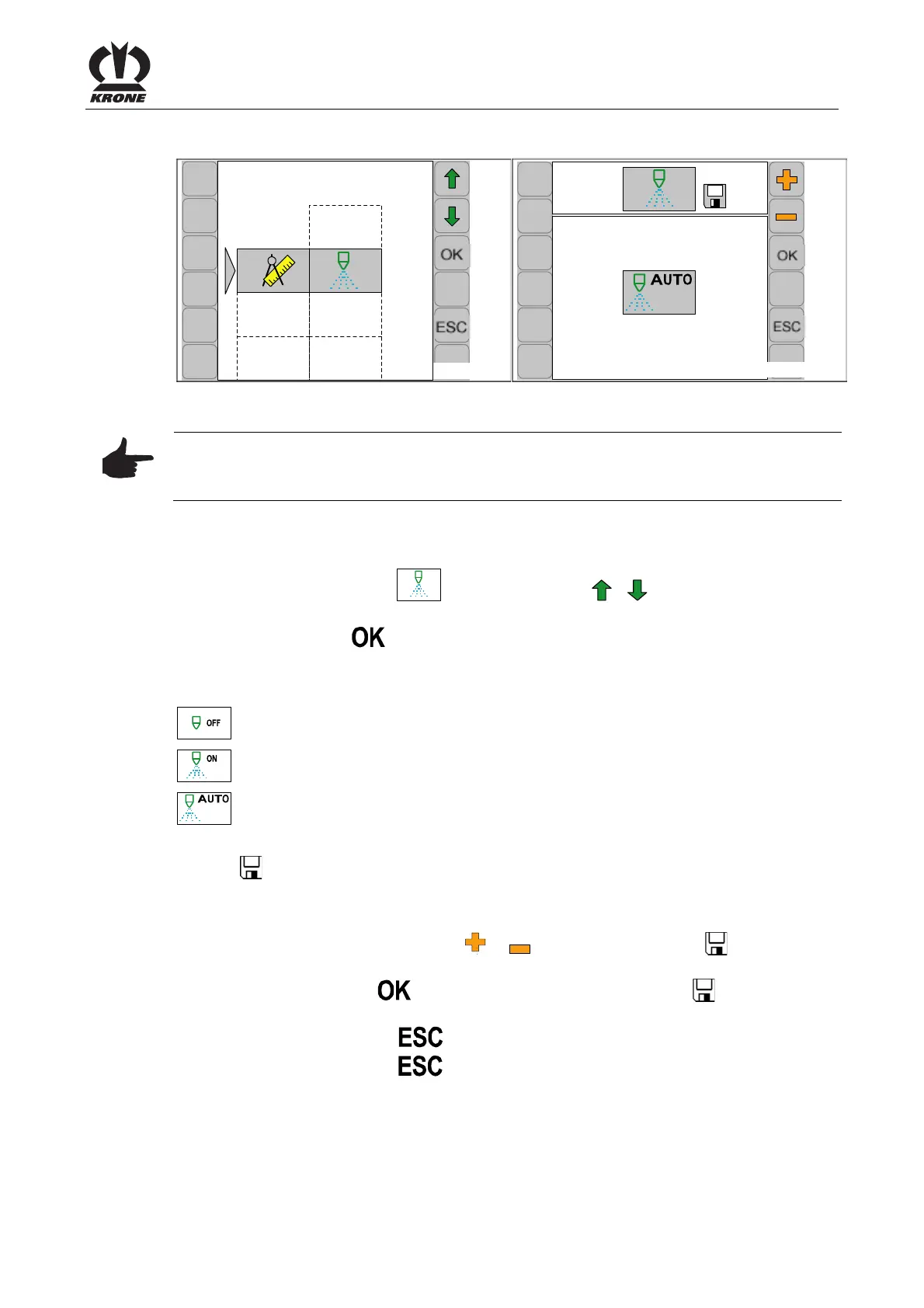
6.10.5 Menu 1-2 silage agents / optional
CC000423_1
1-2
CC000424
1-2
3/3
Fig. 57
Note
The connection (max. 2 amperes) for the silage agent device is located close to the job
computer. (approx. 0.5 m in cable harness 1X1).
Displaying the menu
Main menu 1 “Settings” is displayed.
• You can select menu 1-2
with the function key or . The symbol is highlighted
in grey.
• Press function key
The display shows menu 1-2 “Silage agents".
The current status is displayed as an icon:
Silage agents off
Silage agents on (continuous operation)
Silage agents automatic mode (silage agents on if the pick-up is in float position)
The icon
in the upper line indicates that the displayed status is saved.
Changing and saving status
• Set the status with the function key
or in a way that the symbol in the top line
goes out
• Press the function key
. The set status is saved and the symbol appears in the
upper line
• Pressing the function key
closes the called up menu
• Pressing the function key
and holding it down brings up the basic screen
Pos: 22.76 /BA/--- ------------ Seitenumbruch------ ---------- @ 0\mod_119617 5311226_0.doc x @ 4165 @ @ 1









 To Next Page