ISOBUS operation
141
Pos: 26.11 /BA/Inf o-Center/CCI-I SOBUS-Terminal/Menü 4-6 Di agnose Fahrgeschw/Fahrtr ichung/Menü 4-6 Diagn ose Fahrgeschwindigkei ts- /Fahrtr ichtungsanzeige Lade wagen @ 49\mod_1286952423531 _78.docx @ 463801 @ 2 @ 1
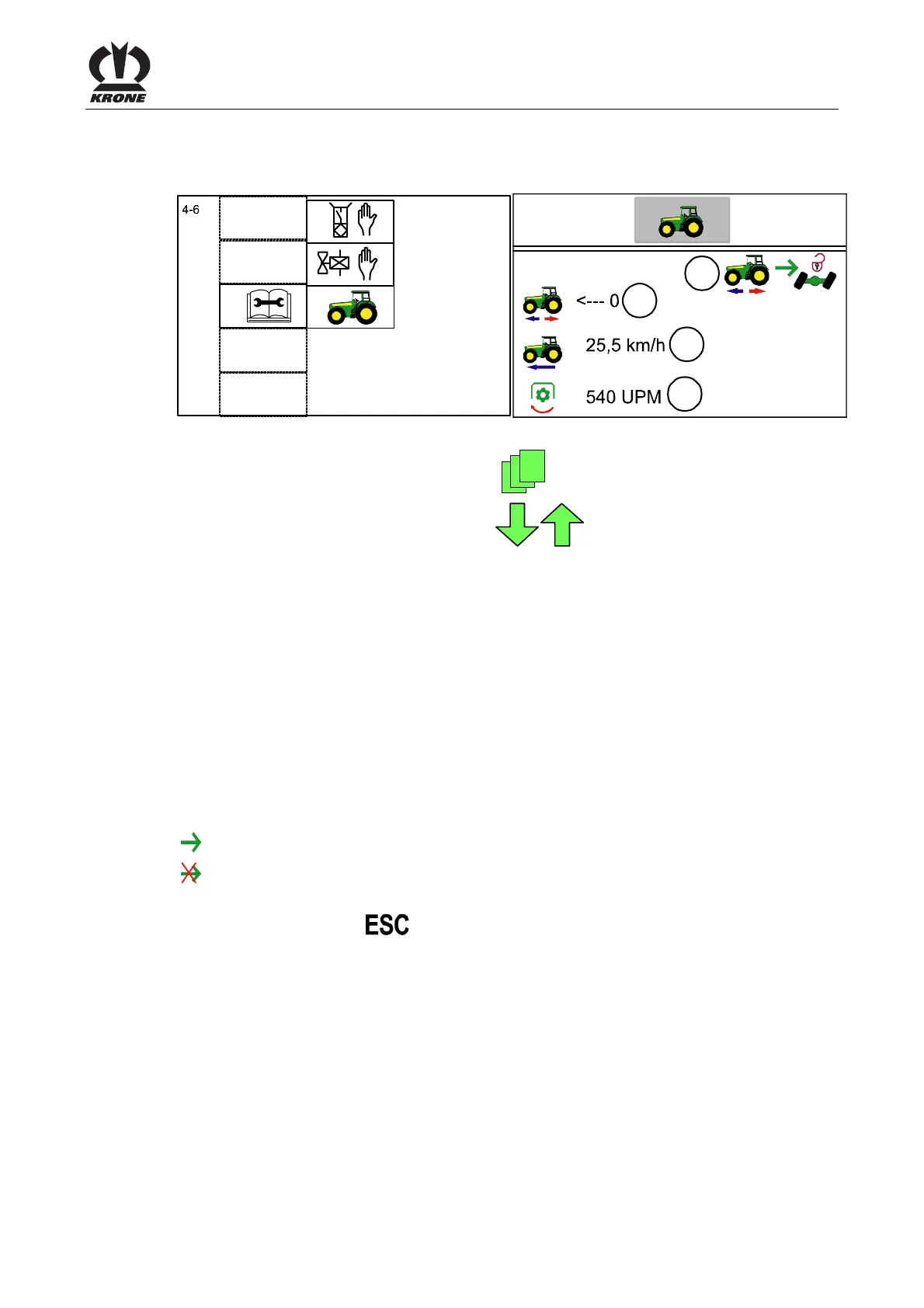
7.2.1 Menu 4-6 “Diagnostics driving speed display/direction of travel display”
The tractor must transfer the travelling speed and direction of travel on the ISO bus.
ZX400056_1
ZX400057_1
4-6
1
2
3
4
Fig. 84
Call up main menu "Maintenance" with the key
• You can select menu 4-6 with the keys
. The symbol is highlighted in grey.
• Call up the menu with the
OK key.
The display shows menu 4-6 "Driving speed display / direction of travel display".
Explanation of symbols:
1)
<--- 0 = Driving forward
0 ---> = Reversing
2)
25.5 km/h= Speed driving forward
-25.5 km/h= Reversing speed
3)
540 RPM= PTO speed
4)
Parameter (ISO-Bus Evaluation) selected
Parameter (ISO-Bus Evaluation) not selected
• You can use the key
to close the menu currently displayed.
The display shows menu level 4 "Service".
Pos: 26.12 /BA/--- ------------ Seitenumbruch------ ---------- @ 0\mod_119617 5311226_0.doc x @ 4165 @ @ 1









 To Next Page