KRONE ISOBUS-Terminal CCI 100
92
Pos: 22.77 /BA/Inf o-Center/CCI-I SOBUS-Terminal/CCI-Bi G Pack/Hauptmenüs/ Hauptmenü 1 Einstellungen/ Menü 1-3 „Empfindlichkei t-Richtungsanzei ge“ @ 99\mod_133000494 4548_78.docx @ 887919 @ 3 @ 1
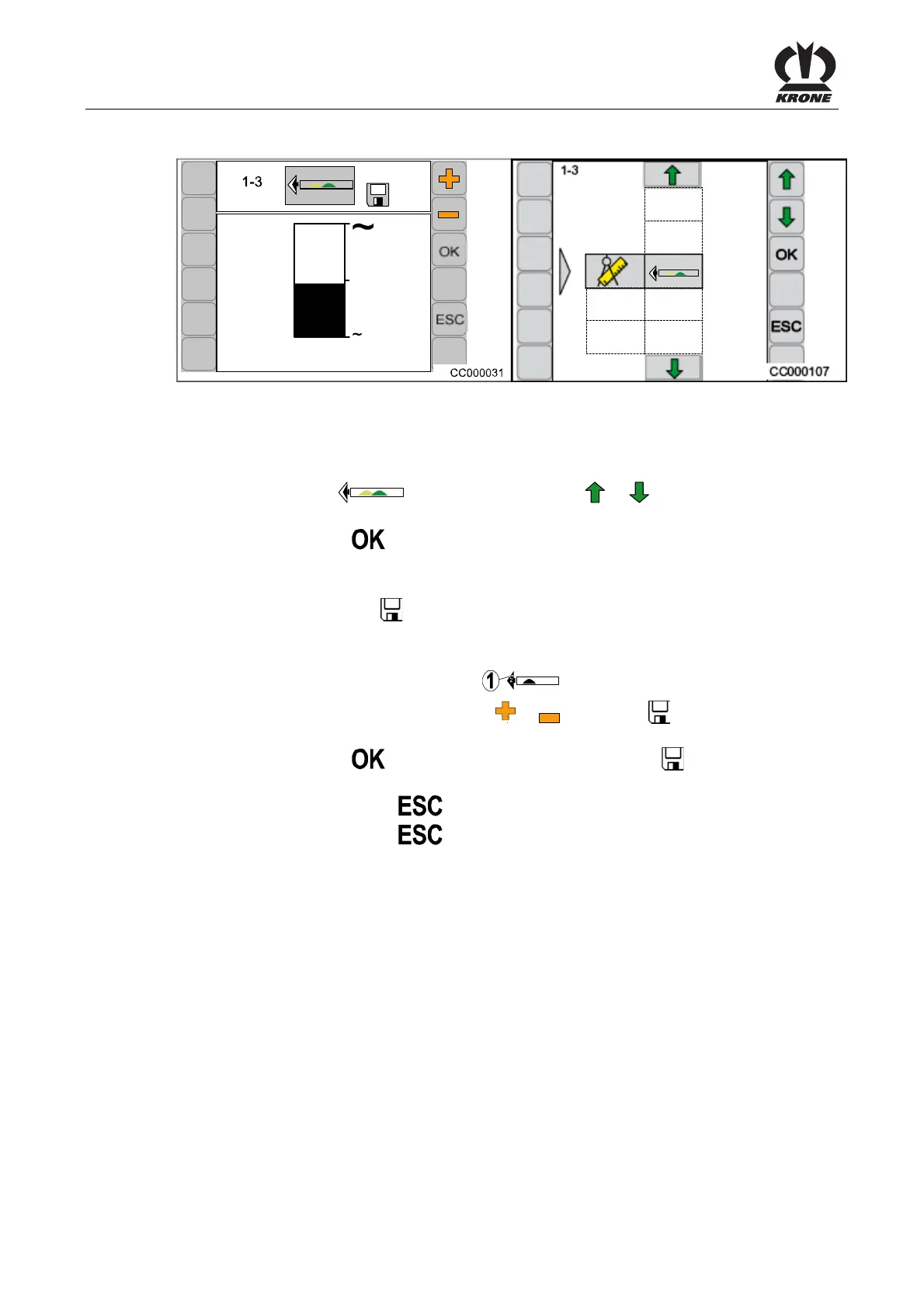
6.10.6 Menu 1-3 „Sensitivity of the Direction Display“
CC000107
1-3
Fig. 58
Setting the sensitivity of the direction display.
Calling the Menu
Main menu 1 “Settings” is called.
• Select menu 1-3
by pressing function key or , the symbol is highlighted
in grey
• Press function key
The display shows menu 1-3 “Sensitivity of the Direction Display”.
The bar display shows the set sensitivity. The higher the bar, the greater the sensitivity of the
direction display. The symbol
in the upper line indicates that the displayed value is saved.
Setting and saving the sensitivity of the direction display.
The higher the sensitivity of the direction display is set, the stronger the indications for the
direction of motion in the form of arrows (1) (
).
• Set the sensitivity by using function key or , the symbol in the upper line goes
out
• Press function key
, the set sensitivity is saved, the symbol in the upper line
appears
• Pressing the function key
closes the called up menu
• Pressing the function key
longer and holding it down brings up the basic screen
Pos: 22.78 /BA/--- ------------ Seitenumbruch------ ---------- @ 0\mod_119617 5311226_0.doc x @ 4165 @ @ 1









 To Next Page