KRONE ISOBUS-Terminal CCI 100
94
Pos: 22.81 /BA/Inf o-Center/CCI-I SOBUS-Terminal/CCI-Bi G Pack/Hauptmenüs/ Hauptmenü 1 Einstellungen/ Menü 1-4 „Zentralsc hmierung“ T1/2 HS Baureihe @ 99\ mod_1330005723595_ 78.docx @ 888108 @ 3 @ 1
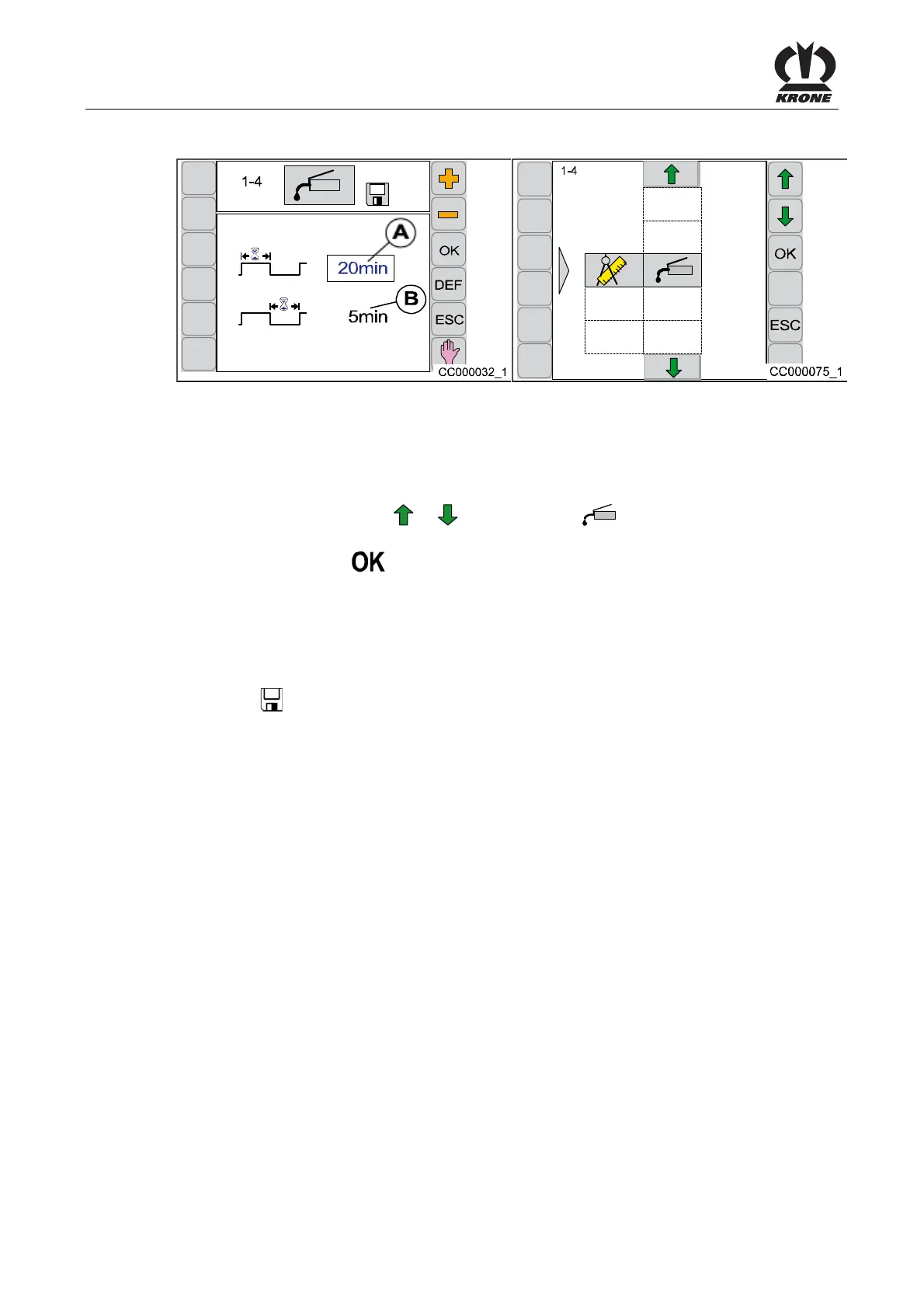
6.10.7 Menu 1-4 „Central Lubrication“
Fig. 59
(For machines with central lubrication)
Setting of the lubrication intervals and the lubrication duration.
Calling the Menu
Main menu 1 “Settings” is called.
• By pressing function key
or , select menu 1-4 , the symbol is highlighted in
grey
• Press function key
The display shows menu 1-4 “Central Lubrication”.
The current status is displayed as an icon:
The display shows menu 1-4 “Central Lubrication”.
The upper value (A) indicates the time for the lubrication duration whereas the lower value (B)
shows the time for the lubrication pause.
The symbol
in the upper line indicates that the displayed value is saved.
The lubrication duration can be increased by some minutes. Central lubrication is set to
optimal levels at the factory.
Factory Setting:
Lubrication duration: 20 min (A)
Lubrication pause: 5 min (B)
Capacity of the container 4.5 kg
Pos: 22.82 /BA/--- ------------ Seitenumbruch------ ---------- @ 0\mod_119617 5311226_0.doc x @ 4165 @ @ 1









 To Next Page