KRONE ISOBUS-Terminal CCI 100
90
Pos: 22.73 /BA/Inf o-Center/CCI-I SOBUS-Terminal/CCI-Bi G Pack/Hauptmenüs/ Hauptmenü 1 Einstellungen/ Menü 1-1-6 „Blaszei t“ @ 99\mod_1330004064344_78. docx @ 887794 @ 3 @ 1
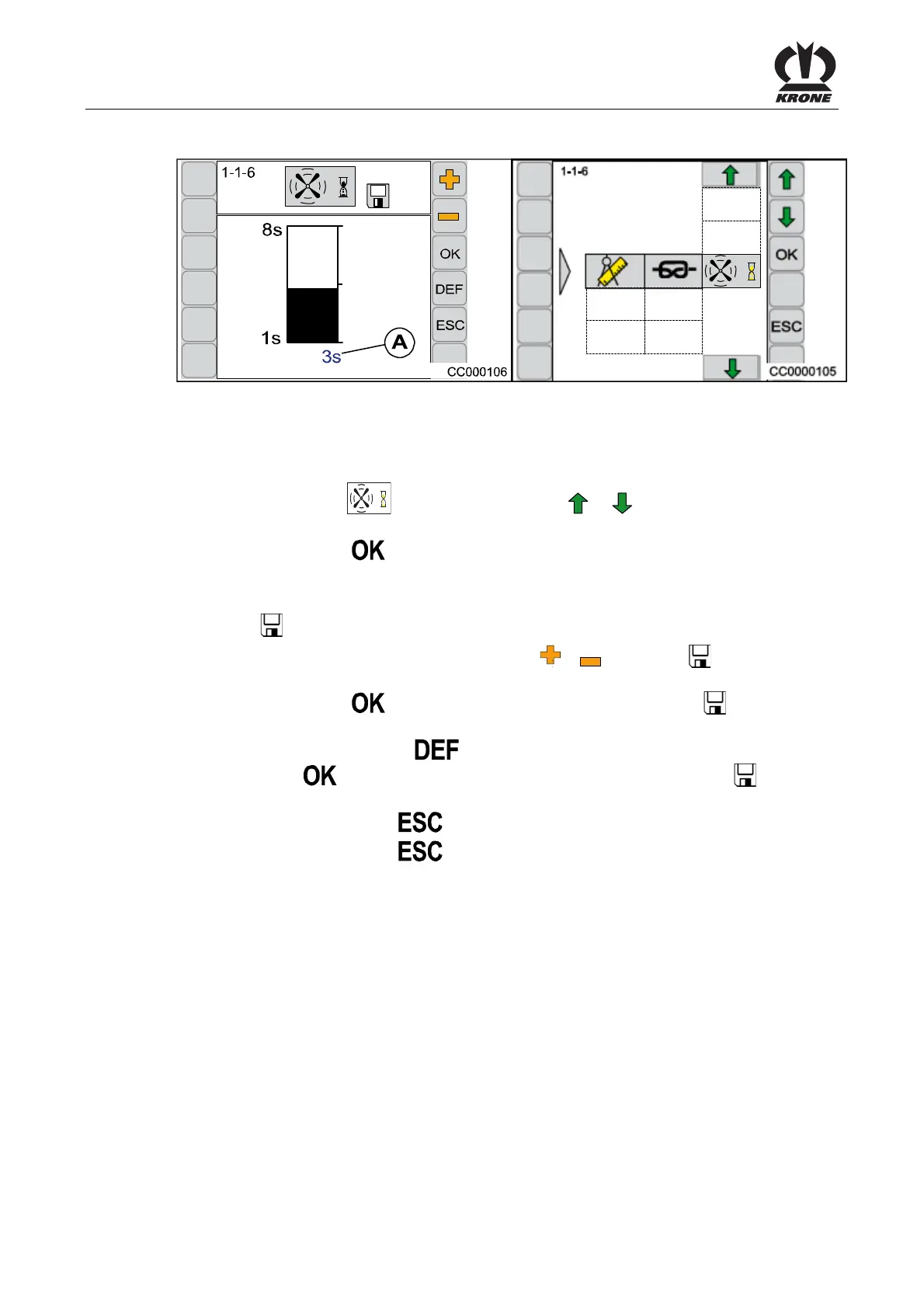
6.10.4.2 Menu 1-1-6 „Blow Time“
Fig. 56
The blowing time on the knotter is set in this menu.
Calling the Menu
The main menu 1-1 “Knotter Settings” is called up.
• Select menu 1-1-6
by pressing function key or , the symbol is highlighted in
grey
• Press function key
The display shows menu 1-1-6 "Blow time".
The bar display and the value (A) show the preselected cleaning time (blow time) in seconds.
The symbol in the upper line indicates that the displayed value is saved.
• Set the desired blow time with the function key
or , the symbol in the top line
goes out
Press function key
, the set correction value is saved, the symbol in the upper
line appears
• By pressing the function key the value of the factory setting appears (press
function key
, the value of the factory setting will be saved, the symbol appears in
the upper line)
• Pressing the function key
closes the called up menu
• Pressing the function key
longer and holding it down brings up the basic screen
Pos: 22.74 /BA/--- ------------ Seitenumbruch------ ---------- @ 0\mod_119617 5311226_0.doc x @ 4165 @ @ 1









 To Next Page