KRONE ISOBUS-Terminal CCI 100
75
Pos: 22.37.14 /BA/I nfo-Center/Großpacke npresse/Grundbil d Handbetrieb/Eins tellen des Soll-Pressk lappendrucks @ 18\ mod_1237390053275_78. docx @ 210173 @ @ 1
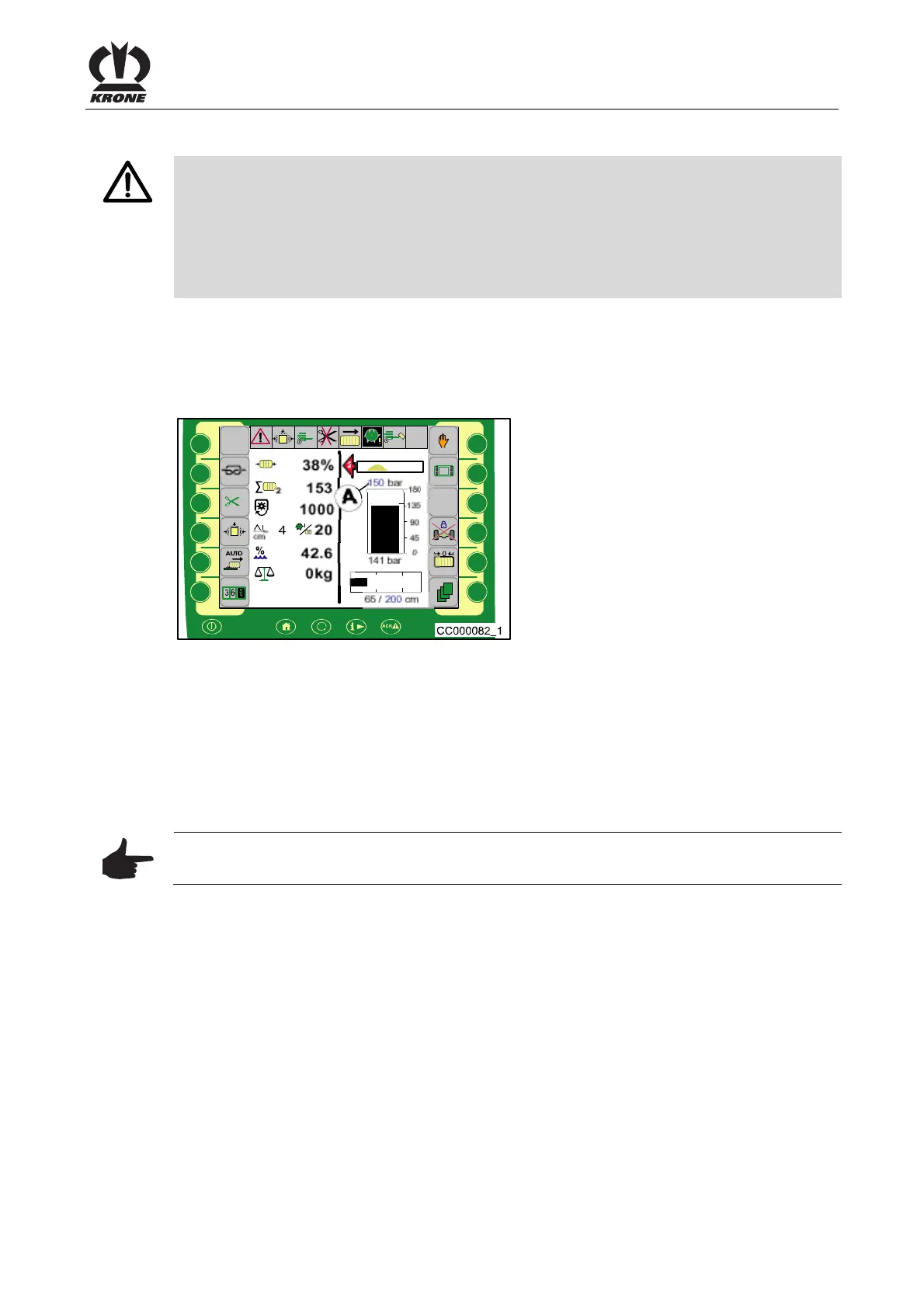
6.4.2 Setting the target bale channel flap pressure
Pos: 22.37.15 /BA/I nfo-Center/Großpacke npresse/Grundbil d Handbetrieb/Wa rnung zu hoher Druck @ 18\mod_12373 89601150_78.doc x @ 210149 @ @ 1
WARNING! – Pressure too high!
Effect: Damage to the machine
• If the pressure is set too high, the machine could be subjected to a mechanical overload
during baling that could result in destroying it To avoid this, the bale channel flap
pressure should be reduced to a non-critical value just before the overload. After a few
seconds, it is possible to return to the pressure set by the user.
• If overload occurs the target bale channel flap pressure must be reduced
Pos: 22.37.16 /BA/I nfo-Center/Großpacke npresse/Grundbil d Handbetrieb/Eins tellen des Soll-Pressk lappendrucks Ei nführung @ 18\mod_1237390125 510_78.docx @ 210197 @ @ 1
The user will give the pressure in the manual mode. The pressure is built up immediately if the
P.T.O. shaft is running and the machine is stopped. The pressure display barely fluctuates in
the display.
Pos: 22.37.17 /BA/I nfo-Center/CCI- ISOBUS-Terminal/CCI -BiG Pack/Grundbild Hand betrieb/Soll-Pr essklappendruck eins tellen @ 43\mod_12750421 44156_78.docx @ 389591 @ @ 1
Setting the target bale channel flap pressure
Pos: 22.37.18 /BA/I nfo-Center/CCI- ISOBUS-Terminal/CCI -BiG Pack/Grundbild Hand betrieb/Einste llen des Soll-Presskl appendrucks Bild HS B aureihe @ 99\mod_13298937245 73_78.docx @ 883917 @ @ 1
F1
F2
F3
F4
F5
F6
F7
F8
F9
F10
F11F11
F12
1/2
Fig.42
Pos: 22.37.19 /BA/I nfo-Center/CCI- ISOBUS-Terminal/CCI -BiG Pack/Scroll-Rad an wählen,springen,er höhen bzw. verringer n,speichern @ 43\mod_127529 5180531_78.doc x @ 390064 @ 3 @ 1
• You can use the scroll wheel to select the desired selection (A) (the selection box is
highlighted in color)
• Pressing the scroll wheel allows you to jump to the selection box (the selection box is
highlighted in color)
• Turning the scroll wheel increases or reduces the value
• Pressing the scroll wheel causes the setting to be applied and returns you from the
selection box
Pos: 22.37.20 /BA/I nfo-Center/CCI- ISOBUS-Terminal/CCI -Rundballenpressen/ Grundbild/Hinweis Ei nstellung über Touchsc reen @ 79\mod_1315290 154790_78.doc x @ 701913 @ @ 1
Note
The values can also be set via the touchscreen.
Pos: 22.37.21 /BA/---------------Seitenumbruch---------------- @ 0\mod_1196175311226_0.doc x @ 4165 @ @ 1









 To Next Page