KRONE ISOBUS-Terminal CCI 100
87
Pos: 22.67 /BA/Inf o-Center/CCI-I SOBUS-Terminal/CCI-Bi G Pack/Hauptmenüs/ Hauptmenü 1 Einstellungen/ Menü 1-1-2 Knotersign al @ 99\mod_13300005072 45_78.docx @ 887432 @ 4 @ 1
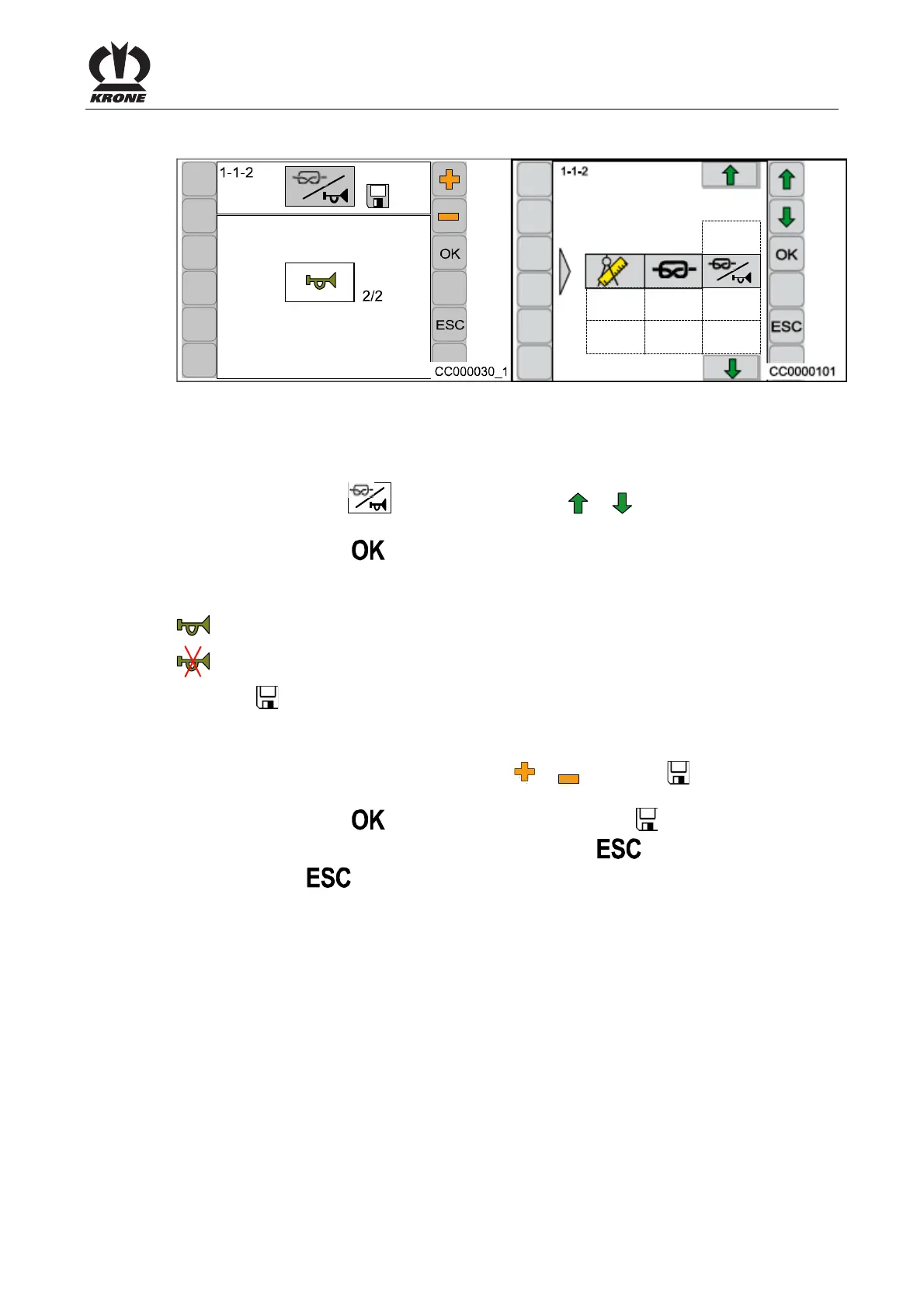
6.10.3 Menu 1-1-2 „Knotter Signal“
Fig. 53
Activation/deactivation of the audio signal when a knot has been completed.
Calling the Menu
The main menu 1-1 “Knotter Settings” is called up.
• Select menu 1-1-2
by pressing function key or , the symbol is highlighted in
grey
• Press function key
The display shows menu 1-1-2 “Knotter signal".
The current status is displayed as an icon:
= Knotter signal activated
= Knotter signal deactivated
The symbol
in the upper line indicates that the displayed status is saved.
Changing and Saving Status
• Set the status accordingly via function key or , the symbol in the upper line
goes out
• Press function key
, the set status is saved, the symbol in the upper line appears
• The called up menu is closed by pressing function key
• Pressing the
function key and holding it down brings up the basic screen
Pos: 22.68 /BA/--- ------------ Seitenumbruch------ ---------- @ 0\mod_119617 5311226_0.doc x @ 4165 @ @ 1









 To Next Page