KRONE ISOBUS-Terminal CCI 100
98
Pos: 22.89 /BA/Inf o-Center/CCI-I SOBUS-Terminal/CCI-BiG Pac k/Hauptmenüs/Haup tmenü 1 Einstellungen/ Menü 1-6 „Ballenwaage“ T1 @ 109\mod_1335347896210 _78.docx @ 976087 @ @ 1
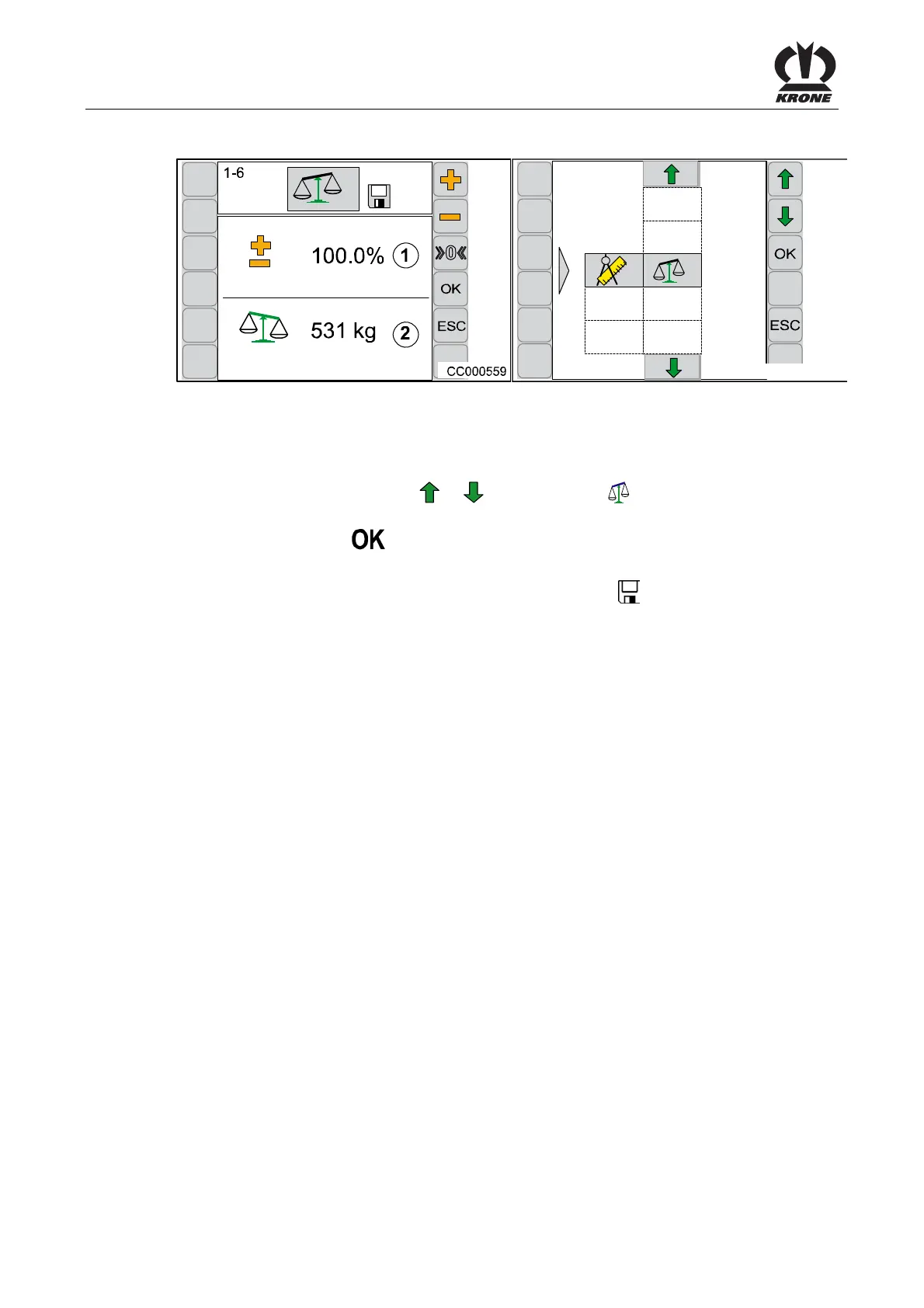
6.10.9 Menu 1-6 „Bale Balance“
CC000558
1-6
Fig. 61
Calling the Menu
Main menu 1 “Settings” is called.
• By pressing the function key
or , select menu 1-6 , the symbol is highlighted in
grey
• Press function key
The display shows menu 1-6 “Bale Balance”.
The percentage value (1) shows the set limit range. The symbol
in the upper line indicates
that the displayed value is saved.
Pos: 22.90 /BA/--- ------------ Seitenumbruch------ ---------- @ 0\mod_119617 5311226_0.doc x @ 4165 @ @ 1









 To Next Page