KRONE ISOBUS-Terminal CCI 100
130
Pos: 22.211 /BA/Inf o-Center/CCI-I SOBUS-Terminal/CCI- BiG Pack/Hauptmenüs/A larmmeldungenAlarmel dung allgemein (2013- 10-08 11:22:08) @ 44\ mod_1275973892718_78.doc x @ 394126 @ @ 1
6.16 Alarm message
F1
F2
F3
F4
F5
F6
F7
F8
F9
F10
F11F11
F12
109
B1
CC000053
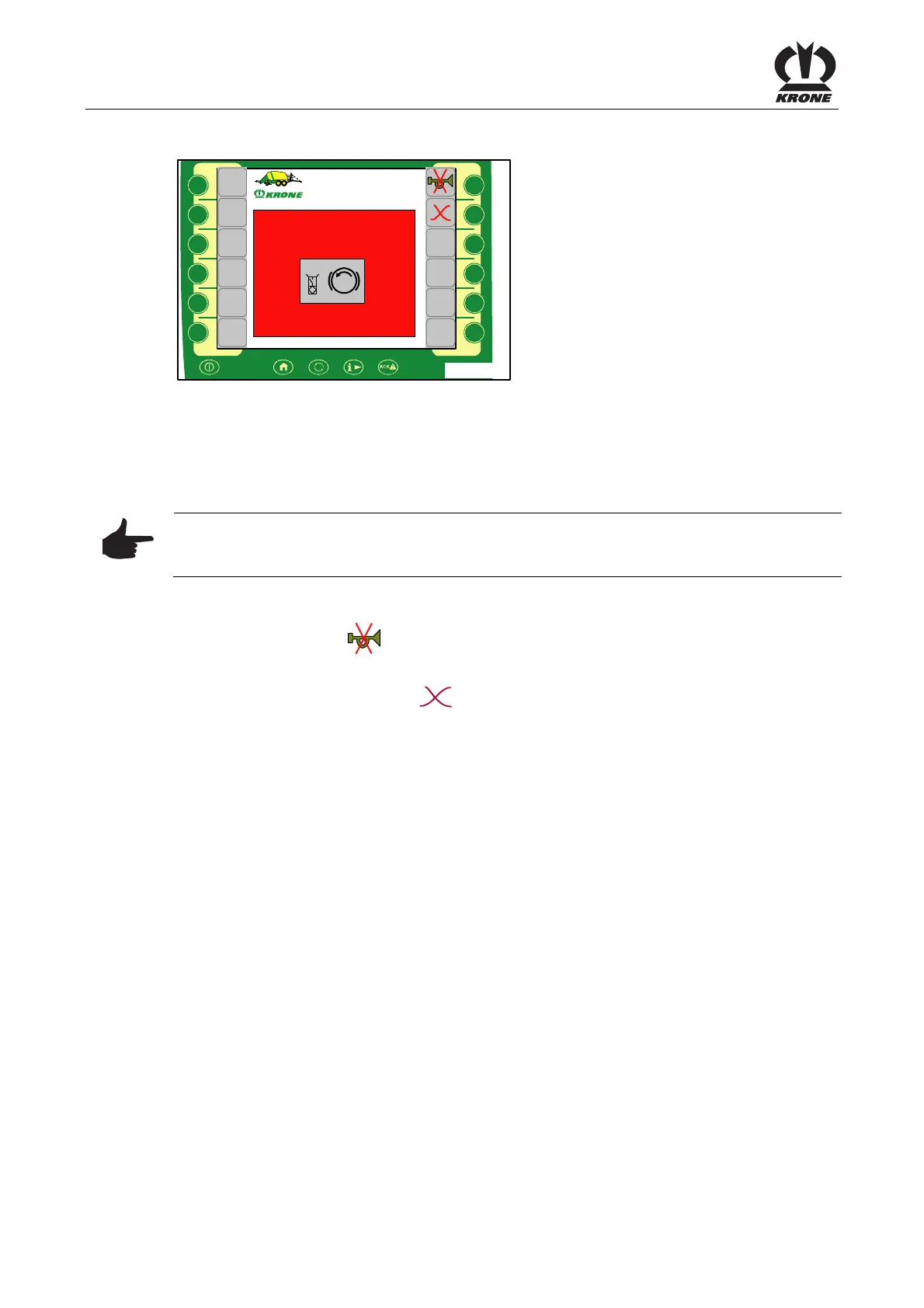
Fig. 82
Alarm message
If a malfunction occurs in the machine an alarm message appears in the display and an audio
signal is heard at the same time (continuous acoustic alarm signal). Description, possible cause
and remedy are shown in the chapter entitled "Alarm Messages".
Note
All functions in the menu that is covered over are still active. The softkeys that are covered by
the alarm message are disabled.
Stop audio signal:
• Press function key
Resetting the alarm:
• Briefly press the function key
. The alarm is reset and the audio signal stops
If the malfunction occurs again, the alarm message will appear again.
Pos: 22.212 /BA/-- ------------- Seitenumbruch---------------- @ 0\mod_1196175311226_0.docx @ 4165 @ @ 1









 To Next Page