KRONE ISOBUS-Terminal CCI 100
68
Pos: 22.35.12 /BA/I nfo-Center/CCI- ISOBUS-Terminal/CCI -BiG Pack/Grundbild Hand betrieb/Grundbild f ür die Funktionstasten Sei te 1/2 @ 99\mod_132989 0979022_78.docx @ 883611 @ @ 1
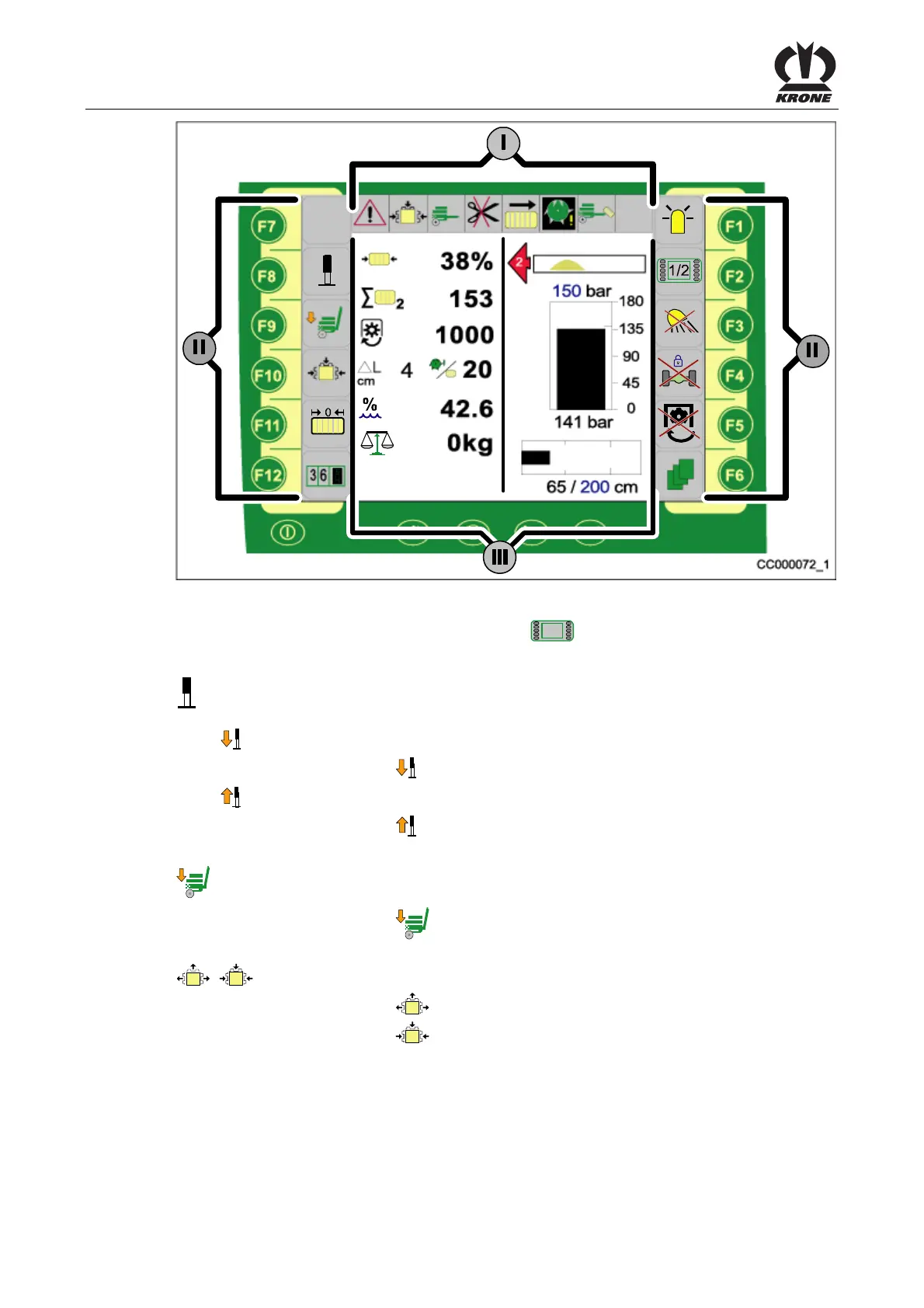
Fig.38
Pos: 22.35.13 /BA/I nfo-Center/CCI- ISOBUS-Terminal/CCI -BiG Pack/Funktionstas ten F1 bis F 12/Beschrei bung der Grafiken (II ) für die erste Seite der Funkti onstasten (F7 bis F12) @ 63\mod_1299770154674_78.doc x @ 576202 @ @ 1
Description of the graphics (II) on the first page
1/2
of the function keys (F7 to F12)
Pos: 22.35.14 /BA/I nfo-Center/CCI- ISOBUS-Terminal/CCI -BiG Pack/Funktionstas ten F1 bis F 12Seite 1/2 F8 Stüt zfuß freischalten ( 2013-02-28 15:05:33) @ 63\mod_1299854394186_7 8.docx @ 577310 @ @ 1
Releasing the hydraulic parking jack (The functions (graphics) for the hydraulic
parking jack are enabled on the display.)
•
Deploy parking jack
• Press function key .
•
Retract parking jack
• Press function key
.
Pos: 22.35.15 /BA/I nfo-Center/CCI- ISOBUS-Terminal/CCI -BiG Pack/Funktionstas ten F1 bis F 12/Seite 1/2 F9 Bal lenschurre senken @ 63\ mod_1299854208425_78. docx @ 577283 @ @ 1
Lower bale chute.
• Press function key
Pos: 22.35.16 /BA/I nfo-Center/CCI- ISOBUS-Terminal/CCI -BiG Pack/Funktionstas ten F1 bis F 12/Seite 1/2 F10 Pr essklappen lösen / sc hließen @ 63\mod_129985397557 1_78.docx @ 577256 @ @ 1
/ Open / Close bale channel flaps The current status is displayed.
• Press function key
.
• Press function key
.
Pos: 22.35.17 /BA/---------------Seitenumbruch---------------- @ 0\mod_1196175311226_0.doc x @ 4165 @ @ 1









 To Next Page