Page 99 of 182 TP1A002–1 English
Aug 2015
Linx 8900 Operating Manual —
Add other fields
Linx 8900
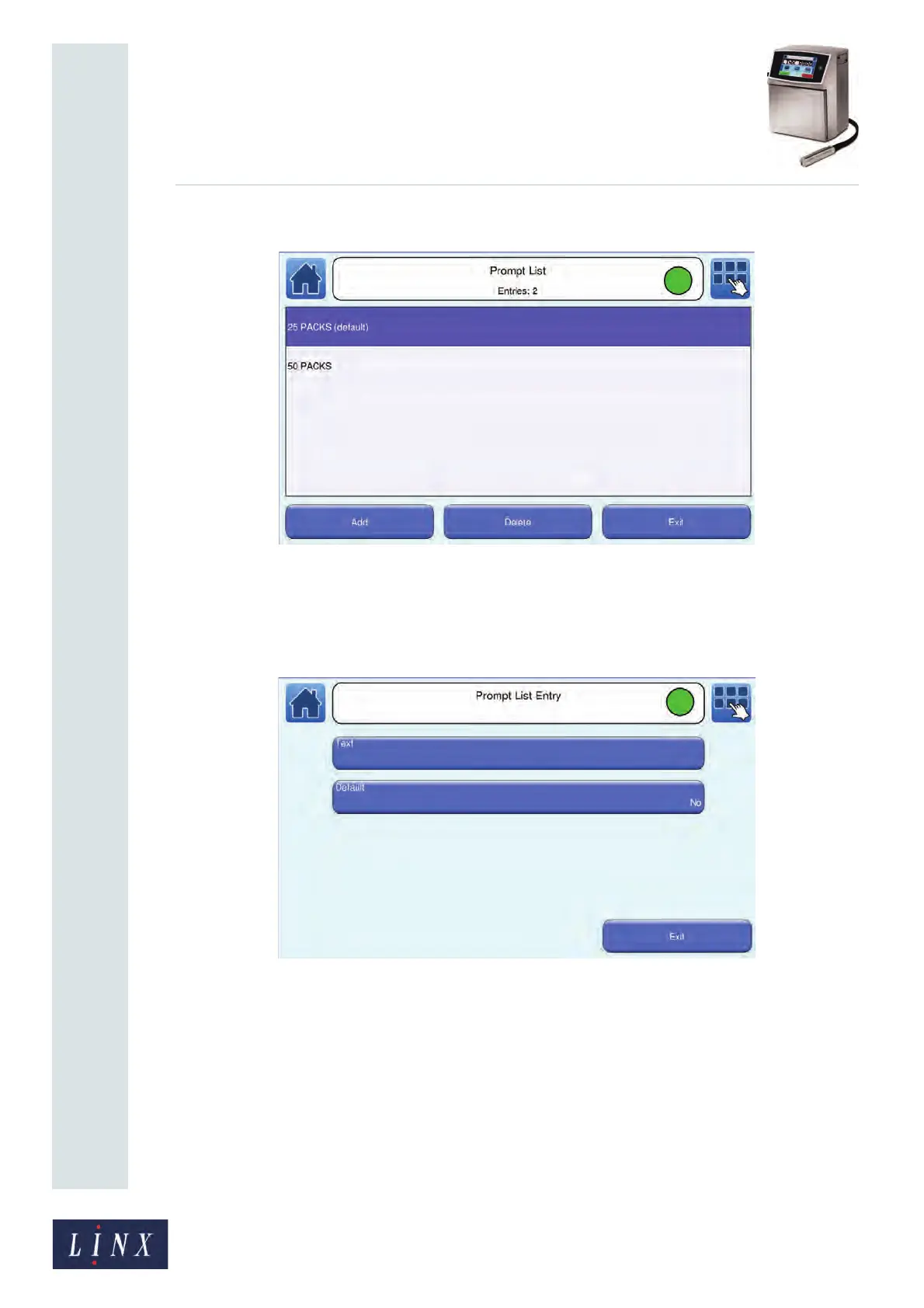
The number of entries in the list is shown in the status bar.
Figure 105. Prompt List screen
4 To create a prompt list item:
(a) At the Prompt List screen, touch the Add button to display the Prompt List
Entry screen.
Figure 106. Prompt List Entry screen
(b) Touch the Text button to enter the required text (for example, “50 PACKS”),
and then touch the Enter button to return to the Prompt List Entry screen.
(c) You can use the Default option to make a prompt list item the default option
for the prompted field when you use the Default option on the Prompt Value
screen (see step 7). Touch the Default button to toggle between Yes and No.
The current default prompt list item is labelled “(default)”.
NOTE: There can be only one default entry in the prompt list. If you create a new
default option, the “(default)” label is removed from the existing entry.



 To Next Page