Page 11 of 182 TP1A002–1 English
Aug 2015
Linx 8900 Operating Manual —
Printer user interface
Linx 8900
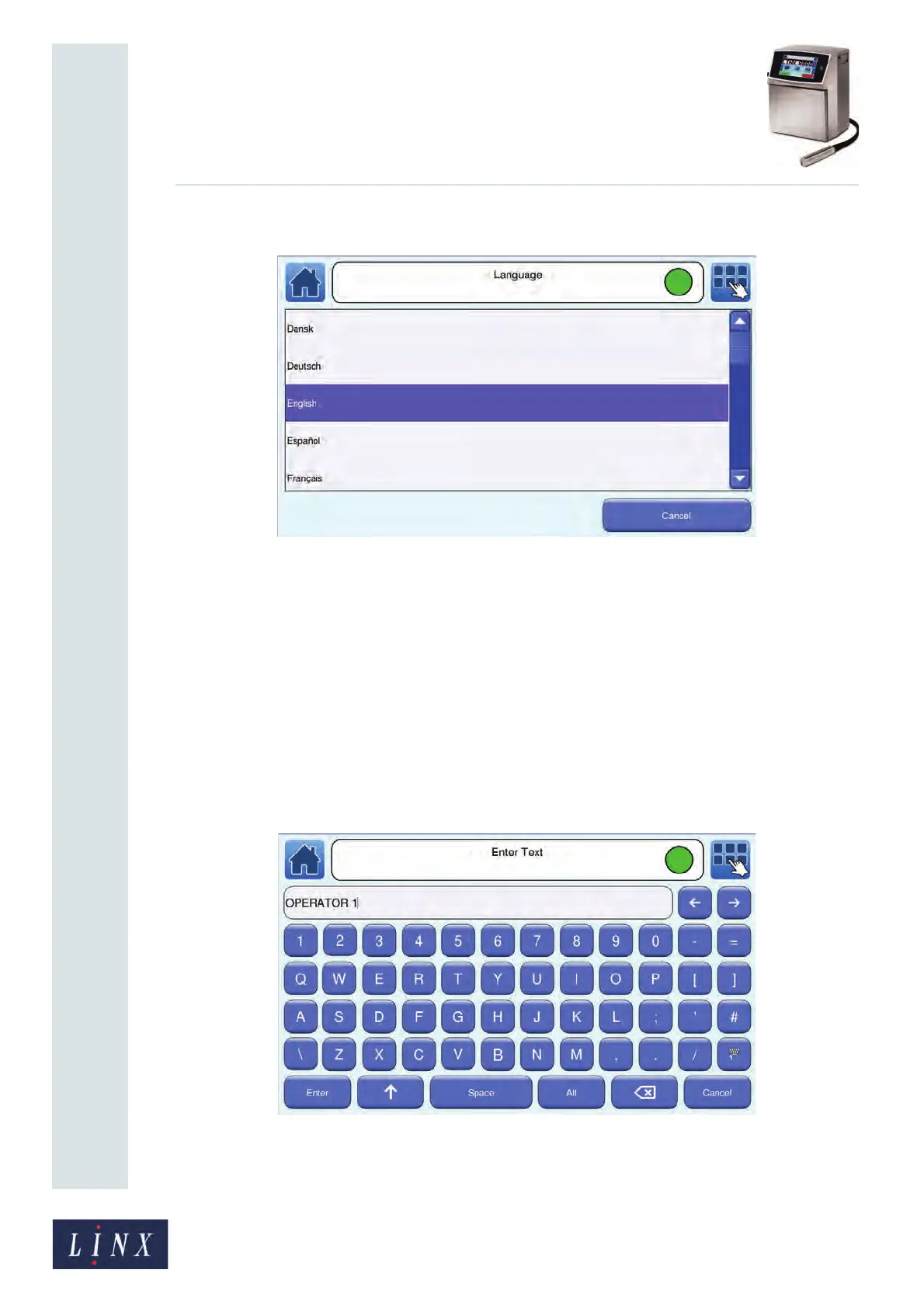
Touch the Language button to change the language that the printer software uses:
Figure 7. Language screen
The printer displays a list of the languages available. Touch the language option that you
require to select that language.
Some of these options (for example, the Date & Time option) require you to enter text or
numeric values. See ‘Text entry screens’ below and ‘Numeric entry screens’ on page 12 for
more information.
2.1.3 Text entry screens
You use the text entry screens to enter text (for example, a Text field in a message or the
name of a printer user) with the touch screen keyboard of the printer. The name of the
screen is shown in the printer status bar. See ‘Use the keyboard’ on page 15 for more
information about text entry with the printer keyboard and the keyboard buttons.
Figure 8. Text entry screen
89045
89103



 To Next Page