Page 45 of 182 TP1A002–1 English
Aug 2015
Linx 8900 Operating Manual —
Change the printer setup
Linx 8900
4.1.7 User interface settings
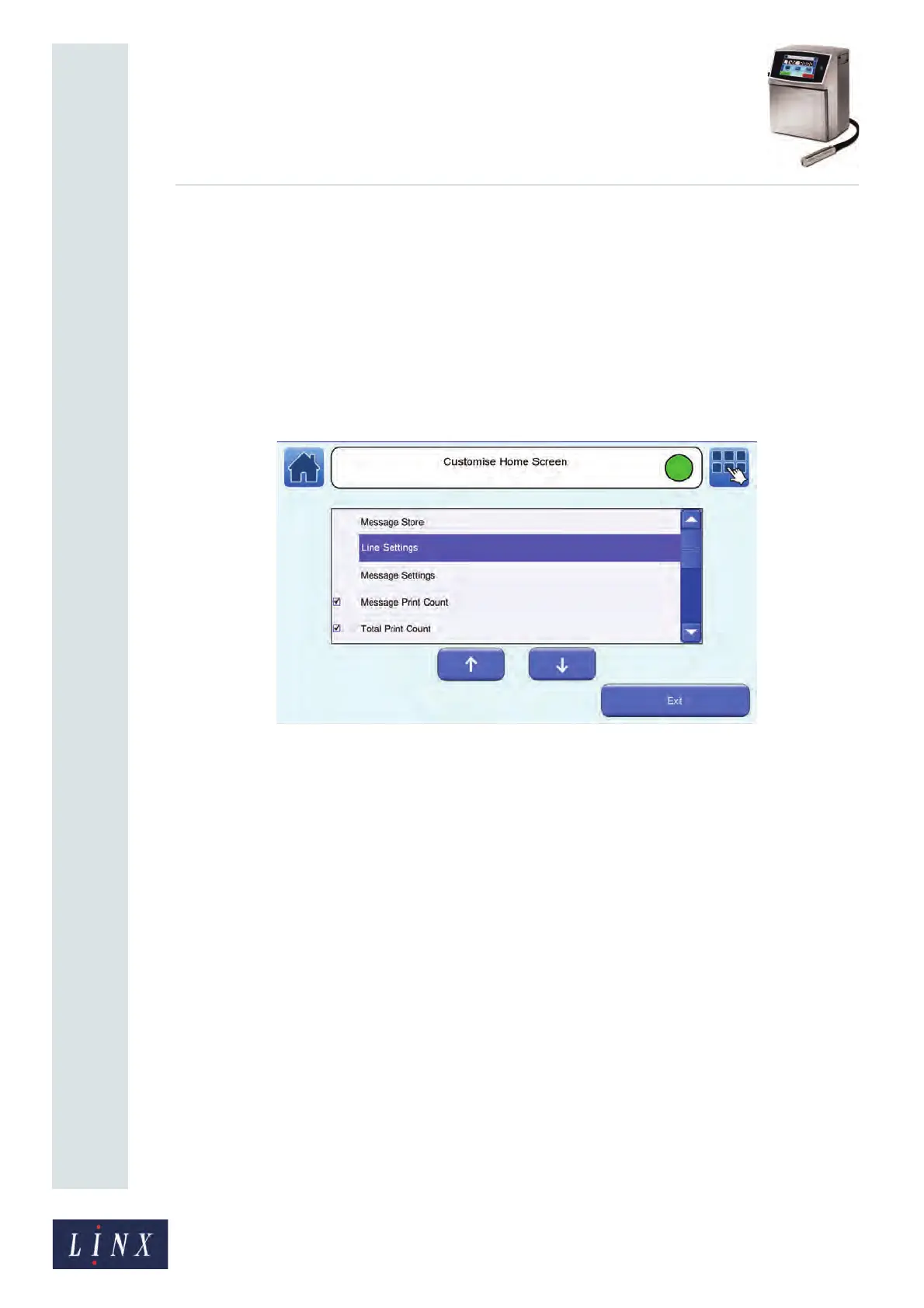
Customise Home Screen
This option allows you to configure the option buttons that appear in the carousel area on
the Home screen. The Message Store, Line Settings, and Message Settings options are
always displayed on the carousel. You cannot remove these options. The Message Print
Count, Current Rate Prints/Hour, and Downtime Logging options are displayed by
default, but you can remove them if required. You can select six other options to assign to
the buttons on the carousel. Touch the Customise Home Screen button to display the
Customise Home Screen screen.
Figure 47. Customise Home Screen screen
The available options are as follows. Touch the box to the left of the option name to select or
deselect that option. Touch the Exit button when you have made your selections.
Message Print Count—the message print count for the current message is displayed on the
option button on the carousel. Select this option to enable you to edit from the carousel the
number of prints that the printer made with the current message. You can use any value
from 0 to 4,294,967,295.
Total Print Count—the total print count for the printer is displayed on the option button on
the carousel. This value is the total of the Print Count values for all messages. You cannot
change this value.
Batch Print Count—the current batch print count is displayed on the option button on the
carousel. Select this option to enable you to edit from the carousel the total number of prints
made by the printer for this message in the interval since you last set the Batch Print Count.
Print Delay—the current Print Delay is displayed on the option button on the carousel.
Select this option to enable you to set the Print Delay for the current message from the
carousel. Refer to the Linx 8900 Quick Start Guide for more information about print delays.
Manual Trigger—select this option to enable the Manual Trigger button to allow you to
manually trigger a print from the carousel. See ‘Print Trigger’ on page 59 for more
information about print triggers.



 To Next Page