Page 95 of 182 TP1A002–1 English
Aug 2015
Linx 8900 Operating Manual —
Add other fields
Linx 8900
6.4 Add a Prompted field
Prompted fields are fields within a standard Text field that, when the message is selected,
require the user to enter or select text before the message is printed. They reduce the need to
edit a message and make sure that all message data is entered before a message is printed.
Prompted fields also allow you to reuse message content between messages. For example,
you can copy messages, and then edit the prompted fields that they contain.
Prompted fields are a property of the standard Text field that you can enable from the Text
Field Properties screen. You can turn multiple Text fields in a message into prompted
fields.
When you have created a message with one or more prompted fields, you can select that
message to print. When you select the message, the printer displays one or more screens
that prompt you to accept the default field text, enter text, or select an entry from a list. You
must respond to each of these prompts before the message can be printed. For more
information about how prompted fields work, see ‘Use prompted fields’ on page 100.
6.4.1 Create a prompted field
To add a prompted field to a message:
1 Create a Text field in a message as described in the Linx 8900 Quick Start Guide. The
text that you enter in the field becomes the default text for the prompted field. You
can edit this text later.
2 At the Editor screen in edit mode, touch the field to select it. The field is highlighted
in yellow.
3 Touch the Edit Properties button to display the Text Field Properties screen.
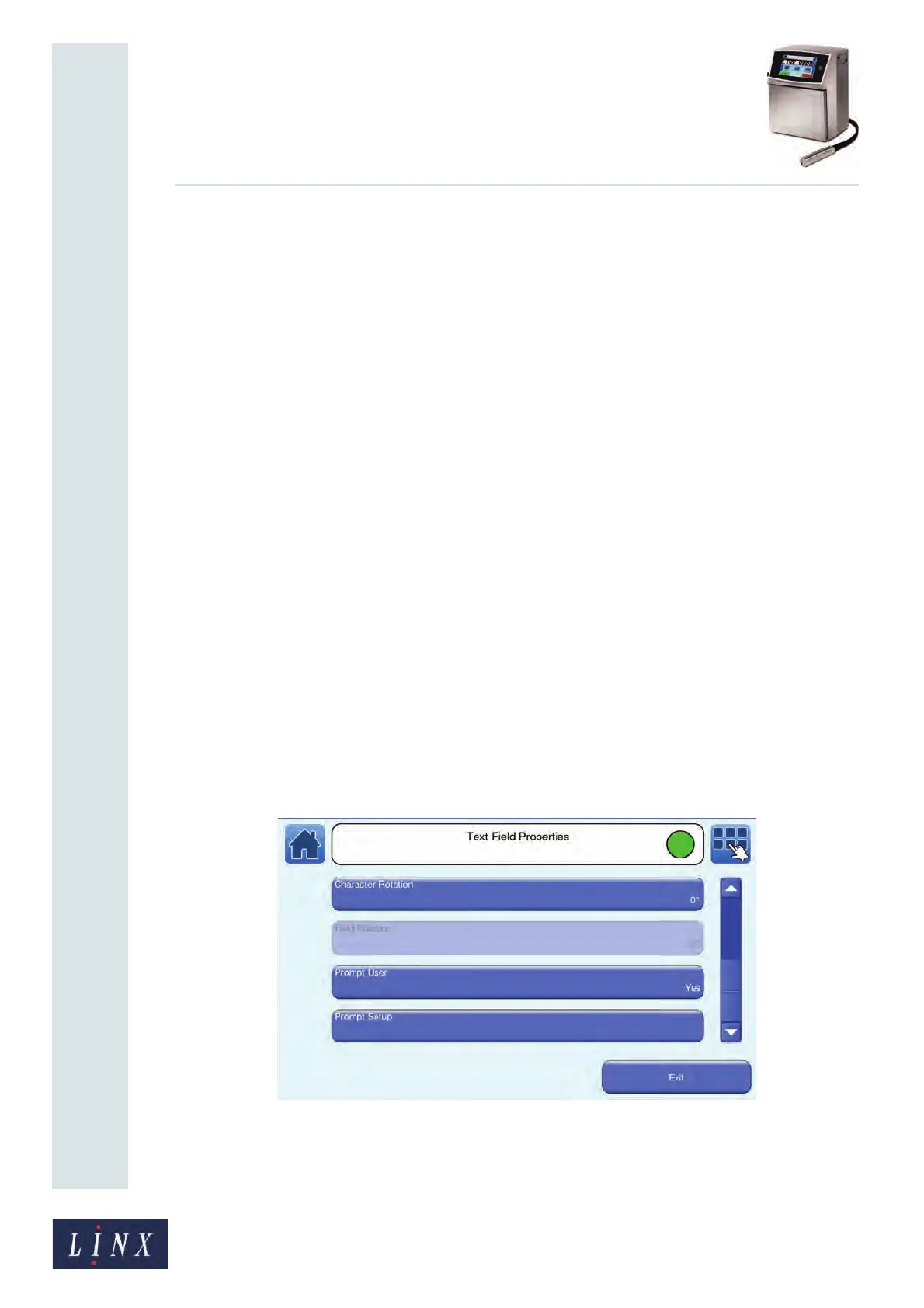
4 Scroll down to the Prompt User button. By default this option is set to No. To
enable prompted fields, touch the Prompt User button. The option is now set to Yes
and the Prompt Setup button is available.
Figure 101. Text Field Properties screen: prompted fields enabled
NOTE: When prompted fields are enabled, the Text option button on the Text
Field Properties screen is disabled.
89179



 To Next Page