Page 80 of 182 TP1A002–1 English
Aug 2015
Linx 8900 Operating Manual —
Line and message settings
Linx 8900
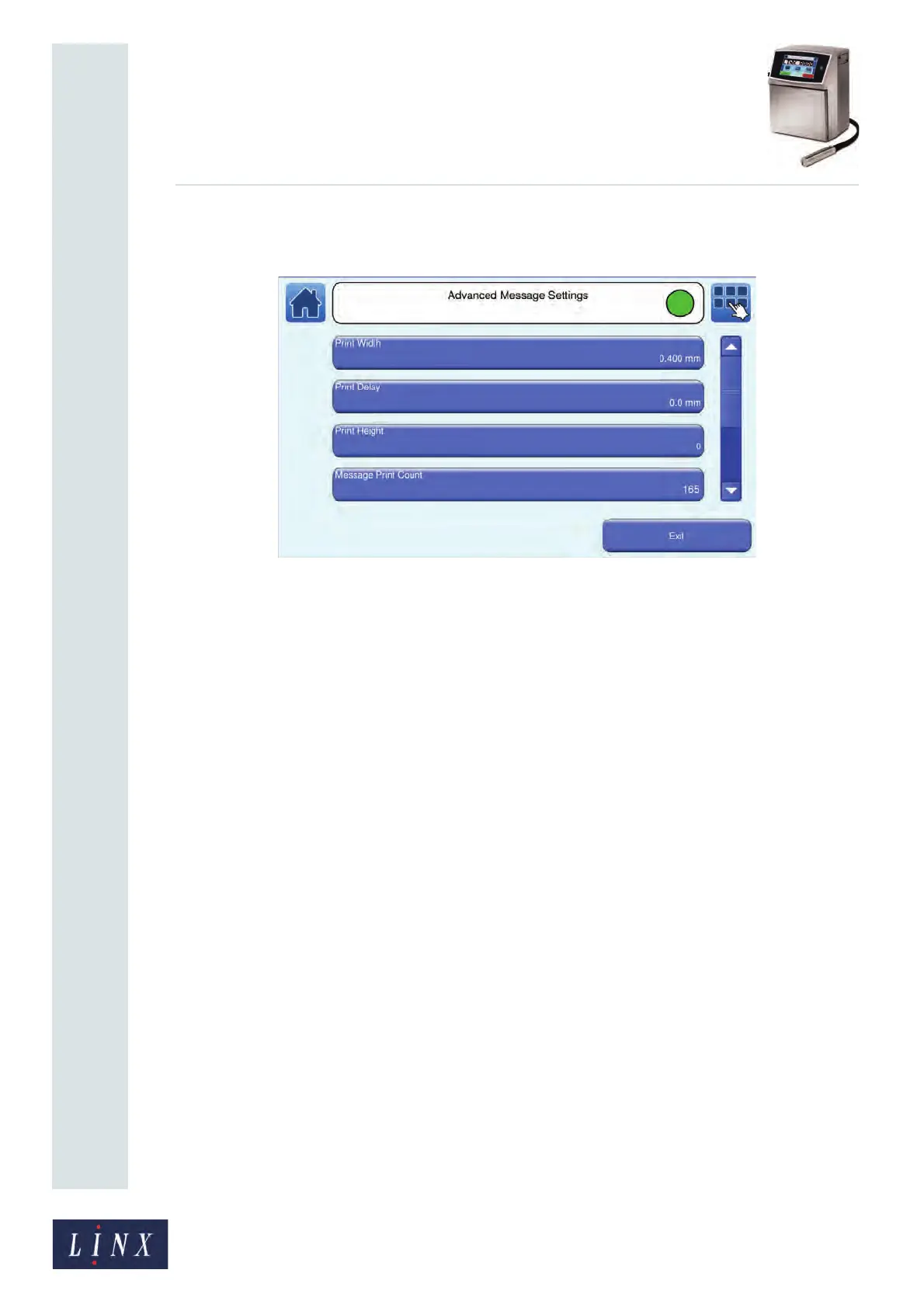
At the Message Settings screen, touch the Advanced button to display the Advanced
Message Settings screen.
Figure 82. Advanced Message Settings screen
The following options are available.
5.7.1 Print Width
This option allows you to set the Print Width for a message. See ‘Print Width’ on page 77.
5.7.2 Print Delay
This option allows you to set the Print Delay for a message. See ‘Print Delay’ on page 76.
5.7.3 Print Height
This option allows you to set the Print Height for a message. See ‘Print Height’ on page 78.
5.7.4 Message Print Count
This option shows the number of prints that the printer has made with the current message.
You can use this option to change the Print Count for the current message. You can use any
value from 0 to 4,294,967,295. This option is not available in the ‘Printing’ state.
Touch the Message Print Count button to display the Enter Print Count screen. To change
the Message Print Count:
• Use the keypad to enter a new print count value.
• Use the plus or minus buttons to increase or decrease the print count value.



 To Next Page