Page 74 of 182 TP1A002–1 English
Aug 2015
Linx 8900 Operating Manual —
Line and message settings
Linx 8900
2 Touch the name of the option you require, to toggle that option between On and
Off. See ‘Volt-free contact (VFC) alarm’ on page 71 for more information about the
options.
3 When you have selected the options you require, touch the Exit button to return to
the Alarm Setup screen.
5.5.3 Test Mode
This option enables you to test the 24 V alarm or the VFC alarm outputs to an alarm beacon
fitted to the printer. If set to Yes, the following options are enabled.
5.5.4 Test 24V Alarm
Set this option to On to test the alarm output from the 24 V alarm. The alarm beacon
behaves as configured in ‘Alarm setup’ on page 71.
5.5.5 Test VFC Alarm
Set this option to On to test the alarm output from the VFC alarm. The alarm beacon
behaves as configured in ‘Alarm setup’ on page 71.
5.6 Basic message settings
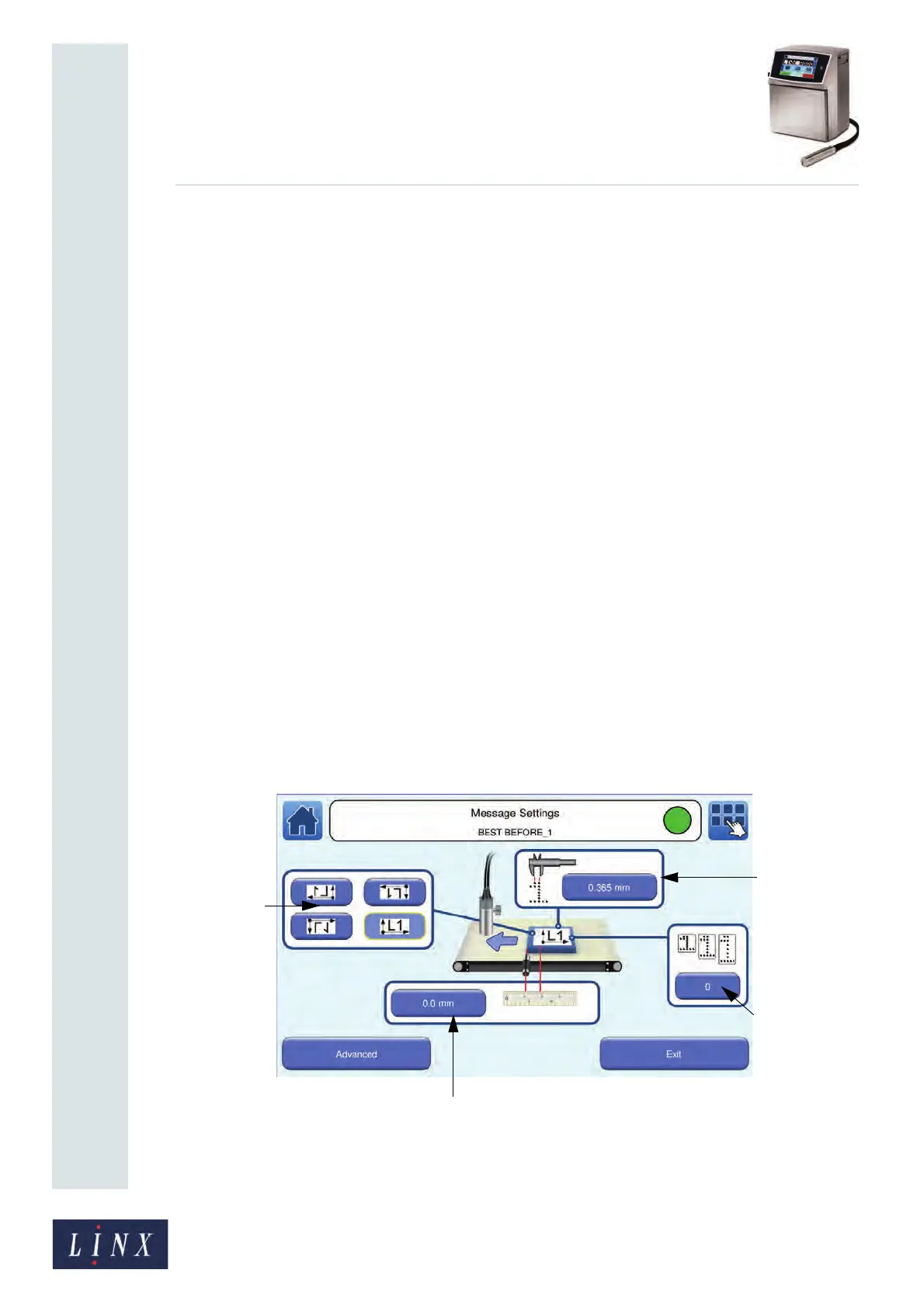
The Message Settings screen allows you to adjust basic message settings (for example,
Print Delay, Print Height, and Print Width) for a selected message. You can change
advanced settings like Message Print Count on the Advanced Message Settings screen. See
‘Advanced message settings’ on page 79 for more information.
To change message settings, touch the Message Settings button on the Home screen. The
printer displays the Message Settings screen.
Figure 76. Message Settings screen
NOTE: The Message Settings screen is not available unless a message is selected.
89156
Print Width
button
Message
Orientation
buttons
Print Delay button
Print Height
button



 To Next Page