Page 32 of 182 TP1A002–1 English
Aug 2015
Linx 8900 Operating Manual —
Different keyboard systems
Linx 8900
3.2 Korean character selector
The Korean character selector allows you to create messages in Korean through Hangul
syllables, built from characters known as Jamo. The Jamo are assembled from within the
Korean character selector, which is like the Pinyin system.
NOTE: The printer only allows you to enter valid combinations of Jamo in the Korean
character selector.
You can use the Korean character selector when you select the Korean Pinyin secondary
keyboard. See ‘Keyboard’ on page 36 for more information about secondary keyboards.
To use the Korean character selector:
1 From a text edit box, touch the Toggle Keyboard button on the keyboard to open
the Enter Text screen.
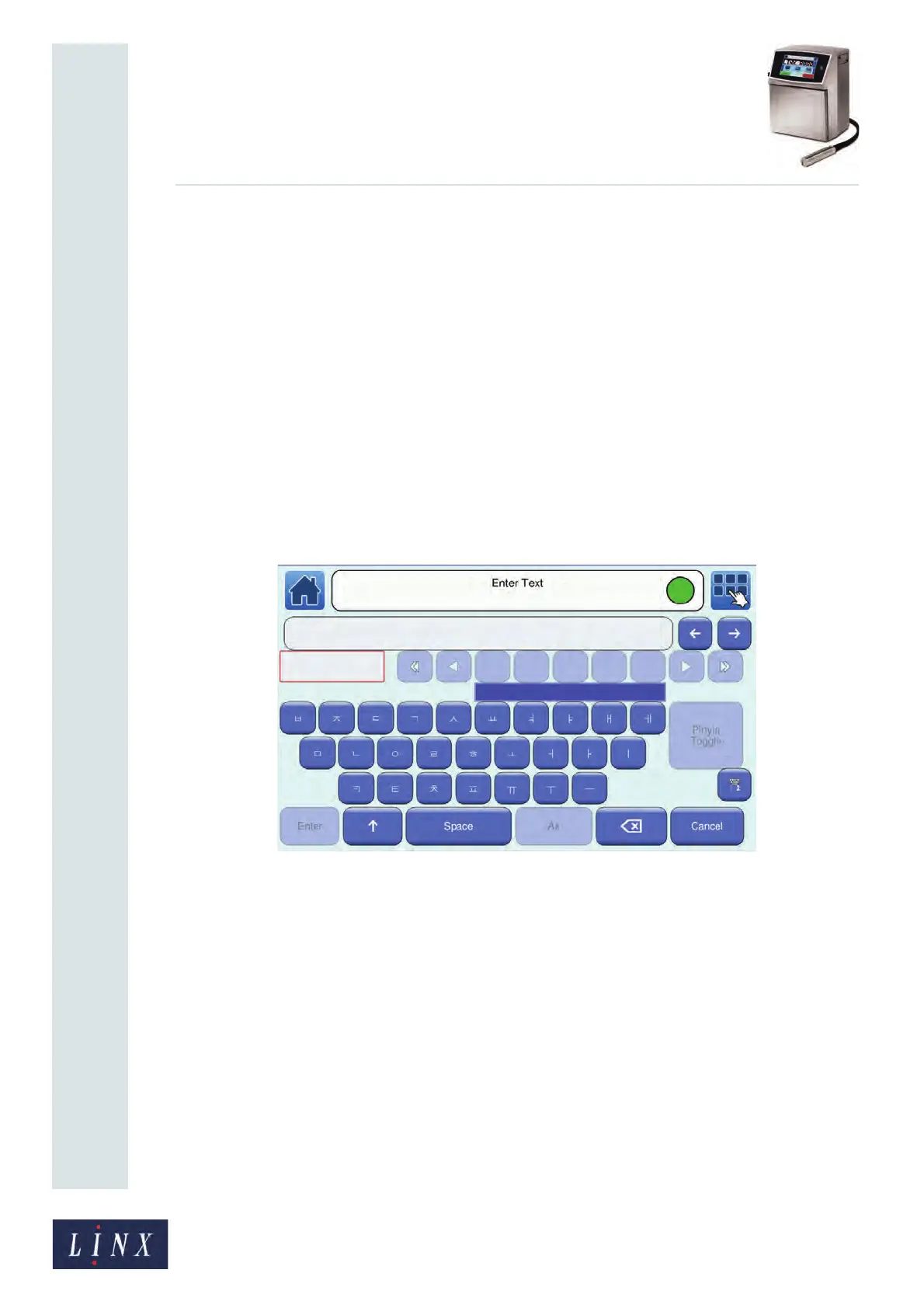
2 The Enter Text screen opens in ‘Jamo Input’ mode (see Figure 32). This option
allows you to enter any valid Jamo characters in the lower text box (highlighted in
red). You can touch the Shift button to display additional Jamo characters.
Figure 32. Korean character selector (1)
89264



 To Next Page