Page 111 of 182 TP1A002–1 English
Aug 2015
Linx 8900 Operating Manual —
Add other fields
Linx 8900
6.5.4 Edit Remote field properties
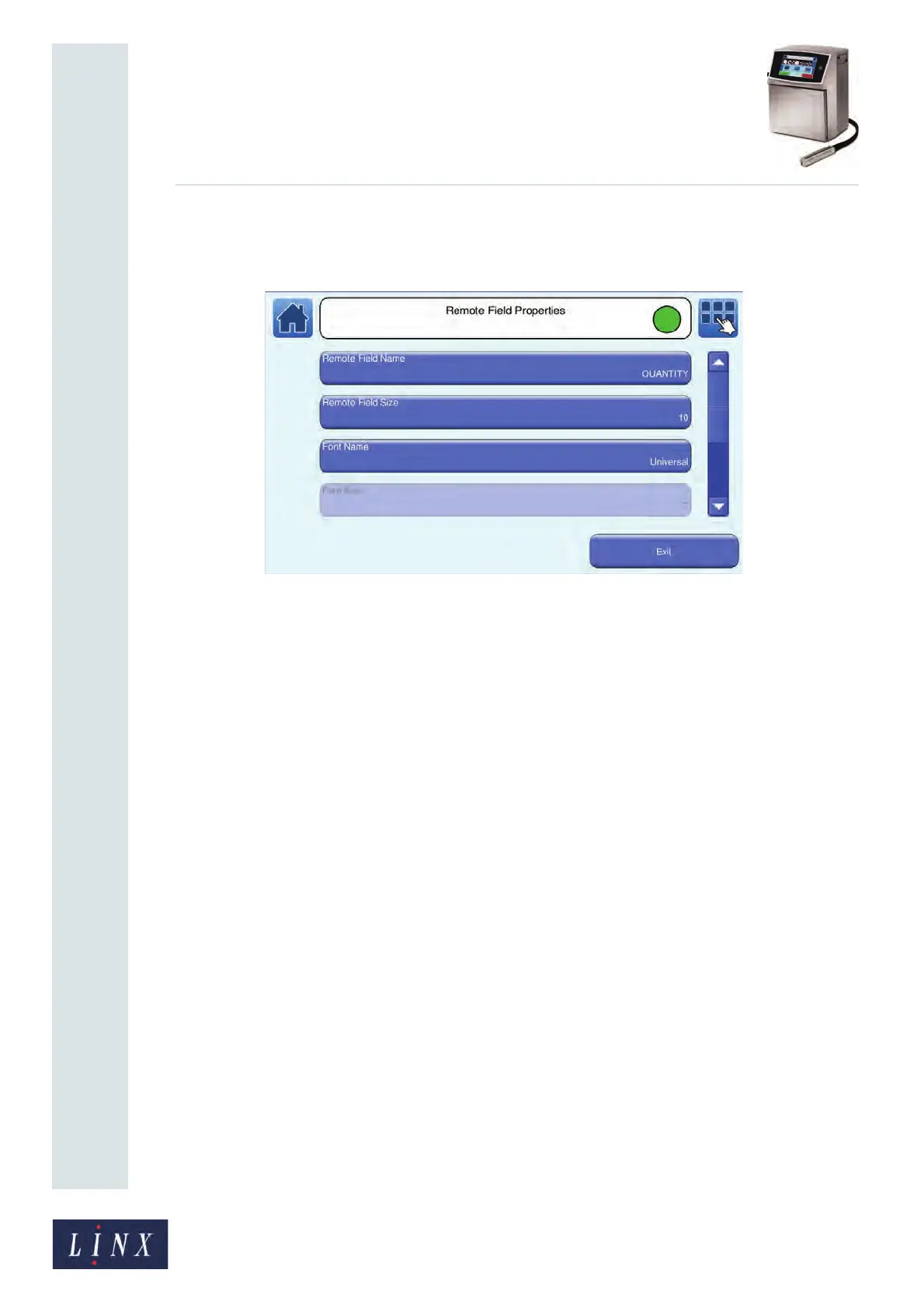
You can edit the following properties of the Remote field.
Figure 122. Remote Field Properties screen
• Remote Field Name—allows you to edit the name of the Remote field.
• Remote Field Size—enter the maximum number of characters that the remote device
can download into the selected field (up to a maximum of 255 characters).
• Font Name—select the required font from the list. You must also select a font size.
• Font Size—select the required font size from the list.
NOTE: You cannot change the font size for fixed message styles.
• Bold Factor—select a value in the range x1 to x10.
• Character Rotation—rotates the characters in the selected field by 0, 90, 180, or 270
degrees to the right, as shown in the Linx 8900 Quick Start Guide.
• Field Rotation—rotates the selected field by 0, 90, 180, or 270 degrees to the right, as
shown in the Linx 8900 Quick Start Guide.
NOTE: If you rotate a field, the field can move outside the message area and will not
print correctly. The printer applies a red highlight to indicate any field that is
outside the message area. If necessary, you can adjust the font size to make sure
that the field fits in the message area.



 To Next Page