Page 75 of 182 TP1A002–1 English
Aug 2015
Linx 8900 Operating Manual —
Line and message settings
Linx 8900
The following options are available:
5.6.1 Message Orientation
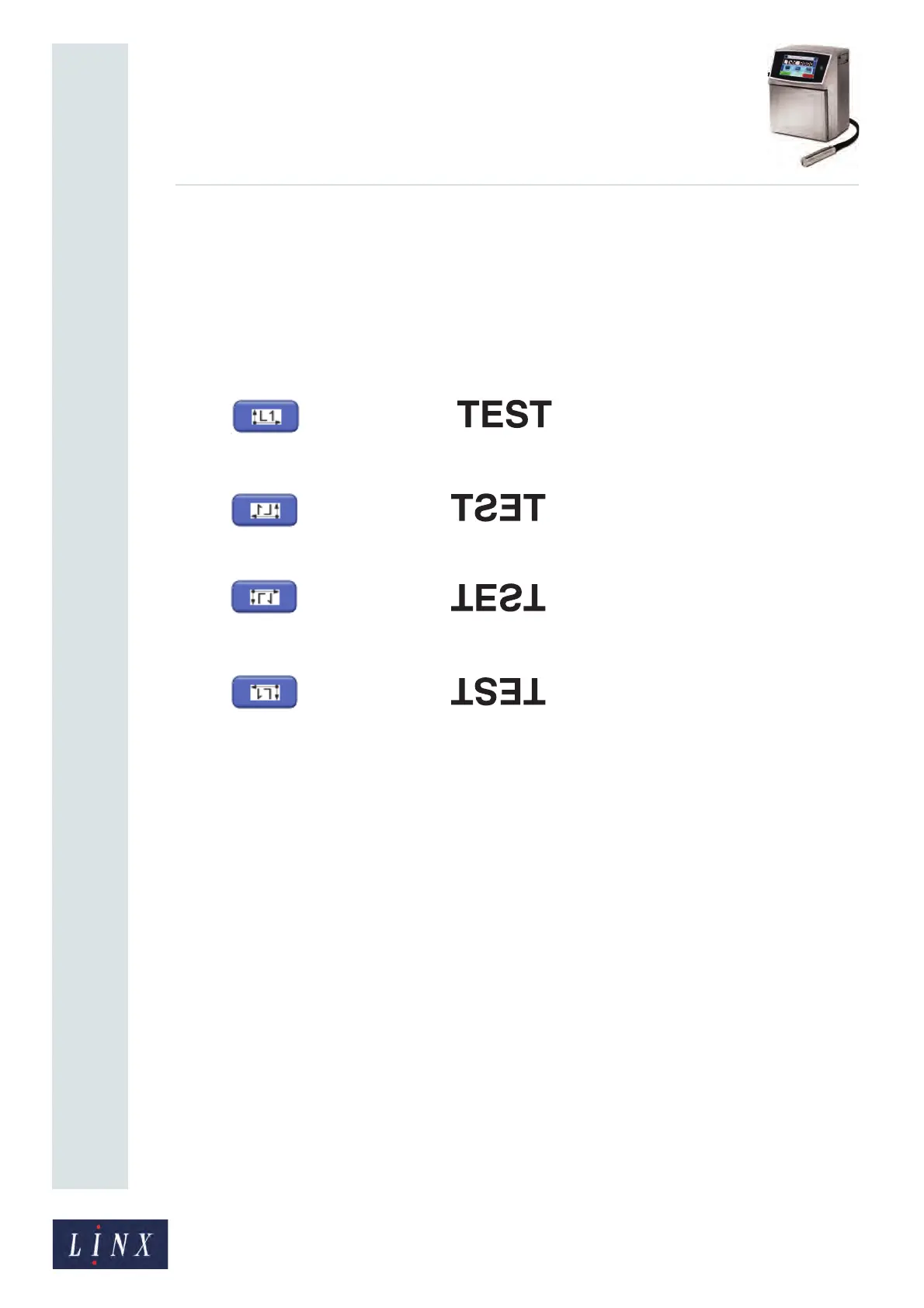
The printer allows you to print a message in a different direction with a horizontal or
vertical, or horizontal and vertical flip. You can use the four Message Orientation buttons to
change the orientation of the printed message. You can select any of the following four
orientations:
• Normal:
• Horizontal flip:
• Vertical flip:
• Horizontal + vertical flip:
This option is available in the ‘Idle’ state and the ‘Jet Running’ state, but not in the ‘Printing’
state.
NOTE: When you change the setting, the change only applies to the selected message. You
can use a different setting for each message.
6109
6110
6111
6113



 To Next Page