Page 49 of 182 TP1A002–1 English
Aug 2015
Linx 8900 Operating Manual —
Change the printer setup
Linx 8900
4.1.8 Network Settings
The Network Settings options allow you to configure the parameters for Ethernet
communications over a network.
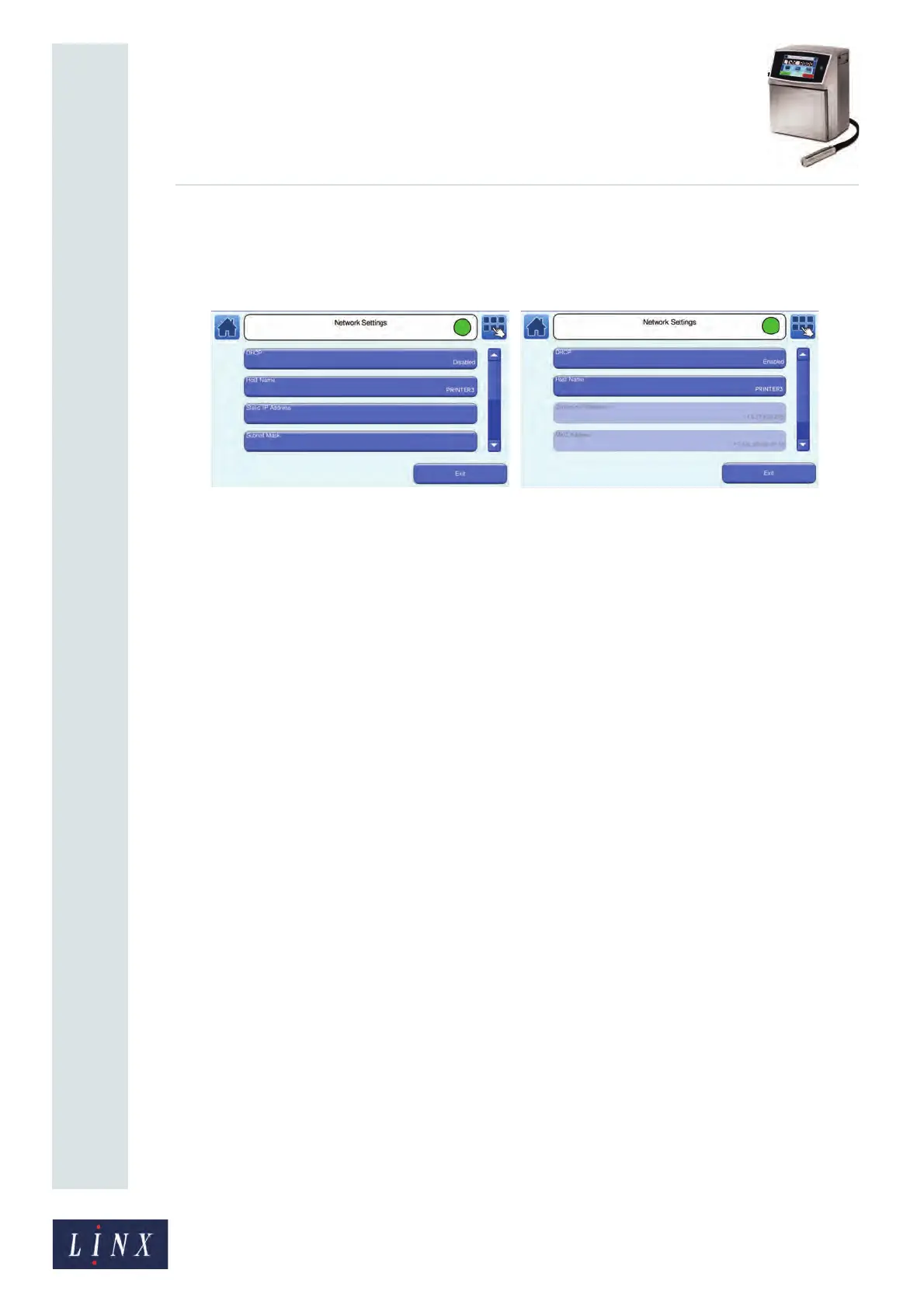
Figure 51. Network Settings screens: DHCP Disabled (a) and DHCP Enabled (b)
DHCP
The DHCP (Dynamic Host Configuration Protocol) option controls how the IP address of
the printer is assigned:
• If the DHCP option is disabled you can assign a static IP address for the printer. Your
network administrator supplies this IP address.
• If the DHCP option is enabled, the printer requests a dynamic IP address from the host
device during the power-up sequence.
Host Name
The default Host Name for the printer is ‘LINX8900_’, followed by the UNIC code of the
printer (for example, “LINX8900_000012bebf90”). You can assign another name to identify
the printer on the network. Touch the Host Name button to display the Enter Host Name
screen and enter a name.
Static IP Address
This option is available if the DHCP option is disabled. Touch the button to display the
Static IP Address screen and enter the IP address supplied by your network administrator.
Dynamic IP Address
The Dynamic IP Address is displayed if the DHCP option is enabled. You cannot edit this
value.
Subnet Mask
This option is available if the DHCP option is disabled. The Subnet Mask is a mask that
assigns an IP address to a given subnet on the network. An IP address has two
components—the network address and the host address. The format depends on the type of
IP address assigned. Contact your network administrator for more information.



 To Next Page