Page 149 of 182 TP1A002–1 English
Aug 2015
Linx 8900 Operating Manual —
Printer communications
Linx 8900
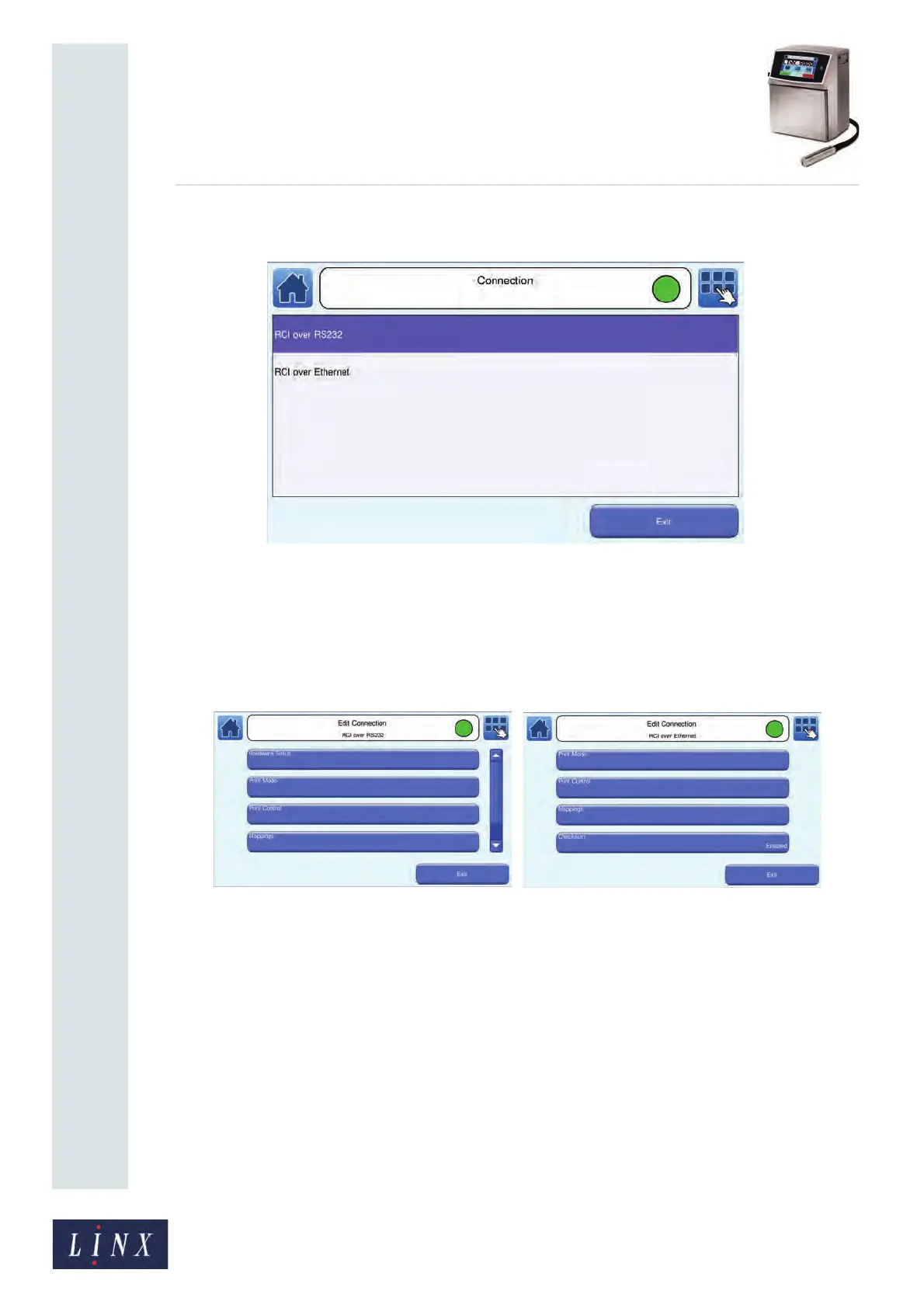
1 Touch the Connection button to display the Select Connection to Edit screen.
Figure 158. Select Connection to Edit screen
2 Touch the name of the remote protocol to use for remote communications (either an
‘RCI over RS232’ connection or an ‘RCI over Ethernet’ connection). The printer
displays the RCI Setup screen for the selected protocol.
3 Touch the Edit Connection button to display the Edit Connection screen for the
selected protocol.
(a) (b)
Figure 159. Edit Connection screens: RCI over RS232 (a) and RCI over Ethernet (b)
To configure the ‘RCI over RS232’ connection, see ‘Configure RCI over RS232
connection’ below. To configure the ‘RCI over Ethernet’ connection, see ‘Configure
RCI over Ethernet connection’ on page 155.
8.1.2 Configure RCI over RS232 connection
To configure Remote Communication Interface parameters for remote communications
over RS-232 that use buffered Remote fields:
1 Select the ‘RCI over RS232’ connection to edit as described in ‘Select
communications protocol’ on page 148. The printer displays the Edit Connection:
RCI over RS232 screen (see Figure 159).
89231
89232



 To Next Page