Page 59 of 182 TP1A002–1 English
Aug 2015
Linx 8900 Operating Manual —
Line and message settings
Linx 8900
5.2.6 Print Trigger
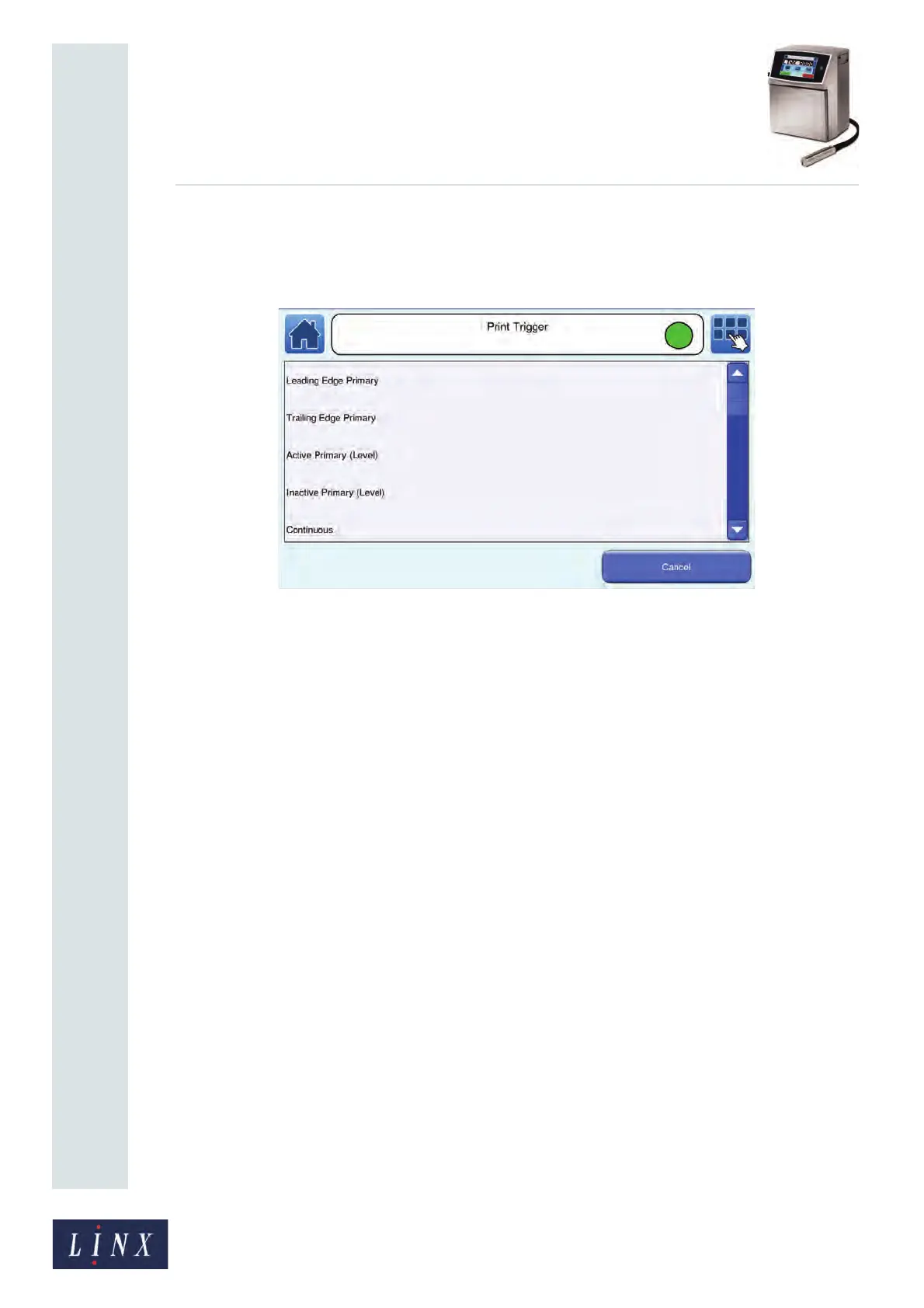
A trigger is a signal that tells the printer to print or update a message. Touch this button to
display the Print Trigger screen with a list of the trigger types that are available.
Figure 58. Print Trigger screen
Leading Edge Primary
The printer prints or updates the message when the product sensor detects the leading edge
of a product.
Trailing Edge Primary
The printer prints or updates the message when the product sensor detects the trailing edge
of the product.
Active Primary (Level)
The printer continuously prints or updates the message while the product sensor detects
the presence of a product (the signal is active).
Inactive Primary (Level)
The printer continuously prints or updates the message while the product sensor does not
detect the presence of a product (the signal is not active).
Continuous
This mode does not use an external trigger signal for printing and the printer prints the
message continuously. The Inter-Print Distance option (see ‘Inter-Print Distance’ on
page 61) controls the rate of printing.
Manual
The printer prints or updates the message when you touch the Manual Trigger button on
the carousel area of the Home screen. See ‘Customise Home Screen’ on page 45 for more
information on how to configure the carousel options.
Touch the name of the required print trigger to select that trigger and return to the
Advanced Line Settings screen.
89141



 To Next Page