Page 124 of 182 TP1A002–1 English
Aug 2015
Linx 8900 Operating Manual —
Add other fields
Linx 8900
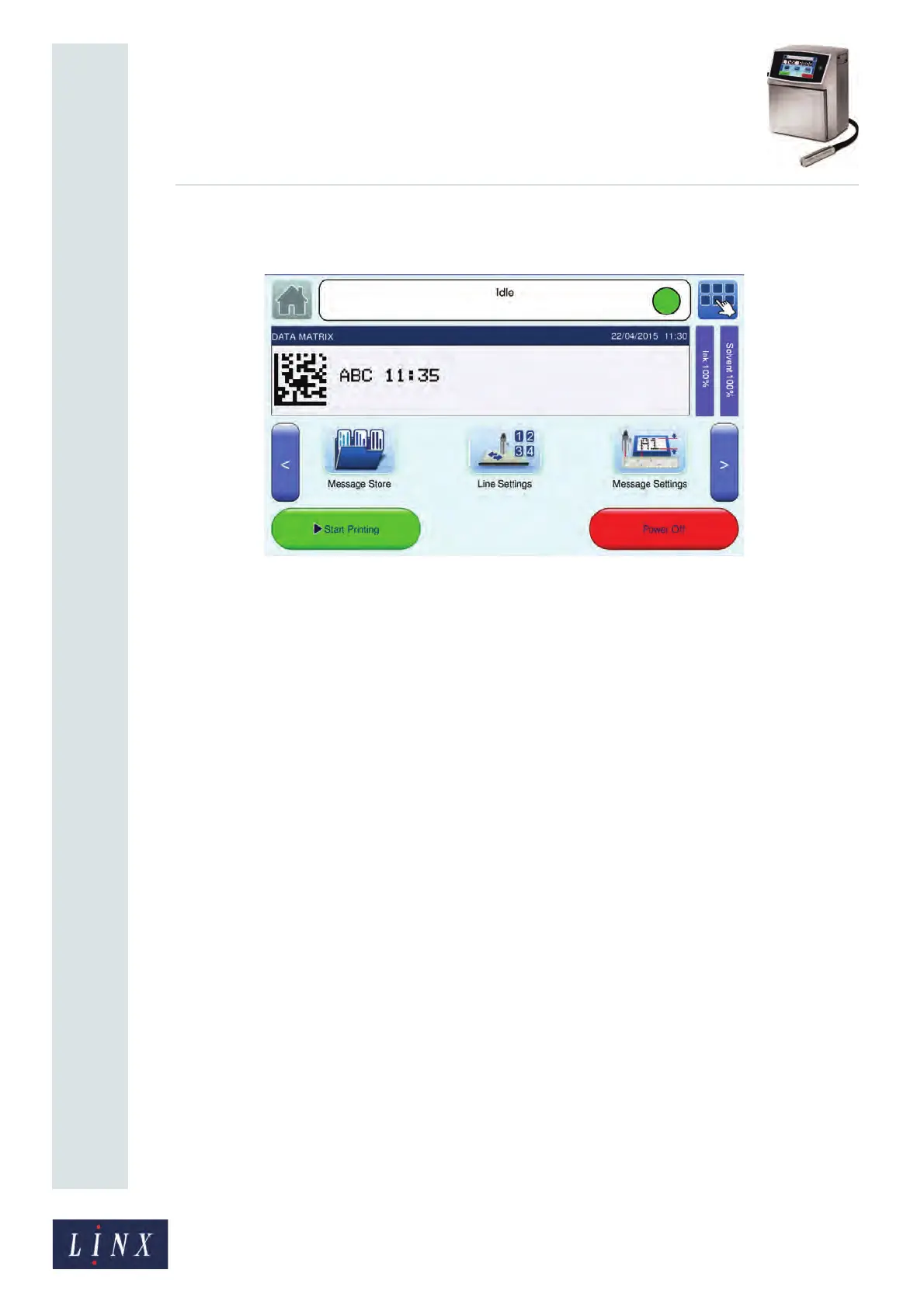
Figure 135 shows an example of a completed Data Matrix code that contains data from a
text field and a date and time field.
Figure 135. Data Matrix field with source data
6.7.1 Data Matrix fields
You use the same method to create a barcode field or a Data Matrix field, but some of the
menu options are different.
Source Fields
You can use one Data Matrix field to encode any number of text items. The text items can be
any of the following field types:
• Text
• Date and Time
• Sequential number
• Text sequence
• Prompted
Size
The 8900 printer can generate ECC 200 Data Matrix fields in 16 different sizes (rows by
columns). Table 6-11 on page 125 shows the available sizes. The default size is 16x16.
If the height of the Data Matrix field is greater that the height of the message style, a
warning message is displayed. If the Data Matrix field is large, the field can cover the
displayed text. Move the field or the text to remove the problem.
Module Size
This option sets the size of the modules in the Data Matrix field to a width of between
0.353 mm (1 pixel) and 0.706 mm (2 pixels). The modules are squares, so if you select a
value of 0.353 mm, the modules in the Data Matrix field are 0.353 mm by 0.353 mm. If you
increase the module size, the size of the Data Matrix field is increased.



 To Next Page