Page 65 of 182 TP1A002–1 English
Aug 2015
Linx 8900 Operating Manual —
Line and message settings
Linx 8900
5.3 How to Calculate Line Speed/Encoder Pitch
NOTE: These options are available in the ‘Idle’ state and the ‘Jet Running’ state, but not in
the ‘Printing’ state.
If you do not know the speed of your production line or the encoder pitch, you can calculate
the correct values as follows:
Calculate Line Speed
1 Set the printer to Fixed Speed mode (see ‘Speed Mode’ on page 58).
2 On the Line Settings screen, touch the Advanced button and then select the
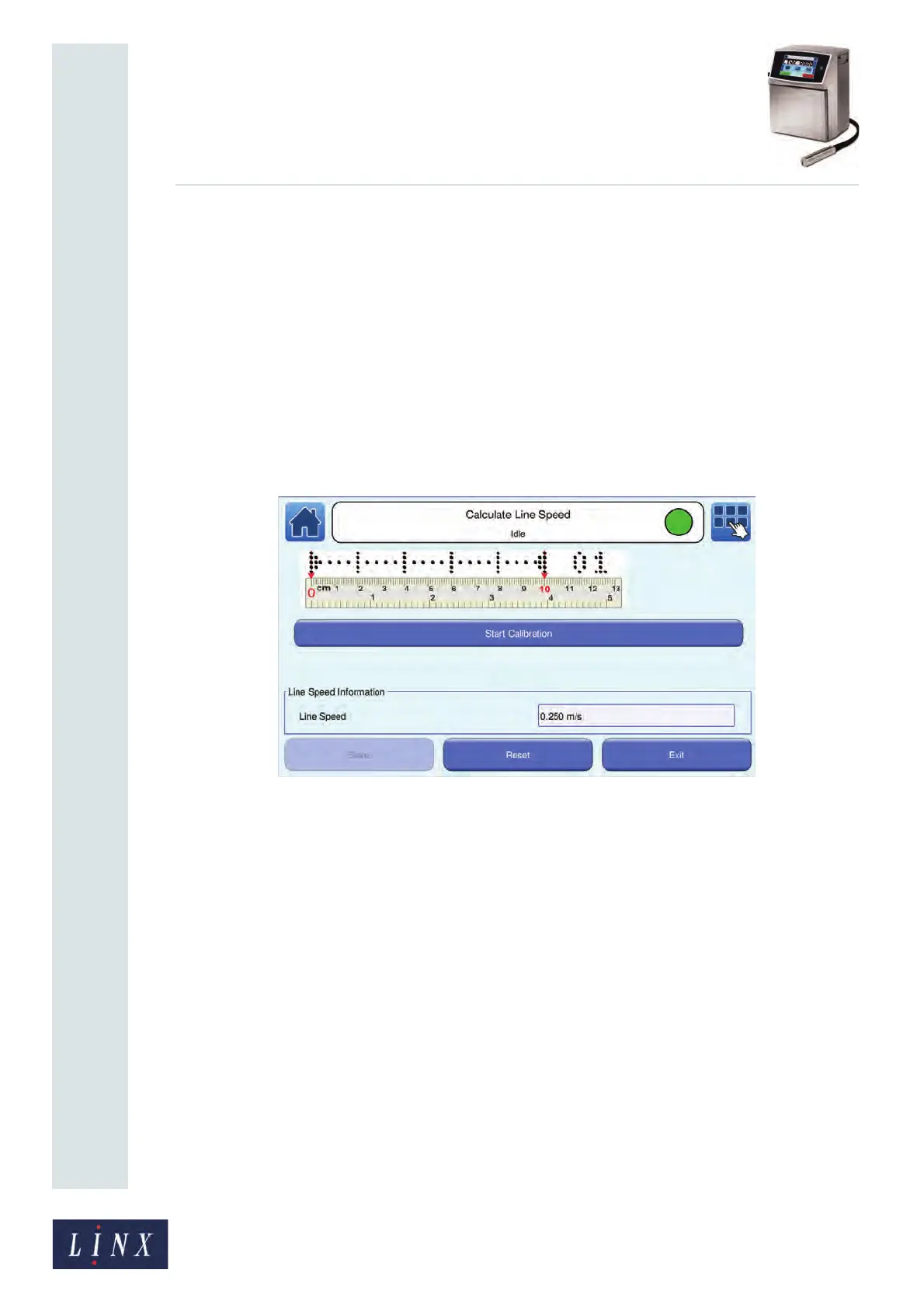
Calculate Line Speed option from the Advanced Line Settings screen. The printer
displays the Calculate Line Speed screen.
Figure 64. Calculate Line Speed: Start Calibration screen
3 Stop the production line.
4 Put a sheet of paper or a sample product on the production line. Touch the Start
Calibration button to begin to measure the line speed.
NOTE: You may need to adjust the position of the printhead if you do not print on
a sample product.
89144



 To Next Page